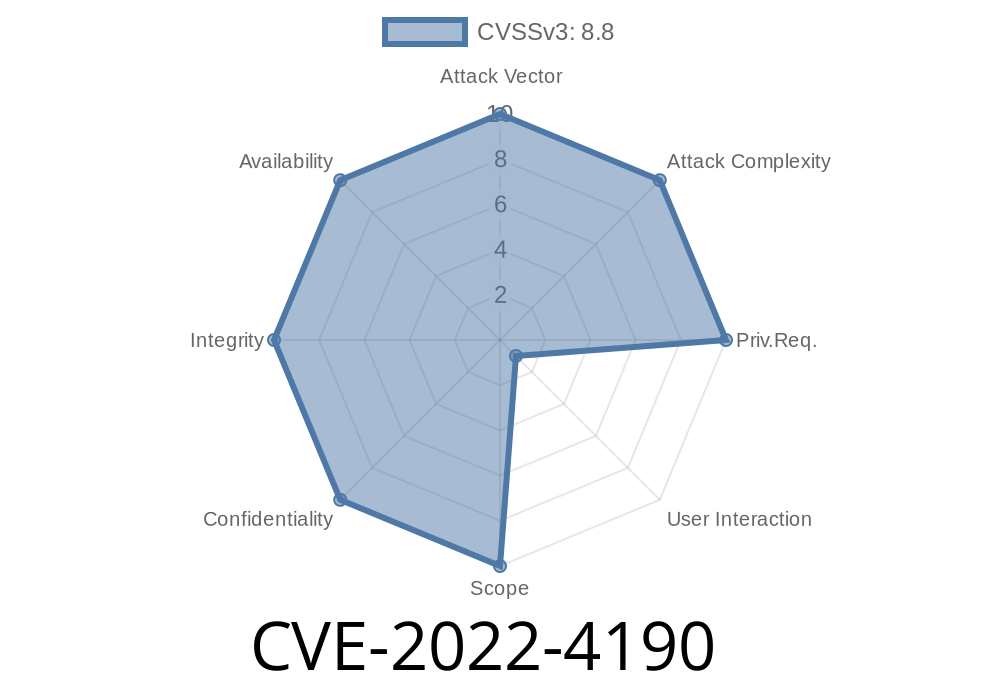
Summary: This blog post aims to provide insights into the CVE-2022-4190 vulnerability that affects directory access in Google Chrome versions prior to 108..5359.71. The Chromium team has classified this security flaw with a medium severity level. Located within Directory in Google Chrome, the vulnerability allows remote attackers to bypass file system restrictions via a crafted HTML page by exploiting insufficient data validation. This post will dive into the technical details of the exploit, share related code snippets, and provide essential resources and links to learn more about this security issue.
Background
Before we dive into the specifics of CVE-2022-4190, it's essential to understand how Chrome handles file access permissions. Typically, web pages hosted on a server cannot access the end-user's file system directly. However, modern web applications often require limited access to the user's files. To provide this functionality, browsers enforce strict security policies and restrict file access.
Unfortunately, an attacker can exploit CVE-2022-4190 and potentially bypass file system restrictions by crafting a malicious HTML page that contains code designed to access user files. To achieve this, the attacker exploits the weakness of insufficient data validation in Chrome's Directory implementation.
Insufficient Data Validation
Data validation is important to ensure that the data received from an external source, such as user input or a web request, is in the expected format and doesn't contain any dangerous payloads or invalid values. In the case of CVE-2022-4190, Google Chrome's Directory component was not properly validating data, allowing an attacker to send an untrusted or malicious input in the form of a crafted HTML page that could access restricted files in the user's local file system.
Code Snippet
Let's examine a hypothetical JavaScript code snippet that could be part of the malicious HTML page exploiting CVE-2022-4190:
async function exploitDirectoryVulnerability() {
  // Crafting a malicious request to exploit insufficient data validation
  const request = createMaliciousRequest();

  // Sending the request to gain access to the user's files
  const vulnerableDirectory = await getDirectory(request);

  // Enumerating the files and processing them
  for (const file of vulnerableDirectory.files) {
    // Bypassing file system restrictions to read sensitive files
    const fileContent = await readFile(file);
    processFileContent(fileContent);
  }
}

// ...additional code to create malicious requests and process files.
In the above code snippet, an attacker would create a malicious request that Chrome would not adequately validate due to the vulnerability. Once the attacker gains access to the user's files, they enumerate the files and bypass file system restrictions to read potentially sensitive information.
Exploit Details
To carry out this attack, a remote attacker needs to create a crafted HTML page containing JavaScript, like the one described in the code snippet above, and trick a user with a vulnerable version of Google Chrome into visiting the page. Once the user visits the malicious page, the attacker could gain access to restricted files on the user's local file system.
It's important to note that this vulnerability doesn't provide the attacker with complete access to the user's system. However, such an exploit could be combined with other attacks to elevate the attacker's access and potentially compromise the system further.
For more information about CVE-2022-4190, refer to the following resources
- Chromium's Official CVE Details and Severity Classification
- CVE-2022-4190 on the MITRE CVE Database
- National Vulnerability Database (NVD) Entry for CVE-2022-4190
Secure Your Browser and Stay Protected
Keeping your browser and other software up to date is critical in protecting your system against known security vulnerabilities. If you are using Google Chrome, it's recommended that you update your browser to version 108..5359.71 or later to address the CVE-2022-4190 vulnerability. Additionally, be cautious when visiting unfamiliar websites and opening links from unknown sources, as attackers may try to exploit similar vulnerabilities to gain unauthorized access to your system.
Timeline
Published on: 11/30/2022 00:15:00 UTC
Last modified on: 05/03/2023 12:16:00 UTC