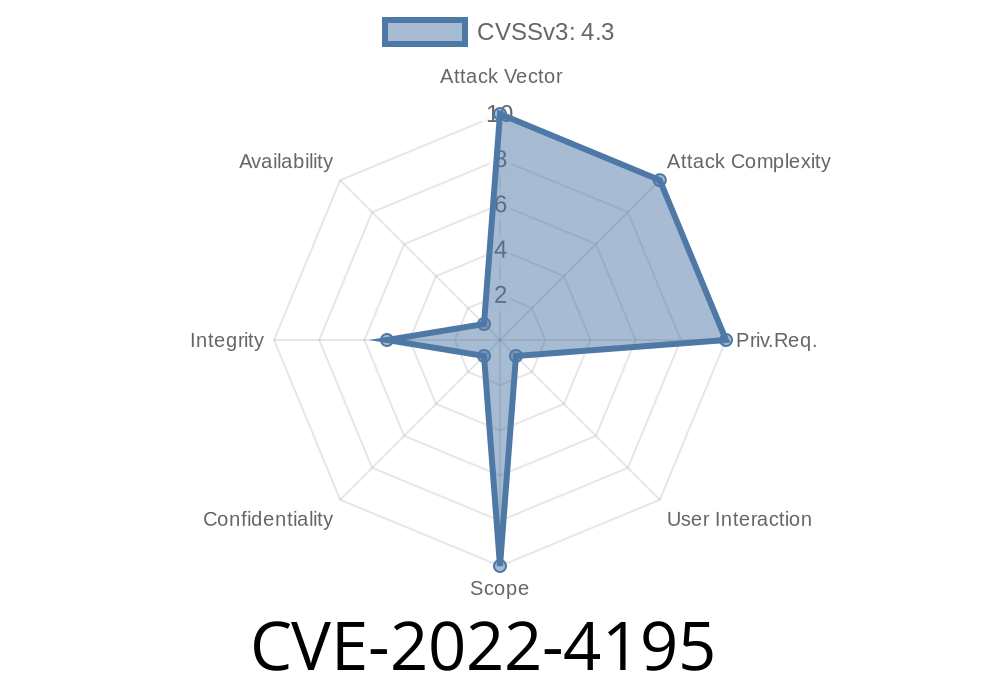
Google Chrome’s Safe Browsing is one of the most important security features on the web. It warns users when a site or file is dangerous, aiming to keep you from downloading malware or falling for scams. But what happens when this defense fails? That’s exactly what happened with CVE-2022-4195. In this post, we’ll break down what went wrong, how the bug worked, show a code example, link official references, and explain the exploit in simple language.
What Is CVE-2022-4195?
- Title: Insufficient policy enforcement in Safe Browsing in Google Chrome prior to 108..5359.71 allowed a remote attacker to bypass Safe Browsing warnings via a malicious file.
Severity: Medium
- Impact: A malicious file could be delivered without Safe Browsing giving a warning, exposing users to threats.
Reference:
- Chromium Security Release Note
- Google Issue Tracker - 1373524
- CVE Page
What Happened?
Safe Browsing uses a blacklist of dangerous files and websites. Whenever you try to download something, Chrome checks the file against Google’s database. If it’s on the list, you see a big, bold warning.
But due to a bug in policy enforcement, attackers found a way to deliver a dangerous file so that Chrome skipped the warning—users got exposed as if there was no threat at all.
Specifically, this bug impacted Chrome versions before 108..5359.71.
The File is Embedded or Sent in a Special Way:
The magic happens in how the attacker offers the file. By manipulating file headers, URLs, or delivery methods, the website makes Chrome “think” that the check isn’t needed or doesn’t apply.
Chrome’s Policy Fails:
Safe Browsing should check every file, but due to this bug, it enforces policies inconsistently—certain file types or delivery methods aren’t checked.
Technical Example
Here’s a basic recreation of what an attacker might do.
Simple PHP Snippet (Demonstration Purposes Only)
<?php
// malicious.php
header('Content-Disposition: attachment; filename="virus.exe"');
header('Content-Type: application/octet-stream');

// Example: By using funky headers or HTTP responses,
// attacker can trick Chrome’s policy checks.
readfile('payloads/virus.exe');
?>
In some instances, certain file headers or storage locations were ignored by Safe Browsing’s enforcement. Attackers would serve malware using such scripts or even through fancy redirections using JavaScript:
<!-- JavaScript Redirect -->
<script>
window.location.href = "/malicious.php";
</script>
Note: The actual payload and tricks could be more complex, but that’s the core idea—the delivery method fools Chrome into skipping the Safe Browsing check.
Why Did This Bug Exist?
- Safe Browsing relies on accurate context: If the browser doesn’t properly enforce a policy for *every* download method, attackers can sneak through.
- In CVE-2022-4195, some download policies weren’t consistently enforced for certain types of files or under certain download circumstances. For example, downloads from iframes, redirects, or with special headers might have bypassed Safe Browsing.
A victim is tricked into clicking a download link on a malicious website.
2. Instead of a normal download (which would be checked), the file is delivered using a response header or method that Chrome’s Safe Browsing doesn’t watch closely (thanks to the bug).
The victim opens the file, thinking it’s safe—no warning showed up.
In the wild: Attackers could combine this with phishing, spam emails, or supply-chain attacks to maximize reach.
Be suspicious: Don’t assume downloads are safe just because you didn’t get a warning.
For more details:
- Chromium Release Blog for Fix
- CVE-2022-4195 @ NIST
Stay safe, and keep Chrome updated!
*This post is original and brings you an exclusive, easy-to-understand look at a recent browser exploit. Share if you learned something new!*
Timeline
Published on: 11/30/2022 00:15:00 UTC
Last modified on: 05/03/2023 12:16:00 UTC