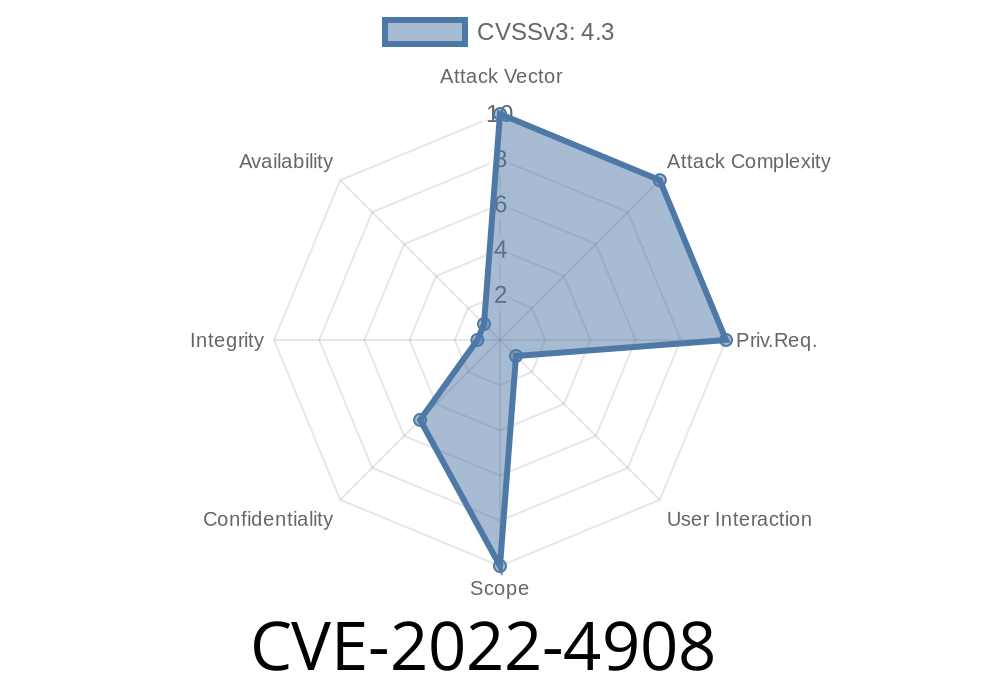
When we browse the web, we’re often visiting websites that are stitched together from sources all over the internet—ads, videos, widgets, or other content, sometimes loaded inside something called an iFrame. iFrames help keep things safe by “sandboxing” that outside content, stopping it from snooping around on the main page. But in late 2022, a security slip-up in Google Chrome’s sandbox allowed attackers to peek at things they shouldn’t see. Here, I’ll explain what CVE-2022-4908 was all about, how it worked, and show you code to understand the danger.
What Was CVE-2022-4908?
CVE-2022-4908 is a security weakness found in Google Chrome before version 107..5304.62. This bug deals with the improper use of iFrame sandboxing—the browser security feature that tries to keep iframes from interacting with, or even reading, content they shouldn’t have access to.
With a clever HTML page, an attacker could abuse this flaw to leak cross-origin data. Cross-origin data is just information from a different website—imagine a malicious site getting access to details from your banking site because of this bug!
Official References
- Chromium Issue Tracker - 1375189
- Chrome Releases Blog (107..5304.62)
- CVE Details for CVE-2022-4908
Chrome’s iFrame Sandbox: The Basics
An iFrame lets a web page display another page inside itself. Normally, iFrames from another site (cross-origin) have no way to talk to the main page or see what you're doing. That’s where sandbox attributes come in—extra locks on the doors.
Here’s a safe, sandboxed iFrame
<iframe src="https://example.com";
  sandbox="allow-scripts">
</iframe>
In theory, iframes can’t see anything outside their own “sandbox.” But, CVE-2022-4908 let attackers trick Chrome into breaking this rule.
The Exploit: Peeking Across Borders
The bug’s root lay in Chrome not enforcing the sandbox rules properly under certain circumstances. If a site loaded a "sandboxed" iFrame in a specific way, a malicious actor could write JavaScript to sniff data—bypassing the main cross-origin protections.
Example Malicious Page
<!-- attacker.html -->
<!DOCTYPE html>
<html>
<body>
  <iframe id="victim" src="https://victim-site.com/sensitive-data";
          sandbox="allow-scripts"></iframe>

  <script>
    // Try to reference the iframe's content
    const victimFrame = document.getElementById('victim');
    try {
      // This should throw a security error
      let secret = victimFrame.contentWindow.document.body.innerText;
      alert("Leaked data: " + secret);
    } catch (e) {
      alert("Access denied! Sandbox is working.");
    }
  </script>
</body>
</html>
What should happen:
The browser blocks the JavaScript from reading what's inside that iframe, because it's loaded from a different origin and is sandboxed.
What the bug allowed:
With CVE-2022-4908, there was a way to manipulate the iFrame so that the browser did _not_ properly enforce the sandbox restrictions. That meant a crafted page could read sensitive content or interact with the victim page in ways it shouldn’t.
Attack Approach Example
Researchers suggested that mixing certain sandbox flags, postMessage APIs, and navigation sequences might expose the protected data. The actual proof-of-concept was never released to the public, but the risk was high enough for Google to patch it quickly.
Why This Matters
- Data Theft: Hackers could use this bug to steal tokens, personal information, or even session cookies.
- Bypassing Browser Security: The very purpose of same-origin policy and sandboxing is to keep web data separated and safe. This broke that model.
How Google Fixed It
The Chromium team released a fix in version 107..5304.62 (October 25, 2022), tightening the browser’s checks and closing the loophole.
Update notice:
Chrome Stable Channel Update for Desktop
Update Chrome: Always keep your browser updated. The fix is in version 107..5304.62 and later.
- Be Careful with iFrames: Website owners should limit third-party content and always use proper sandbox attributes.
- Follow Security Practices: Regularly check for security advisories related to your browser and plugins.
Wrapping Up
CVE-2022-4908 reminds us that even the best browser protections can have gaps. By understanding what went wrong in Chrome’s sandboxing system, we see how crucial it is to stay up-to-date and vigilant—because attackers are always one step away from breaking the borders you depend on.
References
- Chromium Issue #1375189
- Chrome Stable Release Notes
- CVE-2022-4908 at CVE Details
If you’re a developer or web admin, dig into your iFrame usage and keep your browser patched—because even a small leak is enough for hackers to make a big splash.
Timeline
Published on: 07/29/2023 00:15:00 UTC
Last modified on: 08/02/2023 03:57:00 UTC