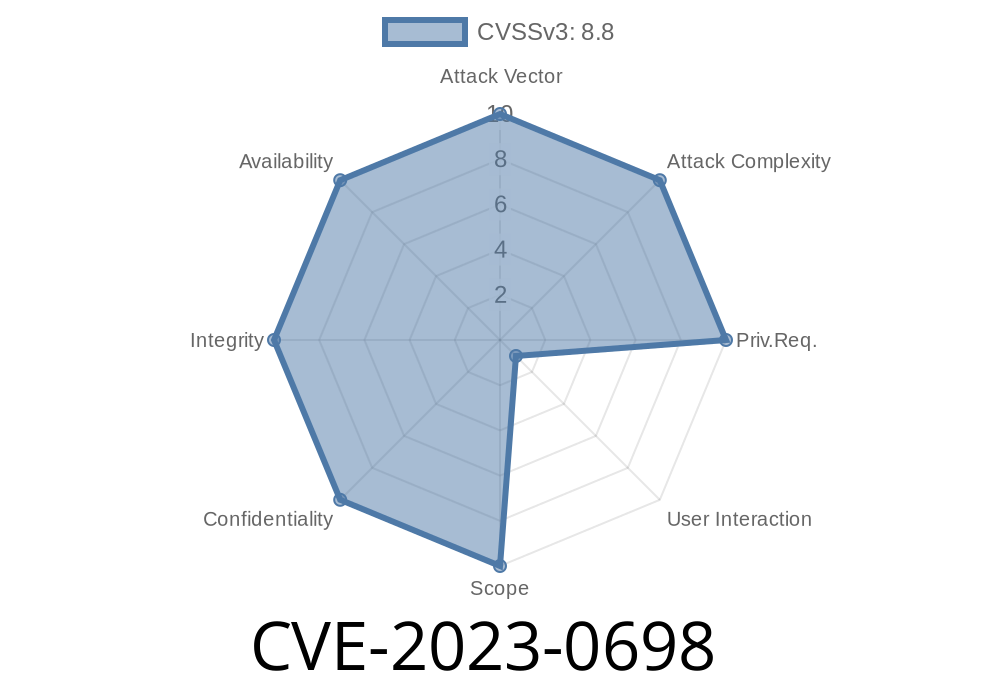
CVE-2023-0698 is a serious security issue discovered in Google Chrome's WebRTC component. This vulnerability allowed remote attackers to read memory outside the intended buffer—a classic *out-of-bounds read* situation—using nothing more than a specially crafted HTML page. If you’re running a Chrome version older than 110..5481.77, you could be at risk.
In this post, we're going to break down how this bug worked, show a conceptual exploit, and talk about how Google responded. This article avoids security jargon and dives into code examples to help you understand the technical details, even if you’re not a professional pentester.
What is WebRTC?
WebRTC (Web Real-Time Communication) is a tech used by browsers (including Chrome) to stream audio, video, and data—think video calls or multiplayer games—directly between users.
Out-of-Bounds Read Explained
An out-of-bounds read happens when software reads memory that it shouldn’t access. Attackers trick the app (or browser) into reading from an area outside of its legitimate storage, sometimes leaking sensitive data or paving the way for further attacks.
What Was the Bug? (CVE-2023-0698 in Layman’s Terms)
A bug was found in the way Chrome’s WebRTC engine handled certain packet data. If a webpage sent data that *looked* right but was secretly crafted, Chrome’s WebRTC would read past the end of a buffer—returning memory from nearby locations.
This means:
A malicious web page could trick your Chrome browser into revealing stuff in memory—sometimes cookies, passwords, or just causing a crash.
Severity: High.
Affected versions: Chrome versions before 110..5481.77.
Fixed in: This commit.
Sample Exploit Code (Conceptual)
To exploit this, the attacker would make a web page that starts a WebRTC connection and then sends “intentionally broken” data that causes Chrome to read memory it shouldn’t.
Below is conceptual JavaScript for how an attacker might craft such a page. (This isn’t the real exploit, but it shows the components involved.)
// WARNING: This code is for educational reference only

// Start a peer connection
const pc = new RTCPeerConnection();

// Create a data channel (could be audio, video, or raw data)
const dc = pc.createDataChannel('test');

// Forge broken WebRTC packets
function sendMalformedData() {
    // This buffer is too short for the expected packet type.
    // Real exploit would need to be carefully crafted.
    const buffer = new Uint8Array([x01, x02]); // WAY too short!
    try {
        dc.send(buffer);
    } catch(e) {
        // Sometimes you'll get exceptions, but in vulnerable Chrome,
        // this could cause an out-of-bounds memory read instead.
        console.log("Error or memory issue detected!");
    }
}

// Open channel and then send the crafted data
dc.onopen = function() {
    sendMalformedData();
};
A real attacker’s code would be much more elaborate, but this is the rough shape of WebRTC data channel misuse that could trigger the bug.
Google’s Response and Patch
As soon as the Chromium team learned about the bug, they quickly patched it. The CVE in question can be tracked here:
- Chromium Issue 1412339
- Security advisory and fix confirmation
Their basic fix ensures that user-supplied data cannot accidentally lead Chrome to read past buffer boundaries again. (See the actual patch diff.)
Why Does This Matter?
- You shouldn't trust any HTML or JavaScript code you don’t control, even in “safe” environments like the browser.
- Out-of-bounds reads are a common step toward bigger/harder attacks, like stealing uninitialized passwords or enabling remote code execution.
How to Protect Yourself
Update your Chrome browser! Make sure you are running at least version 110..5481.77 or later. Most major browsers based on Chromium (like Edge, Brave, or Opera) released similar patches.
Tip:
Go to the menu → Help → About Google Chrome (it should auto-update).
References
- CVE-2023-0698 at MITRE
- Chromium Issue 1412339
- Chrome stable channel update
- WebRTC Project
Final Thoughts
*Out-of-bounds read bugs* might sound boring, but they’re often the hidden start to serious browser hacks. If you want to keep yourself safe, update early, update often, and never underestimate those warnings about “just one webpage” being able to break your security.
If you found this breakdown useful, share it with coworkers or family—and keep your browser locked tight!
Timeline
Published on: 02/07/2023 21:15:00 UTC
Last modified on: 05/04/2023 20:15:00 UTC