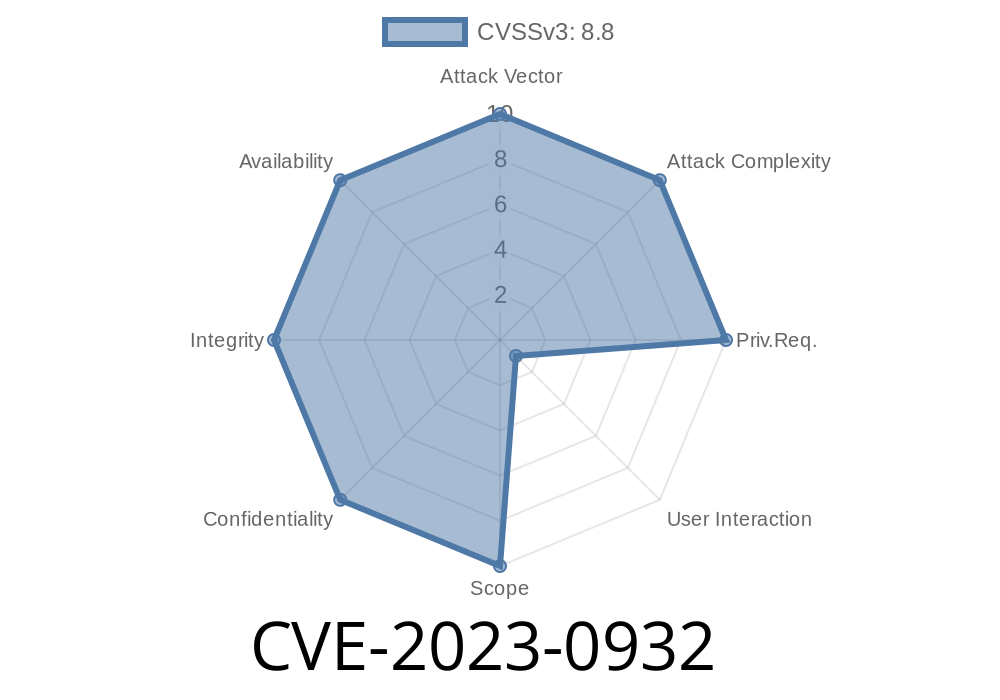
CVE-2023-0932 is a serious bug found in Google Chrome’s WebRTC component. WebRTC lets you make video calls, voice calls, and share files—all inside your browser. Before Chrome version 110..5481.177, hackers could use this bug to run harmful code on *your* Windows machine if you visited a tricky web page and took certain actions. In simple words, an attacker could hijack your browser by tricking it into using parts of memory that had already been “freed.”
Chrome called this a high severity issue. If you haven’t updated Chrome since February 2023, do it right now!
What’s a "Use-After-Free"?
Think of your computer’s memory like a big hotel. When a guest (a program) is done with a room (a part of memory), the hotel staff mark it “available.” If someone sneaks back in after checking out, they could mess with new guests or the building itself. In programming, this is called use-after-free—using memory after it’s been marked “free.”
How Did Attackers Abuse This in WebRTC?
WebRTC lets sites talk directly to your camera, mic, or even other computers. A bug in how Chrome cleaned up after some WebRTC interactions meant that, with tricky JavaScript, an attacker could force Chrome to accidentally reuse a part of memory. Often, this led to browser crashes, but in some cases, clever hackers—especially with other bugs—could push this further and run arbitrary code.
User visits a malicious HTML page (crafted by the attacker).
2. User interacts as directed (maybe clicking a button or allowing camera/mic access).
Here is a very simplified (and safe!) idea of how this kind of bug might be exploited
<!DOCTYPE html>
<html>
<head>
    <title>WebRTC UAF Demo</title>
</head>
<body>
    <button id="start">Start Exploit</button>
    <script>
        let pc;

        document.getElementById('start').onclick = function() {
            pc = new RTCPeerConnection();

            // Step 1: Add a data channel
            let channel = pc.createDataChannel("exploit");

            // Step 2: Set up ICE (triggers async network events)
            pc.createOffer().then(offer => pc.setLocalDescription(offer));

            // Step 3: Free the data channel too early (simulate UAF scenario)
            setTimeout(() => {
                channel.close();   // "Frees" the memory
                pc.close();        // "Frees" the RTCPeerConnection

                // Step 4: Access an already freed object
                try {
                    channel.send("hi after free!"); // This could crash Chrome or corrupt heap
                } catch (e) {
                    alert("Crash likely avoided: " + e.message);
                }
            }, 100);
        };
    </script>
</body>
</html>
Note: This snippet can’t harm a patched browser, but on unpatched versions, similar real-world code led to crashes or worse.
The bug was in the RTCPeerConnection code where cleanup of objects wasn’t safe.
- Detailed bug: Chromium Issue 1405836
- Patch commit: Chromium Commit e4062203
The patch made sure to track all references and only free memory after all activities were finished.
With skill and luck, an attacker could have
- Run code with the same permissions as Chrome (dangerous since people do banking/shopping in Chrome!)
Stolen cookies, credentials, or files
This requires convincing the user to interact (click, allow mic/camera, etc.), but social engineering makes this quite possible.
Update Chrome! Make sure your version is 110..5481.177 or higher.
- Use Chrome’s “About” window (chrome://settings/help) to check your version.
- Be cautious of strange prompts for camera/mic or odd social engineering requests.
## References (Original/Official Links)
- Chromium Security Advisory for CVE-2023-0932
- NIST NVD Entry for CVE-2023-0932
- Bug Tracker: Chromium Issue 1405836
- Chromium Commit Patch
Conclusion
CVE-2023-0932 is a strong reminder: even the most modern browsers can have dangerous memory bugs. A simple update closes the door to attackers. Stay safe, keep your browser up to date, and be careful where you click!
If you want to get into bug hunting, follow the Chromium security blog and keep studying WebRTC and memory management. Stay curious—but stay patched!
Timeline
Published on: 02/22/2023 20:15:00 UTC
Last modified on: 02/28/2023 02:19:00 UTC