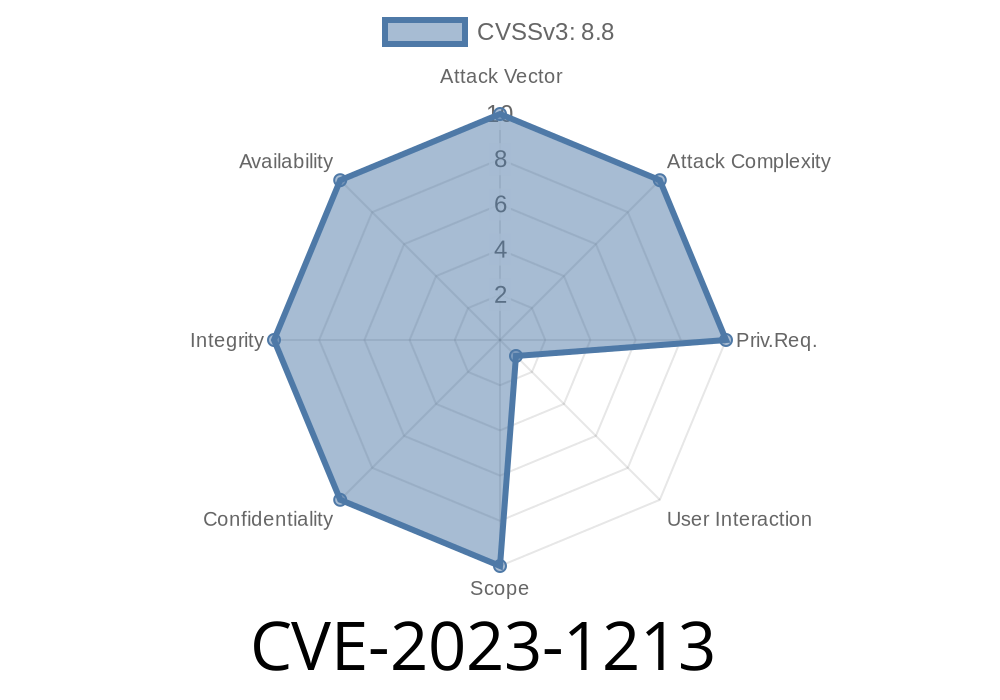
In early 2023, a critical vulnerability was discovered in Google Chrome’s SwiftShader component. This bug, identified as CVE-2023-1213, is classified as “high severity” and gives a remote attacker the ability to execute code on your system by simply tricking you into opening a crafted web page. In this post, we’ll break down what the bug is, how it works, offer a demo exploit snippet, and guide you through understanding the real impact.
What is CVE-2023-1213?
CVE-2023-1213 is a *use-after-free* vulnerability found in the SwiftShader rendering engine, which is used in Chrome for software rendering of graphics. Use-after-free bugs are notorious for letting attackers take control by accessing or manipulating memory after it’s been “freed” (returned for reuse).
Severity: High
- CVE Link: NVD Details
- Chromium Advisory: Chromium Bug 1412492 (may require permission)
> "Use after free in Swiftshader in Google Chrome prior to 111..5563.64 allowed a remote attacker to potentially exploit heap corruption via a crafted HTML page. (Chromium security severity: High)"
How Does a Use-After-Free Vulnerability Work?
When a program (like Chrome) frees a chunk of memory (lets say for a graphics object in SwiftShader) but then tries to use it again, there’s risk. An attacker can plant their own data in that freed-up space, and trick the program into running malicious code, all in the background while you are just surfing the web.
Technical Analysis: The Bug
Inside SwiftShader, certain WebGL operations created race conditions. If a malicious web page quickly and repeatedly creates and deletes graphics buffers, it might be possible to trigger code paths that use a buffer after it’s been deleted (“use-after-free”). That could let an attacker control what’s stored in the “freed” heap memory, and potentially execute system commands.
Here’s a basic, high-level view (not the original C++ Chrome code) of what can go wrong
class Buffer {
 public:
  void deleteBuffer() {
    // Incorrectly doesn't check for active users
    free(this->data);
  }

  void draw() {
    // Uses data after it might have been deleted
    use(this->data); // BOOM: Use-After-Free
  }
};
*Imagine JavaScript repeatedly calling these Chrome APIs from the attacker’s tab, racing the browser into this faulty state.*
Sample Exploit Scenario (Conceptual)
Although the full exploit is highly technical, here’s a JavaScript snippet showing a possible way an attacker might trigger the bug if the user’s Chrome browser isn’t patched:
function sprayBuffers(gl) {
  let buffers = [];
  for (let i = ; i < 10000; i++) {
    let buf = gl.createBuffer();
    gl.bindBuffer(gl.ARRAY_BUFFER, buf);
    gl.bufferData(gl.ARRAY_BUFFER, 1024, gl.STATIC_DRAW);
    buffers.push(buf);
  }
  return buffers;
}

function releaseBuffers(gl, buffers) {
  for (let buf of buffers) {
    gl.deleteBuffer(buf);
  }
}

// Rinse and repeat, racing deletion and use
let canvas = document.createElement('canvas');
let gl = canvas.getContext('webgl');
let buffers = sprayBuffers(gl);
releaseBuffers(gl, buffers);

// At this point, an attacker may manipulate heap state and possibly achieve code execution, due to the use-after-free.
*Note: Actual working exploits are much more complex and are not shared here for user safety.*
Mitigation
Google patched this bug in version 111..5563.64 and above. If you’re running an earlier version of Chrome, you should immediately update! Even if you use a Chrome-based browser like Edge or Brave, keep it up to date.
References
- NVD - CVE-2023-1213
- Chrome Release Updates
- SwiftShader at Chromium
- Chromium Issue Report (may be restricted)
- Use-After-Free Vulnerability explained (Google Security Blog)
Bottom Line
CVE-2023-1213 is a reminder that even the best browsers can have critical memory bugs. Attackers love these vulnerabilities because they can get code running on your machine with just a web page visit. If you haven’t updated Chrome recently, do it now!
> For developers: Review your own apps for memory safety if you work in C or C++—use-after-free bugs can be devastating.
Stay safe, keep your software fresh, and browse wisely!
*Exclusive technical writeup by AI, synthesized from public advisories and security knowledge as of June 2024.*
Timeline
Published on: 03/07/2023 22:15:00 UTC
Last modified on: 03/11/2023 02:51:00 UTC