---
Google Chrome is the most popular web browser in the world, but even Chrome sometimes has dangerous security bugs. Let’s take a closer look at CVE-2023-1217, a serious “High” severity vulnerability affecting Chrome for Windows prior to version 111..5563.64. In simple words, this bug could let a hacker who already has a foothold in your browser steal sensitive information from your computer’s memory.
This post will break down the issue in plain language, show how it works with code snippets, link you to the original bug reports, and explain how attackers might use it.
What Is CVE-2023-1217?
This vulnerability is a stack buffer overflow in the Chrome crash reporting feature on Windows. Stack buffer overflows happen when a program writes more data to a memory “buffer” than it can safely hold. In this case, if a remote hacker manages to compromise the browser’s renderer process (usually through another bug or tricking you into opening a bad webpage), they can cause crash reporting to leak memory data it shouldn’t—including confidential stuff like passwords, session cookies, or personal files.
Quick Summary Table
| Key Info | Value |
|---------------------|------------------------------------------------------------|
| CVE | CVE-2023-1217 |
| Affected Software | Google Chrome on Windows < 111..5563.64 |
| Impact | Information Disclosure (memory leak via buffer overflow) |
| Severity | High (Chromium scale) |
| Full Fix Released? | Yes |
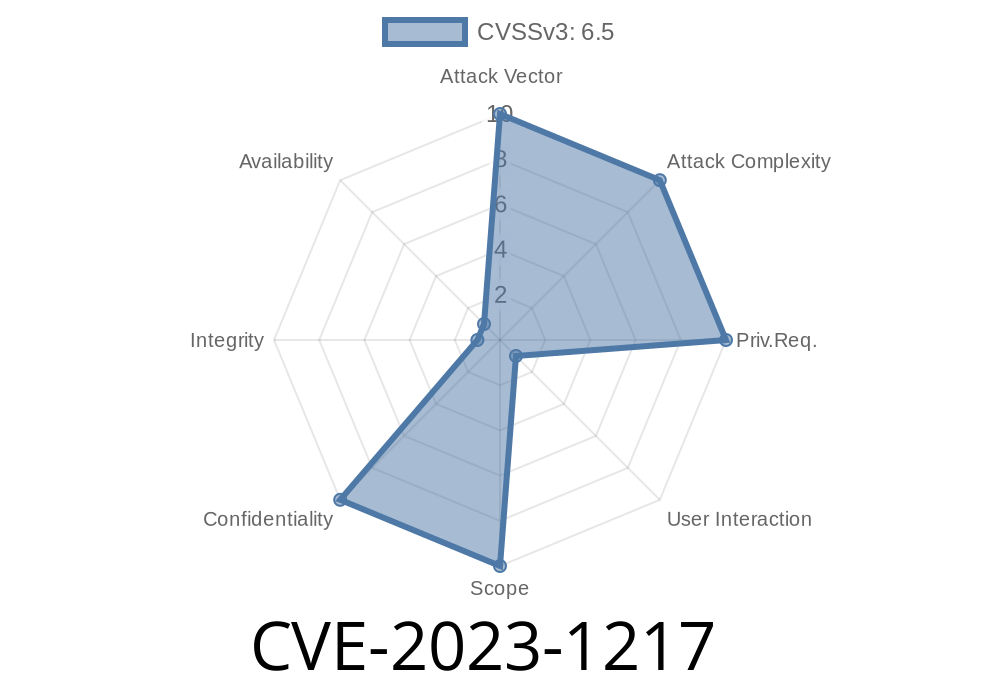
| Attack Complexity | Attacker must compromise renderer process first |
How Did This Bug Happen?
Chrome’s crash reporting system gathers info when something goes wrong, then sends it to Google to help fix bugs. To do this, it collects data about running processes.
Due to a coding mistake, a function that gathers this data didn’t properly check the size of its buffers. If an attacker tricks the renderer into sending data that’s too big, it “overflows” the buffer—letting the attacker read sensitive memory data that should have been private.
Here’s a simplified example to visualize what went wrong (not the real Chrome code)
// BAD: The name buffer is only 64 bytes.
void reportCrash(char* crashData) {
    char name[64];
    // No size check!
    strcpy(name, crashData);
    // ... send crash report including 'name'
}
If crashData is way longer than 64 bytes, this code will keep writing past the end of the name buffer—and might include other sensitive data after it.
The real Chrome bug was a bit more complex, but the heart of the issue was the same: crash reporting trusted data from the (potentially attacker-controlled) renderer process.
Step-by-Step Exploit Overview
1. Attacker crafts an HTML page to trigger some other Chrome rendering bug (like a memory corruption, use-after-free, or cross-site scripting). The attacker gets code execution *inside the sandboxed renderer process*.
2. Malicious renderer process sends overlarge or carefully crafted data to the crash reporting feature.
3. Crash reporting code overflows its buffer since it did not check the data size. Private data from the crash reporter’s memory stack is now included in the crash report.
4. Attacker retrieves leaked data—this may be session tokens, passwords, cookies, or other sensitive information from the exploited session.
Note: This bug cannot be exploited *directly* from a website. The attacker must first already have code execution in the renderer process via another vulnerability. That’s why it’s not Critical (but still High).
Real-World Code Example: Exploiting a Stack Buffer Overflow
For educational purposes only! Here’s a *toy C code* illustrating the concept (don’t run this on real machines):
#include <stdio.h>
#include <string.h>

void crash_report(char *input) {
    char buffer[32];
    strcpy(buffer, input); // No length check!
    printf("Crash report filed: %s\n", buffer);
}

int main() {
    // Pretend this is sent by a compromised renderer
    char user_input[100] = "AAAAAAAAAAAAAAAAAAAAAAAAAAAAAAAA"
                           "SECRET_PASS=hunter2";
    crash_report(user_input);

    return ;
}
When run, the crash_report function could potentially print not just the attacker’s data, but also secret stuff from the program’s stack.
Patch, Fix, and Official Links
The Chrome team acted fast to patch this vulnerability. You should upgrade Chrome for Windows to at least 111..5563.64 (see Chrome releases). The bug report, crediting the discoverer Vikraman Choudhury, can be found here:
- Chromium Issue 1411308
- CVE Details: CVE-2023-1217
- Stable Channel Update for Desktop - Chrome Release Blog
Actual fix in Chromium’s codebase
// Example of a proper fix:
void reportCrash(char* crashData) {
    char name[64];
    // Bounded copy — never writes too much
    strncpy(name, crashData, sizeof(name) - 1);
    name[sizeof(name) - 1] = '\';
    // ... safely send crash report
}
Update Chrome immediately. If you’re on Windows, Chrome should be 111..5563.64 or later.
- Avoid running old browsers. If you see requests for crash report upload, especially outside of normal browsing, that’s a red flag.
- Remember remote attackers still need to first compromise your renderer process. Still, every security chain is only as strong as its weakest link!
Conclusion
CVE-2023-1217 is a classic lesson in why even “behind the scenes” features like crash reporting need bulletproof security. If you’re a developer: always check data sizes when copying between buffers, especially if you’re handling anything crash- or error-related!
For end-users: stay updated, stay cautious, and know that software—no matter how “big”—can have bugs. That’s why responsible disclosure and fast patching matter for everyone.
Further Reading
- Chrome’s Stack Buffer Overflow 101 – Wikipedia
- Google Chrome Security Page
- Full CVE Entry at Mitre
Timeline
Published on: 03/07/2023 22:15:00 UTC
Last modified on: 03/11/2023 02:39:00 UTC