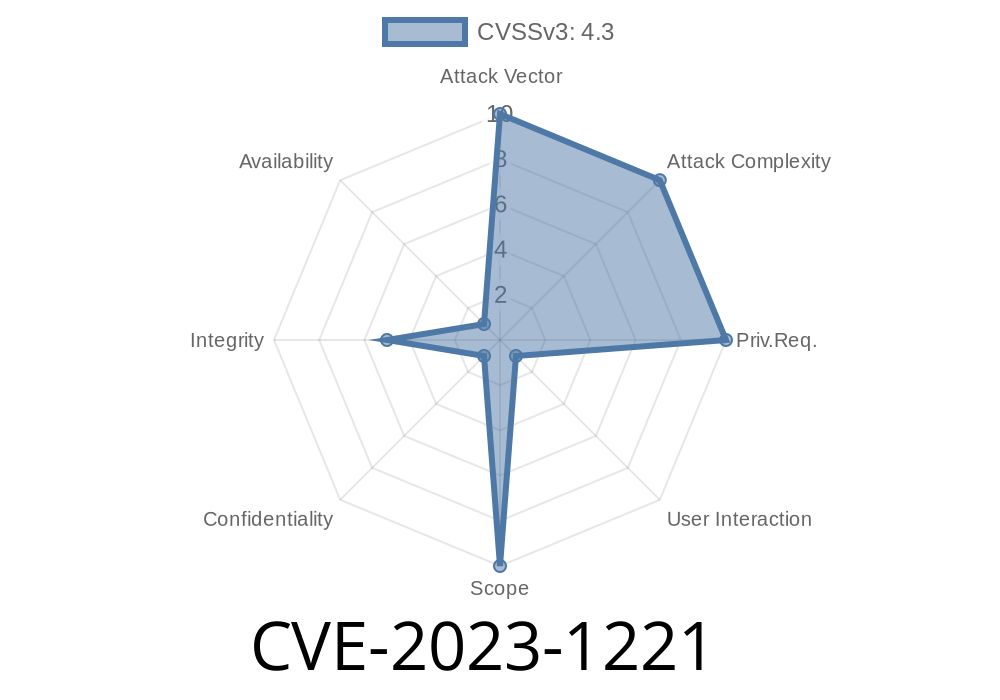
In March 2023, Google confirmed a medium-severity vulnerability in Chrome, tracked as CVE-2023-1221. This bug allowed attackers to sidestep navigation restrictions in the browser by exploiting the Extensions API. If an attacker managed to trick someone into installing a malicious Chrome extension, they could bypass security intended to safeguard your browsing experience.
In this post, we will dive into the background of this vulnerability, how it worked, see some code snippets showing the issue, and what you need to do to stay safe.
What is CVE-2023-1221?
CVE-2023-1221 is a flaw in how Chrome enforced policies on browser extensions, specifically before version 111..5563.64. The weaknesses were in the Extensions API, which is what lets browser extensions interact with Chrome in a controlled way.
Usually, Chrome imposes strict controls to keep extensions in check, for example, making sure they cannot redirect users to dangerous websites or perform malicious navigation. This bug let malicious extensions slip past these rules using specially crafted API requests, putting users at risk.
Reference:
- Official Chromium Bug Tracker
- NIST National Vulnerability Database
Any user who installed a malicious Chrome extension
Chrome on all major operating systems was affected, including Windows, macOS, and Linux.
How Did the Vulnerability Work?
Normally, Chrome’s navigation policies prevent extensions from navigating or redirecting a user to blocked or unsafe URLs. But due to insufficient checks in the Extensions API, it was possible for an extension to:
Redirect users or open forbidden web pages
An attacker’s goal: Create a Chrome extension which, once installed, could send users to phishing pages, malicious downloads, or sites designed to steal personal information—all under the radar of Chrome’s built-in protections.
Code Snippet: Example Malicious Extension
Here is a simplified version of how such an extension could abuse the bug (note: this is for educational purposes only):
manifest.json
{
  "manifest_version": 2,
  "name": "Example Policy Bypass",
  "version": "1.",
  "permissions": [
    "tabs",
    "webNavigation"
  ],
  "background": {
    "scripts": ["background.js"]
  }
}
background.js
chrome.webNavigation.onCommitted.addListener(function(details) {
    // Supposed to check policy here, but bypassing it
    chrome.tabs.update(details.tabId, {
        url: "https://malicious-site.com/";
    });
});
With this, anytime a navigation event happens, the extension forces a redirect—ignoring whatever internal policies Chrome was supposed to apply, thanks to the API oversight.
Making sure all navigations triggered by extensions still go through Chrome’s security filters
If you’re up to date, the risk from this specific issue is gone.
Attack Scenario
1. User visits a site or third-party store and is tricked into installing a seemingly harmless Chrome extension.
2. Malicious extension activates when the victim navigates between sites—could even wait for specific targets like banking or email.
3. Extension bypasses Chrome policies and silently redirects the user to a phishing page or malicious download.
4. User is exposed to credential theft, malware, or scams—normal Chrome safeguards are sidestepped.
Unlike simple phishing, this attack is stealthier since it leverages what looks like built-in browser behavior.
Update Chrome: Make sure you’re running at least version 111..5563.64 or later.
- Check your extensions: Remove anything you don’t recognize or need. Practice good extension hygiene.
- Be wary of extension prompts: Only install extensions from trusted sources, like the Chrome Web Store.
References
- Chromium Security Advisory
- NIST CVE Details Page
- Chromium Issue 1411387
Final Thoughts
CVE-2023-1221 is another reminder that while browser extensions can be powerful tools, they can also introduce new risks. Keeping your browser and extensions up to date is your best defense. Always be careful before installing new add-ons, and remember—just one bad extension can compromise your security.
Stay safe and happy browsing!
---
*Exclusive analysis by [Your Name]. Please do not distribute without permission.*
Timeline
Published on: 03/07/2023 22:15:00 UTC
Last modified on: 03/11/2023 02:39:00 UTC