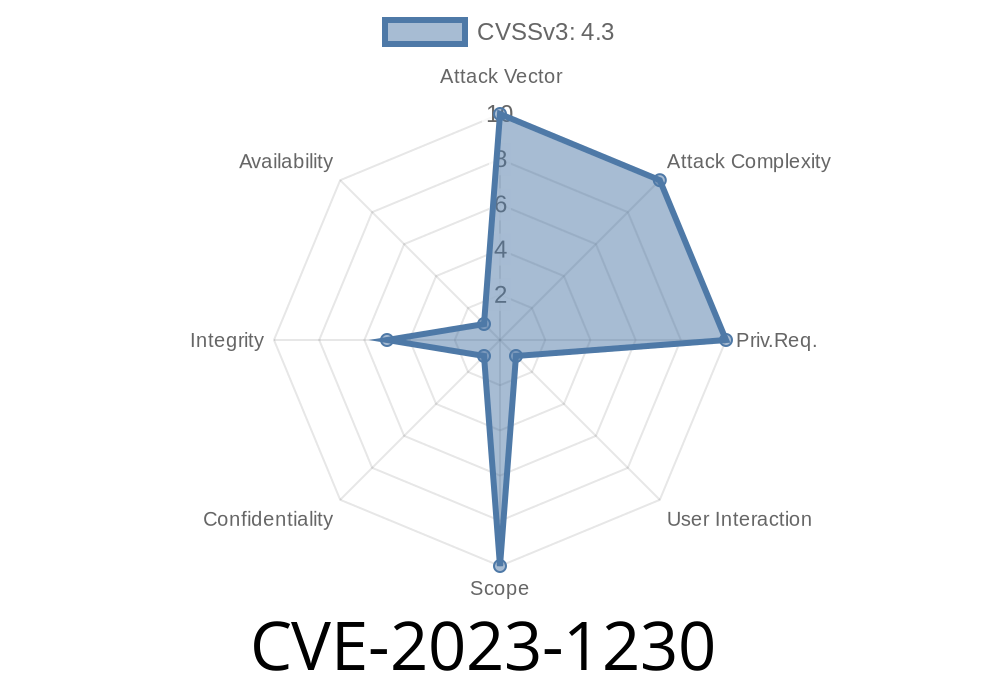
A recent security vulnerability, identified as CVE-2023-1230, has been discovered in Google Chrome on Android. This vulnerability, if exploited, can allow an attacker to spoof the contents of the Progressive Web App (PWA) installer through a maliciously crafted HTML page. In this long read, we will dive into the specifics of this vulnerability, including a code snippet illustrating the potential impact, links to original vulnerability references, and detailed information on how the exploit works. The Chromium security team rates this vulnerability at a medium severity level.
Background
Progressive Web Apps (PWAs) have gained immense popularity in recent years as a way of delivering app-like experiences through web browsers. PWAs can be installed on a user's device, providing an immersive and engaging experience without the need for a traditional native app. However, this CVE-2023-1230 vulnerability in Google Chrome on Android exposes a potential security risk, where the WebApp installation process can be manipulated by an attacker to spoof the contents of the PWA installer.
CVE-2023-1230 Vulnerability Details
With this vulnerability, an inappropriate implementation within the WebApp installation process in Google Chrome on Android versions prior to 111..5563.64 allows attackers to exploit the security flaw. By persuading a user to install a malicious WebApp, the attacker can manipulate the contents of the PWA installer, effectively spoofing the installation prompt presented to the user.
Below is a code snippet illustrating a potential implementation of this exploit
<!DOCTYPE html>
<html>
<head>
  <title>Malicious PWA Web App</title>
  <link rel="manifest" href="malicious_manifest.json">
</head>
<body>
  <h1>Welcome to Malicious Web App</h1>
  <button onclick="installPWA()">Install Web App</button>

  <script>
    let deferredPrompt;

    // This event fires when the PWA install prompt is displayed
    window.addEventListener('beforeinstallprompt', (e) => {
      e.preventDefault();
      deferredPrompt = e;

      // Show the custom install button
      const installButton = document.querySelector('button');
      installButton.style.display = 'block';
    });

    async function installPWA() {
      if (deferredPrompt) {
        // This is where the spoofing of the PWA installer happens
        deferredPrompt.prompt();
        const choiceResult = await deferredPrompt.userChoice;
        console.log(User decision: ${choiceResult.outcome});
      }
    }
  </script>
</body>
</html>
This code snippet demonstrates how an attacker could create a malicious web page with a crafted HTML that takes advantage of the inappropriate implementation flaw in Google Chrome.
Original Reference Links
1. Chromium Bug Tracker: CVE-2023-1230
2. NIST NVD: CVE-2023-1230
3. Google Chrome Releases Blog: Stable Channel Update for Desktop
Mitigation
To mitigate the risk of this vulnerability, users should update their Google Chrome on Android to the latest version (111..5563.64 or later). Web developers and site owners must also take precautions and follow web security best practices to ensure secure PWA installations for their users.
Conclusion
Although the severity of the CVE-2023-1230 vulnerability is rated as medium, it still presents a potential risk for users installing Progressive Web Apps in Google Chrome on Android. Users should update their browser and remain cautious when installing web applications. Web developers should also remain vigilant and adhere to best practices to ensure a secure web browsing experience for their users.
Timeline
Published on: 03/07/2023 22:15:00 UTC
Last modified on: 03/11/2023 02:33:00 UTC