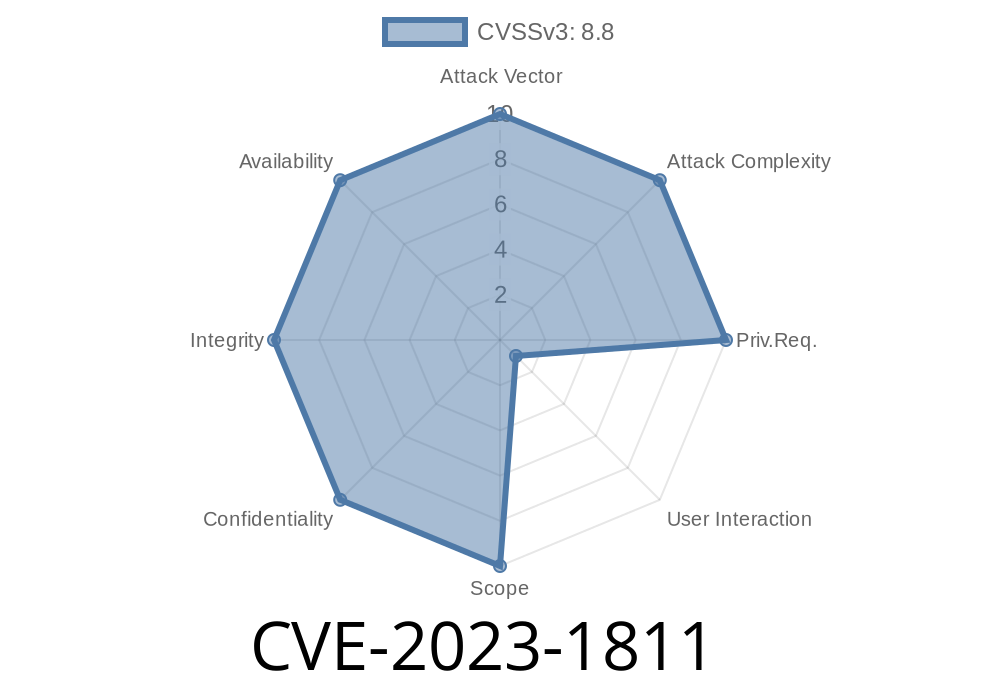
In early 2023, a critical vulnerability was discovered in Google Chrome’s handling of HTML Frames. Tracked as CVE-2023-1811, this security flaw allowed attackers to remotely compromise Chrome browsers under certain conditions. Let’s break down what happened, how the exploit works, and what you can do about it.
Impact: Allows remote attacker to corrupt browser memory (heap corruption)
- Severity: High (Chromium Security Severity Rating)
- Root cause: Freeing a memory resource (frame) before it’s completely done being used, which opens the door for hackers to exploit the browser.
What’s a Use-After-Free?
A Use-After-Free bug is a classic type of memory issue. It means that the browser frees (“deletes”) a section of memory but something in the code still tries to use it. If attackers can take advantage of this, they can trick the program into running malicious code or force it to crash.
How Attackers Exploited It
The Chrome team reported that a specially crafted HTML page could trigger the bug. Here’s a simplified explanation:
> If a user visited a malicious webpage and performed certain UI actions (like clicking buttons or interacting with popups inside frames), a remote attacker could corrupt memory inside Chrome.
By controlling how frames were created and destroyed, attackers could gain access to freed memory, potentially allowing them to run arbitrary code.
Real Exploit Example: A Crafted HTML Page
Here’s an illustrative (simplified) example of how a malicious HTML page might exploit this UAF. Please note: this is an educational, non-exploitable snippet!
<!DOCTYPE html>
<html>
  <body>
    <iframe id="myFrame" src="about:blank"></iframe>
    <button onclick="triggerUAF()">Click me!</button>
    <script>
      function triggerUAF() {
        let frame = document.getElementById('myFrame');
        // Remove frame from DOM, freeing associated memory
        frame.remove();
        // Asynchronously try to access frame's content after removal
        setTimeout(() => {
          try {
            // This triggers use-after-free because Chrome mishandled frame cleanup (before Patch 112..5615.49)
            let doc = frame.contentDocument;
            console.log("Accessed removed iframe:", doc);
          } catch (e) {
            alert("Exploit failed, but on vulnerable Chrome, this might corrupt memory!");
          }
        }, );
      }
    </script>
  </body>
</html>
How this works
- The iframe is programmatically removed, and then shortly after, the code tries to access its content.
- On vulnerable Chrome versions, this could access freed memory, giving attackers a chance to inject malicious instructions.
Why Is This So Dangerous?
Heap corruption can lead directly to arbitrary code execution — meaning attackers can take over your browser, steal data, install malware, or worse. Chrome classified this as “High” risk.
Protection and Patch
Google fixed this issue in Chrome version 112..5615.49 and later. The fix ensured that frames couldn't be used after they were deleted, closing the window for attackers.
- Update Chrome: Go to Settings → About Chrome, and make sure you’re running the latest version!
Original References
- Chrome Stable Channel Update for Desktop (CVE-2023-1811)
- Chromium Issue Tracker (Public Entry) (May be restricted after fix)
- NIST National Vulnerability Database: CVE-2023-1811
Summary Table
| Field | Info |
|-------------------|----------------------------------------------|
| Name | CVE-2023-1811 |
| Affected Browser | Google Chrome (prior to 112..5615.49) |
| Type | Use-After-Free (UAF) |
| Exploitable By | Remote attacker, with user interaction |
| Impact | Heap corruption, possible code execution |
| Fix Status | Patched in 112..5615.49 |
| Required Action | Update Google Chrome ASAP |
Conclusion
CVE-2023-1811 is a powerful reminder that even top browsers like Chrome can have serious memory bugs. Always keep your browsers up to date, avoid suspicious websites, and be careful when interacting with pop-ups or unexpected frames.
If you want to dig deeper or report browser security issues, check out Chromium’s Security Page!
Stay safe, and never stop updating your software.
*This article is for educational purposes only. Don’t try to exploit vulnerabilities. If you find a bug, report it responsibly!*
Timeline
Published on: 04/04/2023 22:15:00 UTC
Last modified on: 04/13/2023 04:15:00 UTC