---
Introduction
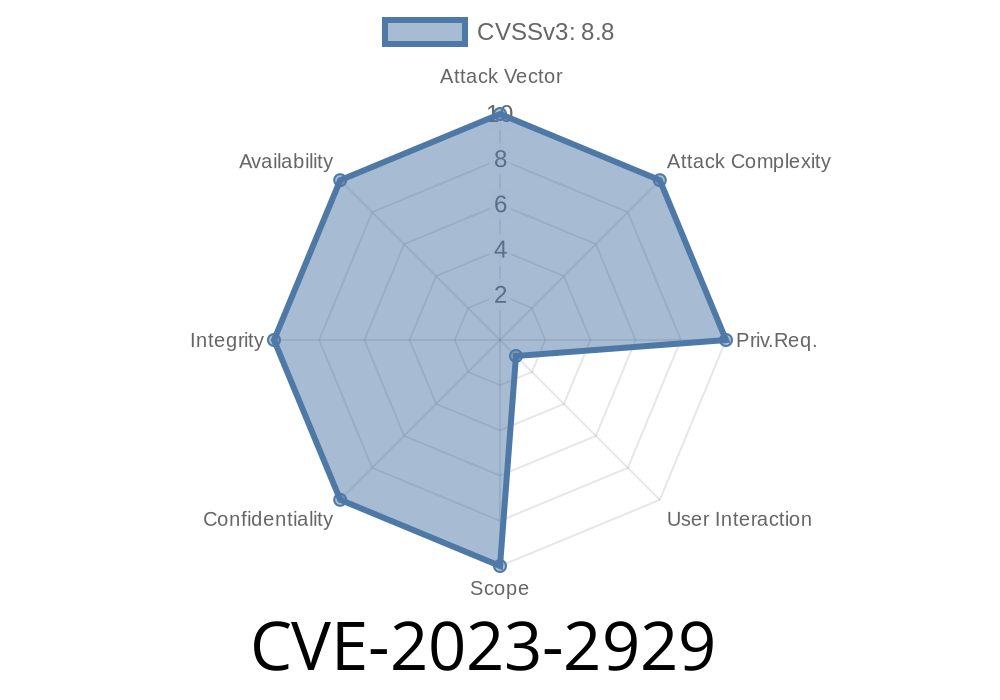
In June 2023, Google patched a high-severity vulnerability identified as CVE-2023-2929 affecting the SwiftShader component used in Google Chrome. Prior to version 114..5735.90, this bug allowed attackers to exploit a heap corruption bug using a specially crafted HTML page. This article will break down what happened, how you could trigger it, and why you should patch now. We’ll keep things simple for both developers and users.
What Is SwiftShader?
SwiftShader is a software renderer used by Chrome when your GPU is not available or for rendering in sandboxed content. It converts graphics API calls into instructions that the CPU can process. The flexibility of running untrusted code combined with software-based rendering can open the door to certain memory safety issues.
The Vulnerability: Out-of-Bounds Write
An out-of-bounds write occurs when a program writes data outside the limits of allocated memory buffers, potentially overwriting important data or executable code. In the context of Chrome, this could allow attackers to corrupt the heap—changing how memory is used in the browser, and potentially executing code.
CVE-2023-2929 specifically impacted SwiftShader’s handling of certain graphics operations. A remote attacker could set up a malicious HTML page containing crafted graphics calls. On visiting the page, Chrome could incorrectly process memory, leading to heap corruption.
Code Snippet: What Might the Bug Look Like?
Here’s a pseudocode (simplified, not directly from the Chrome codebase) illustrating a classic out-of-bounds write bug in C++ (which underpins SwiftShader):
void writePixelData(uint8_t* buffer, size_t bufferSize, size_t writeOffset, uint8_t value) {
    // Vulnerable: no bounds check!
    buffer[writeOffset] = value; // If writeOffset >= bufferSize, this corrupts the heap!
}
If writeOffset is larger than bufferSize, memory outside the intended buffer gets modified—classic OOB write.
How Could Attackers Exploit This?
Attackers create a malicious website with crafted WebGL or Canvas operations. When you visit that site using a vulnerable Chrome version, the browser’s SwiftShader component processes those graphics API calls. If these calls trigger the buggy code, the attacker gets control over what gets written in memory—corrupting the heap.
This memory corruption is a powerful tool for attackers:
It can be used to crash the browser, making a denial-of-service attack.
- More dangerously, it might let the attacker execute arbitrary code, essentially taking over your computer if chained with additional exploitation techniques.
Note: Google classified this flaw as _"High"_ severity because it could be exploited remotely, without your knowledge, just by visiting a website. Chrome runs each website in a sandbox, but memory corruption bugs are sometimes used to break out of that sandbox.
Who Discovered It?
This vulnerability was reported by @budolson of Oasis Security.
Official Chrome Release notes with fix
References
- Chromium Bugs Tracker ID: 1435346 (may be restricted to prevent -days)
- SwiftShader GitHub
Real-World Exploit: What Would It Look Like?
A working exploit is not public (for safety reasons), but here’s a theoretical JavaScript example for educational purposes (non-working):
<html>
<body>
<canvas id="glcanvas" width="256" height="256"></canvas>
<script>
  // Hypothetical exploit code to trigger the buffer overflow
  let canvas = document.getElementById('glcanvas');
  let gl = canvas.getContext('webgl');

  // Malicious shaders or buffer allocations here
  // the real exploit would manipulate buffer sizes/types to trigger the bug

  // Example (does NOT actually exploit):
  let badBuffer = gl.createBuffer();
  gl.bindBuffer(gl.ARRAY_BUFFER, badBuffer);
  let data = new Float32Array(100000); // Too large / specially crafted data
  gl.bufferData(gl.ARRAY_BUFFER, data, gl.STREAM_DRAW);
</script>
</body>
</html>
A real exploit would take advantage of the exact bug to _precisely_ overwrite memory structures in SwiftShader, and potentially chain it with a sandbox escape.
Solution: Patch Now
Google fixed this bug in Chrome version 114..5735.90 (June 2023).
If you’re running an older version, update immediately!
If you manage Chrome deployments (IT admins, etc.), ensure your fleet is up to date.
Security Lessons
- Out-of-bounds writes are still dangerous, even in components that seem harmless like a software renderer.
Final Notes
Chrome and Chromium move fast to patch these holes, but bad actors also move fast to exploit them. Enable auto-updates and stay alert!
If you’re curious about details or want to dig deeper, check these links
- Chrome Security FAQ
- Google’s Vulnerability Reward Program
Timeline
Published on: 05/30/2023 22:15:00 UTC
Last modified on: 06/04/2023 04:15:00 UTC