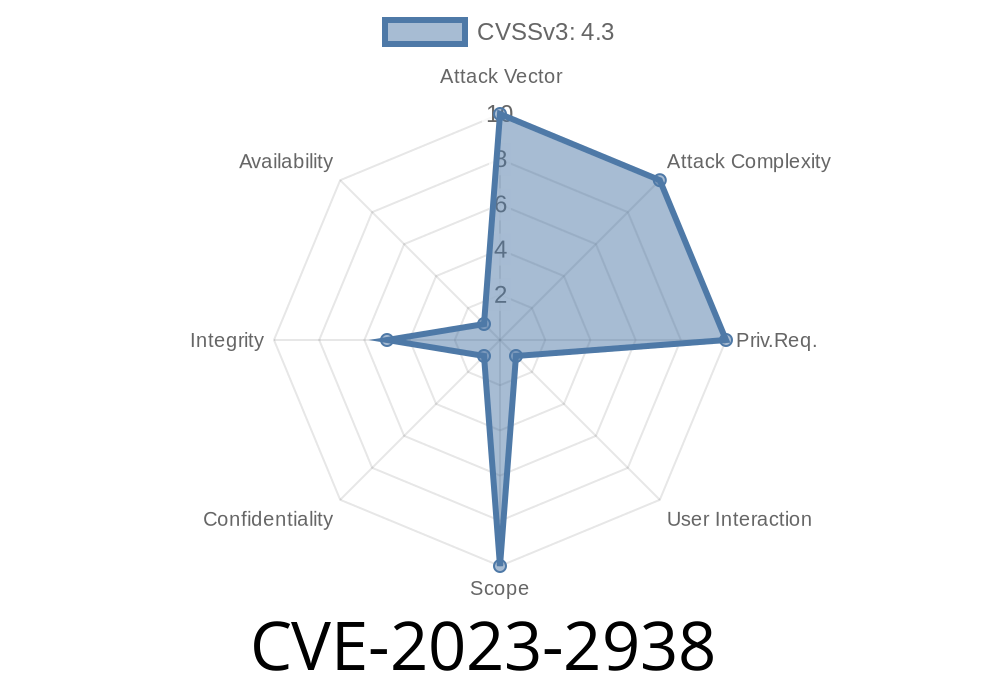
In mid-2023, a medium-severity security bug dubbed CVE-2023-2938 surfaced in Google Chrome’s Picture-in-Picture (PiP) feature. If you used Chrome versions before 114..5735.90, you were at risk. Let’s break down what happened, what the exploit looked like, and why it matters — in straightforward, plain English.
The Vulnerability: Spoofing the Omnibox (URL Bar)
Using the affected versions of Chrome, attackers who already gained control of your browser’s renderer process could make the Omnibox (the Chrome URL bar) display misleading or false URLs while showing their own content in a PiP window. In everyday terms, this could trick you into thinking you were looking at Twitter.com or your bank’s site, while you were actually visiting a malicious page.
This is particularly dangerous for phishing attacks, making it easier for bad actors to steal passwords, credentials, or other sensitive information.
How the Exploit Works
1. Renderer Process Compromise: The attacker needs to compromise the browser’s renderer process — usually through another exploit, malicious extension, or unsafe user input.
2. Crafted HTML Page: With this control, the attacker delivers a webpage that abuses PiP handling. With the flaw, they can open a PiP window and trick Chrome into showing a different URL than the actual page.
3. Spoofed Omnibox: Using the bug, they manipulate how Chrome shows the site identity — fooling the user.
Proof-of-Concept Code
Here’s a JavaScript snippet showing a hypothetical abuse of the bug. _Note: This is for educational purposes and does NOT work on fixed Chrome versions._
<!-- Picture-in-Picture Spoofing Example -->
<!DOCTYPE html>
<html>
  <body>
    <video id="video" src="demo.mp4" controls autoplay muted></video>
    <script>
      const video = document.getElementById('video');

      // Try to launch Picture-in-Picture
      video.addEventListener('loadedmetadata', function() {
        video.requestPictureInPicture().then(() => {
          // Overlay fake controls or messages
          let overlay = document.createElement('div');
          overlay.style.position = 'fixed';
          overlay.style.top = '';
          overlay.style.left = '';
          overlay.style.width = '100vw';
          overlay.style.height = '100vh';
          overlay.style.zIndex = '9999';
          overlay.innerHTML = '<h1>Enter Your Password for Google</h1><input type="password">';
          document.body.appendChild(overlay);

          // Attacker could use messaging here for more tricks...
        });
      });
    </script>
  </body>
</html>
In the actual attack, a remote attacker could override the visual content and spoof the URL, making you think this PiP window belongs to a legitimate, trusted site.
Links and References
- Google Chrome Security Release Note: Stable Channel Update for Desktop (114..5735.106)
- Chromium Bug Tracker Entry (Access may be limited)
- National Vulnerability Database: CVE-2023-2938
- Mitre CVE Details: https://cve.mitre.org/cgi-bin/cvename.cgi?name=CVE-2023-2938
How Google Fixed It
After the bug was reported, the Chrome team updated how PiP windows interact with the main browser UI. They made sure rendering in PiP could not spoof or change the Omnibox URL, closing the loophole.
It’s a good lesson in how even features meant for convenience (like Picture-in-Picture) can become a security risk if not tightly designed.
Update Chrome: Make sure your browser is on version 114..5735.90 or newer.
- Look Out for URL Mismatches: Always double-check the address bar, especially if you’re entering sensitive info.
- Stay Suspicious of Unusual Prompts: If you see strange PiP windows or password prompts outside expected sites, close them and re-navigate.
Conclusion
CVE-2023-2938 may have been rated “medium,” but spoofing the URL bar in Chrome can have huge impacts if combined with other attacks. PiP is a handy feature, but in this case, it became a vector for deception.
Always keep your software updated — and stay alert for new ways attackers might try to trick you.
*Written and explained for everyday readers. If you found this helpful, read more about Chrome security bugs here.*
Timeline
Published on: 05/30/2023 22:15:00 UTC
Last modified on: 06/02/2023 03:12:00 UTC