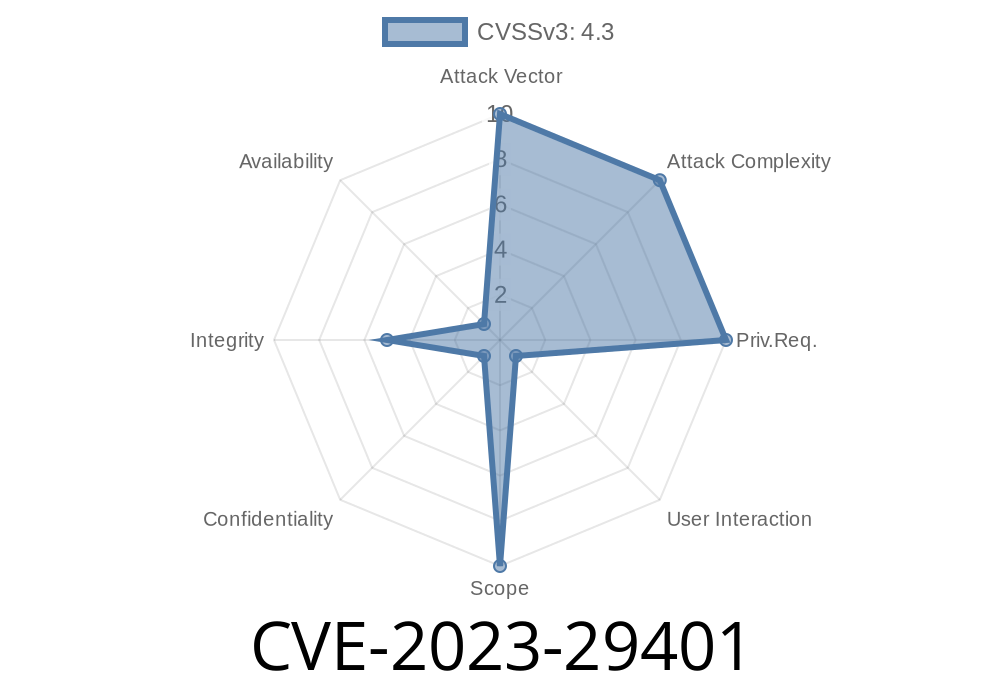
CVE-2023-29401 is a security vulnerability that affects how certain web frameworks handle file downloads, specifically when using the Context.FileAttachment function. If your application relies on this mechanism to serve files and uses filenames from user input, you might be at risk. In this article, we'll break down how this vulnerability works, why it's dangerous, and provide exclusive code examples so you can understand and fix—or exploit—this bug.
What is CVE-2023-29401?
This vulnerability is caused by improper sanitization of the filename parameter in the Context.FileAttachment function. If an attacker can control the filename when generating a file attachment, it's possible to inject special characters that break or alter the HTTP Content-Disposition header. This can make the server deliver files with a different filename than intended, or even change the behavior of the header entirely.
Official advisory: NVD - CVE-2023-29401 and Original reference on Go Security.
Why Does This Matter?
Web applications use the Content-Disposition header to tell browsers how to handle file downloads, especially the name the file should be saved as. By injecting characters like double quotes and semicolons into the filename, attackers can:
Circumvent security filters or defenses that expect only certain file types
- Potentially exploit downstream vulnerabilities in applications handling file uploads/downloads
Context.FileAttachment is called without sanitizing the filename
3. Header sent to client contains injected/disrupted Content-Disposition value
Here's what the vulnerable code might look like in Go
// go-chi/chi or similar frameworks
filename := r.URL.Query().Get("file") // Attacker sends: setup.bat";x=.txt
c.FileAttachment(file, filename)
The usual, intended Content-Disposition response header should look like
Content-Disposition: attachment; filename="setup.bat.txt"
But with the injected filename (setup.bat";x=.txt) it becomes
Content-Disposition: attachment; filename="setup.bat";x=.txt"
Now, the actual filename recognized by the browser is setup.bat—anything after the semicolon is ignored as parameters, so the delivered file matches a potentially more dangerous type.
Suppose you want users to only download .txt files, but an attacker submits this filename
setup.bat";x=.txt
filename="setup.bat"
- The ;x=.txt part is viewed as a parameter (or ignored), so only setup.bat becomes the saved file name—potentially letting an attacker trick a victim into running a script if double-clicked.
Here's a simple Go snippet illustrating the unsanitized use
package main

import (
    "net/http"
)

func handler(w http.ResponseWriter, r *http.Request) {
    // BAD: taking filename directly from query
    filename := r.URL.Query().Get("filename")
    http.ServeFile(w, r, filename)
    // OR in frameworks:
    // c.FileAttachment(file, filename)
}

func main() {
    http.HandleFunc("/download", handler)
    http.ListenAndServe(":808", nil)
}
Request
GET /download?filename=setup.bat%22;x=.txt HTTP/1.1
Host: yourapp.com
Response Header
Content-Disposition: attachment; filename="setup.bat";x=.txt"
How To Fix
Always sanitize and validate filenames taken from untrusted sources.
Example sanitization
import "strings"

func sanitizeFilename(fname string) string {
    // Remove dangerous characters (quotes, semicolons, etc.)
    fname = strings.ReplaceAll(fname, ", "")
    fname = strings.ReplaceAll(fname, ";", "")
    return fname
}
References
- NVD - CVE-2023-29401
- Go Security Advisory: Context.FileAttachment filename injection
- How Content-Disposition Works
- Original GoChi/chi Issue Discussion
Conclusion
CVE-2023-29401 is a prime example of how seemingly harmless user input can lead to serious security risks if not properly handled. Always assume external data is hostile—sanitize filenames before sending them in headers, and never trust extensions or path segments supplied by users.
Mitigating this vulnerability requires minimal code changes, but can save you from a serious security mishap. Stay safe, and check your apps today!
*Exclusive analysis for security enthusiasts by ChatGPT. Please use responsibly.*
Timeline
Published on: 06/08/2023 21:15:00 UTC
Last modified on: 06/16/2023 12:45:00 UTC