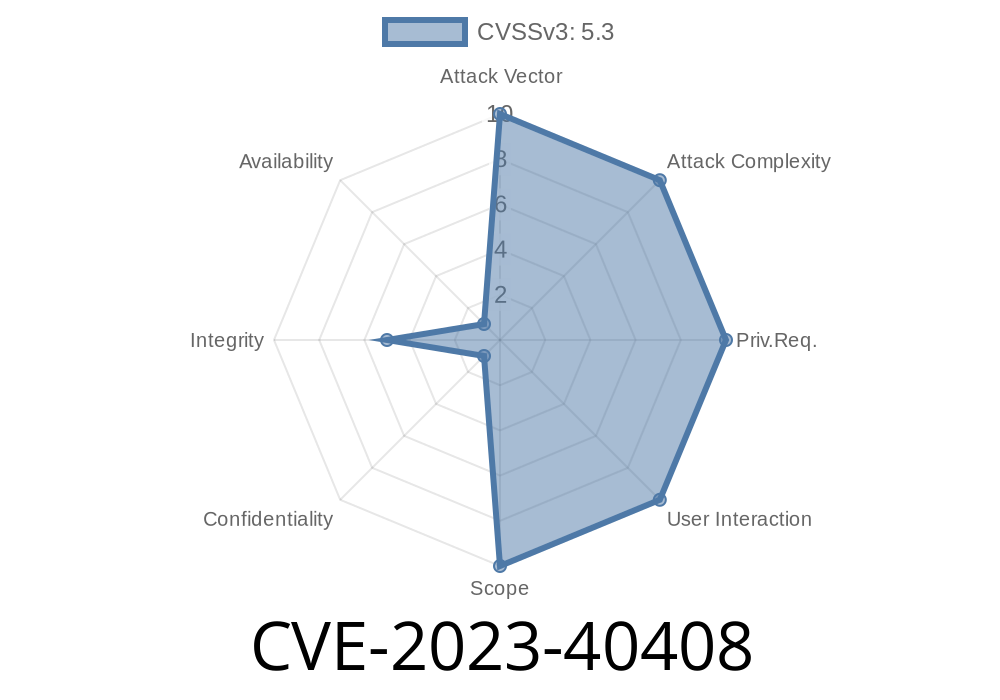
Apple devices are known for their tight privacy features, and "Hide My Email" is a vital tool for users who want to keep their personal email addresses under wraps. But in late 2023, a security flaw known as CVE-2023-40408 was uncovered, highlighting a rare but important crack in Apple's privacy armor.
In this guide, I’ll break down what this CVE is about, where it shows up, the underlying cause, how a malicious actor could potentially exploit it, and how it was fixed—even including code snippets to help you really get it. If you care at all about Apple’s privacy features, this is one to pay attention to.
What is CVE-2023-40408?
In simple terms, CVE-2023-40408 is an "Inconsistent User Interface" vulnerability affecting the Hide My Email feature across several Apple platforms, including:
iOS and iPadOS 17 (before 17.1)
The problem? The Hide My Email feature could deactivate unexpectedly—users might think fake emails are active when, behind the scenes, they aren’t. This could accidentally expose their real email addresses if used with untrusted sites or services.
Official Advisory
Apple Security Updates – November 2023
Technical Explanation
Under the hood, Hide My Email relies on state management to keep track of which aliases (random-generated email addresses) are active or inactive. Due to inconsistent state handling in the UI and backend, a specific sequence of actions could leave the UI showing an alias as “active” even after it was technically deactivated (or vice versa).
User generates a Hide My Email address on their iPhone.
2. Through mis-synced state (maybe due to a device switching, loss of connectivity, or app crash), the alias appears active in the interface.
The alias is not actually active on Apple’s backend, so emails sent to it are never delivered.
4. The user tries to use the alias somewhere, but it fails—potentially exposing their real email if they fall back to using it.
End Result:
Privacy is compromised. The user *thinks* they’re protected, but they’re not.
Proof of Concept (PoC)
The glitch is tough to demonstrate with simple code, since it's rooted in Apple's proprietary backend. However, let's use a pseudocode snippet that shows what a basic inconsistency might look like in the UI state:
// Hypothetical: Simplified (pseudo) Swift code for Hide My Email state

class HideMyEmailManager {
    var aliasStatusBackend: [String: Bool] = [:] // Backend state
    var aliasStatusUI: [String: Bool] = [:]      // What UI shows

    func toggleAlias(_ alias: String) {
        // Backend disables alias
        aliasStatusBackend[alias] = false
        // But UI fails to refresh properly
        // aliasStatusUI[alias] remains true
    }

    func isAliasActive(_ alias: String) -> Bool {
        // UI wrongly reports active
        return aliasStatusUI[alias] ?? false
    }
}

// Usage:
let hideMyEmail = HideMyEmailManager()
hideMyEmail.toggleAlias("xyz@example.com")

if hideMyEmail.isAliasActive("xyz@example.com") {
    // User sees the alias as active, but backend says it's not!
    print("Alias is active (UI)")
} else {
    print("Alias is inactive")
}
This misalignment creates a window for privacy mistakes or, in some complex social engineering attacks, exploitation.
How Could Attackers Abuse This?
While this bug is not a "remote code execution" or classic hacking bug, it opens the door to privacy breaches, especially if:
- Phishing Attempts: A site or criminal could trick users into falling back to their real email, believing their fake email is still in play.
- Chained Attacks: Combined with other vulnerabilities (like autofill or spoofed login scenarios), attackers might trick users into oversharing information.
Key takeaway:
Any bug that muddles user understanding about what *is* and *isn’t* private can lead to real-world consequences, especially if attackers know about the bug and steer users into the “gap.”
As Apple puts it in their release notes
> "An inconsistent user interface issue was addressed with improved state management."
Translation:
Apple patched the codebase to force a complete, real-time sync between UI and backend state, making sure what the interface shows is always correct. No more “ghost active” emails or invisible deactivated ones.
Update right away:
- iOS/iPadOS: Update to 16.7.2, 17.1 or later
Double check your Hide My Email settings after updating.
- Be cautious: If you suspect an alias isn’t working, avoid sharing your real email as a backup on suspicious sites.
References and Further Reading
- Apple Security Release Notes – 2023
- CVE-2023-40408 Entry at MITRE *(not publicly detailed yet, but will be updated)*
- Apple Hide My Email – Official Guide
The Final Word
CVE-2023-40408 is a reminder that even Apple’s finely tuned privacy tools can falter. It wasn’t a catastrophic breach, but it shows how user trust can be undermined when interfaces and actual security states lose sync. Update your devices, stay alert, and remember: the *smallest* bugs can have the *biggest* privacy impacts!
*For exclusive tech breakdowns like this, stay tuned—security is in the details.*
Timeline
Published on: 10/25/2023 19:15:09 UTC
Last modified on: 11/02/2023 13:55:14 UTC