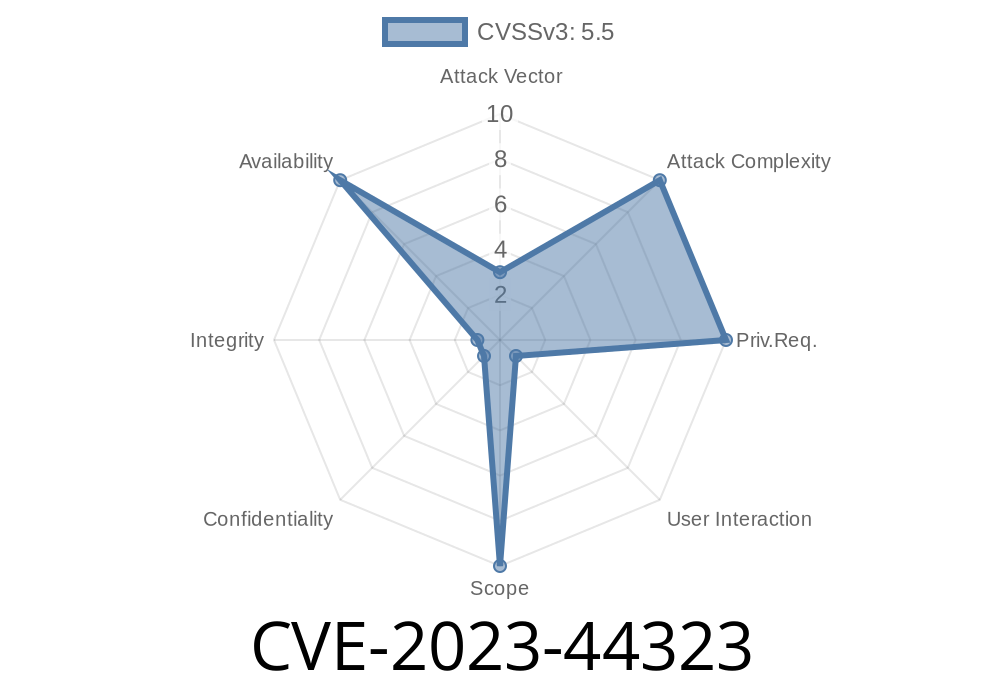
A critical vulnerability—CVE-2023-44323—has been discovered in Adobe Acrobat for Edge (version 118..2088.46 and prior). This flaw is categorized as a Use After Free (UAF) bug, which means the software tries to use memory after it has been released (“freed”), potentially leading to crashes or code execution. In this post, we explain what this bug means for users, illustrate how it works, and examine possible ways it can be exploited, with clear examples and links to original references.
What Is CVE-2023-44323?
CVE-2023-44323 is a security vulnerability in the Adobe Acrobat extension for Microsoft Edge. The bug allows an attacker to force the application into a denial-of-service (DoS) state by making it use invalid memory. This could crash the browser tab or possibly clear sensitive user data if specialized malware is loaded.
References
- Adobe Security Bulletin: APSB23-50
- NVD Entry: CVE-2023-44323
- MITRE CVE Record
How Use After Free (UAF) Works
A Use After Free bug happens when a program continues to use a pointer to memory that has already been cleared (freed). Attackers can exploit this by replacing that memory with their own data, possibly injecting harmful code or crashing the program.
Here’s a simple, conceptual code snippet showing the basic kind of error
Document* doc = new Document();
delete doc;  // Memory is freed
doc->open(); // UAF: Trying to access freed memory
In a real browser extension, complex objects and asynchronous event handling make this harder to spot.
Attack Scenario
1. Malicious File Creation: An attacker creates a specially crafted PDF or web content designed to trigger the UAF vulnerability.
2. Luring the Victim: The victim is convinced to open the malicious PDF with Adobe Acrobat running as an Edge extension (for example, by emailing the file or posting a link).
3. Triggering DoS: The file triggers the bug, causing the browser tab (or potentially the whole browser) to crash. In some cases, this might also clear browser session data or open the door to further attacks, depending on memory management.
Proof-of-Concept (PoC)
Below is a simplified, illustrative JavaScript-style PoC. The exact details depend on proprietary Adobe code which isn't public, but we can show the concept.
// Assume this is running in the browser's PDF viewer context

let victimObject = new VulnerableObject();
victimObject.free();               // Memory is freed
victimObject.someMethod();         // UAF: method called on freed object

// Attacker's payload might attempt to replace freed memory here
// Crash or unexpected behavior follows
Real-World Exploit
While no full public exploit code is available (for ethical and legal reasons), the *presence* of the UAF makes it possible for a determined attacker to crash the user's browser, especially if they can shape memory layout with repeated malicious actions or embedded scripts.
*The Adobe Security Bulletin* reports that exploitation requires the victim to open an infected file, meaning you are only at risk if you interact with unknown or suspicious documents.
How to Stay Safe
- Update Immediately: If you use Adobe Acrobat for Edge, ensure it's updated to a version later than 118..2088.46.
- Be Wary of Unknown Files: Don’t open PDF files from untrusted sources or email attachments you weren’t expecting.
- Enable Auto-Updates in both your browser and Adobe extensions so that vulnerabilities are patched automatically.
Conclusion
CVE-2023-44323 is a classic yet dangerous Use After Free vulnerability found in Adobe Acrobat’s Edge extension. If exploited, it could crash your browser and deny access to legitimate Adobe content. While attackers can’t control your computer or steal data directly with this bug alone, it’s a reminder of why staying updated and cautious with unknown files is so important.
For full official details and updates, visit
- Adobe Security Bulletin
- NVD Entry for CVE-2023-44323
Timeline
Published on: 10/30/2023 15:15:40 UTC
Last modified on: 11/08/2023 00:23:53 UTC