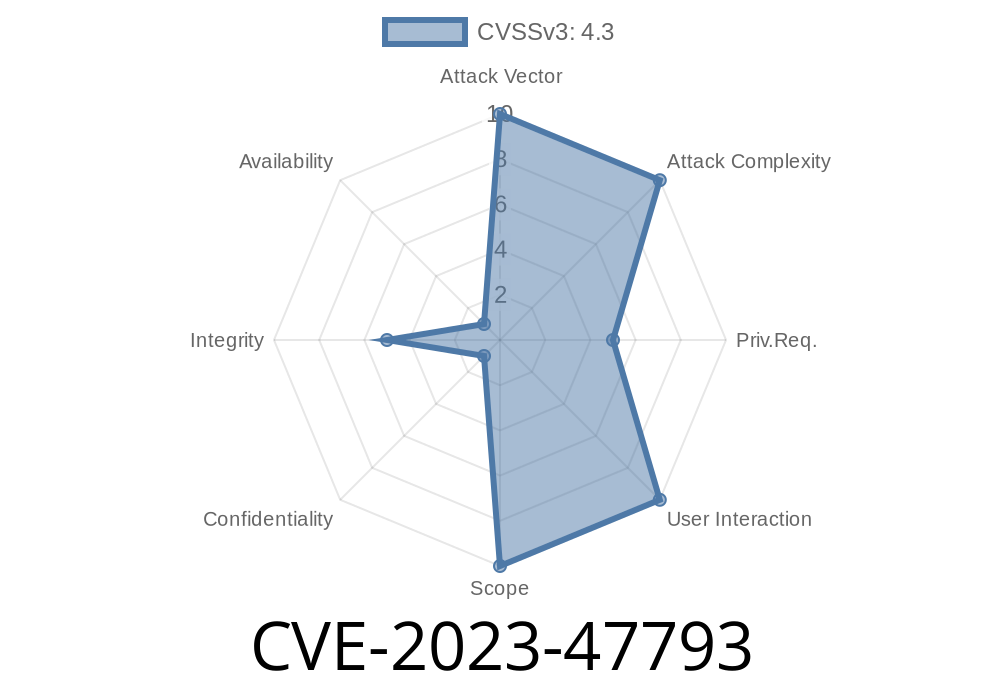
---
Introduction
Security in WordPress plugins is often overlooked—but even a small mistake can lead to big consequences. CVE-2023-47793 is a recent vulnerability found in the Acme Fix Images plugin, affecting all versions up to 1.. (and possibly more). The bug? Missing Authorization on sensitive actions, letting anyone with the right URL do things only admins should be able to do.
This post explains in simple terms how this bug works, how someone can exploit it, and how you can protect your WordPress site.
What is Acme Fix Images?
Acme Fix Images is a WordPress plugin by AcmeThemes. It automatically fixes image sizes in WordPress posts and pages, aiming to make image management easier, especially after theme changes or site migrations.
Plugin Page: Acme Fix Images on WordPress.org
Affected Versions: All versions from n/a through 1...
The Vulnerability (CVE-2023-47793)
The vulnerability, tracked as CVE-2023-47793, comes from one basic mistake: the plugin doesn’t check who is making certain requests. This is called a Missing Authorization (or Broken Access Control) flaw.
Specifically, there are backend PHP functions tied to admin actions that *anyone* can access, not just admins. So if someone knows the right URL, they can run powerful image-fixing code without logging in or having special rights.
Original Disclosure:
- WPScan Advisory
- CVE Record
Technical Deep-Dive: Missing Authorization
Let’s look at what typically happens in insecure WordPress plugins.
Here’s a simplified example of a WordPress PHP handler with no authorization check
// Insecure: Anyone can trigger this
add_action('admin_post_acme_fix_images', 'acme_fix_images_handler');

function acme_fix_images_handler() {
    // Dangerous code runs here, e.g., modifying images
    acme_fix_images_run();
    wp_redirect(admin_url('options-general.php?page=acme-fix-images&fixed=1'));
    exit;
}
The problem here? Anyone can access /wp-admin/admin-post.php?action=acme_fix_images—even if they are *not* logged in! There’s no current_user_can() or check_admin_referer() check.
To stay safe, plugin authors should always check user permissions
add_action('admin_post_acme_fix_images', 'acme_fix_images_handler');

function acme_fix_images_handler() {
    if (!current_user_can('manage_options')) {
        wp_die('Unauthorized.');
    }
    check_admin_referer('acme-fix-images-action');
    acme_fix_images_run();
    wp_redirect(admin_url('options-general.php?page=acme-fix-images&fixed=1'));
    exit;
}
`
https://victimsite.com/wp-admin/admin-post.php?action=acme_fix_images
`
Plugin Executes the Sensitive Action
The plugin runs acme_fix_images_run(), which could (for example) regenerate thumbnails, replace images, or otherwise overwrite files.
Just open a web browser and visit
https://victimsite.com/wp-admin/admin-post.php?action=acme_fix_images
Or use curl
curl -i "https://victimsite.com/wp-admin/admin-post.php?action=acme_fix_images"
If your site runs Acme Fix Images <= 1.., this URL will trigger the image fix action—no login needed!
If you must keep the plugin, restrict access at the web server level
# .htaccess example
<Files "admin-post.php">
  Order deny,allow
  Deny from all
  Allow from 123.456.789.
</Files>
Or use a WordPress security plugin to block access to /wp-admin/admin-post.php for non-logged-in users.
3. Check Your Site
- Scan your site with tools like WPScan.
References & More Info
- CVE-2023-47793 NVD Record
- WPScan Advisory
- WordPress Plugin Handbook: Security Best Practices
Final Thoughts
CVE-2023-47793 is a great reminder: even a simple missing check can open the door to big problems. If you run Acme Fix Images, update or protect your site immediately. Always check your WordPress plugins for security updates, and remember—the weakest link can take down your whole site.
Stay safe!
*– The Security Insights Team*
Timeline
Published on: 12/09/2024 13:15:30 UTC