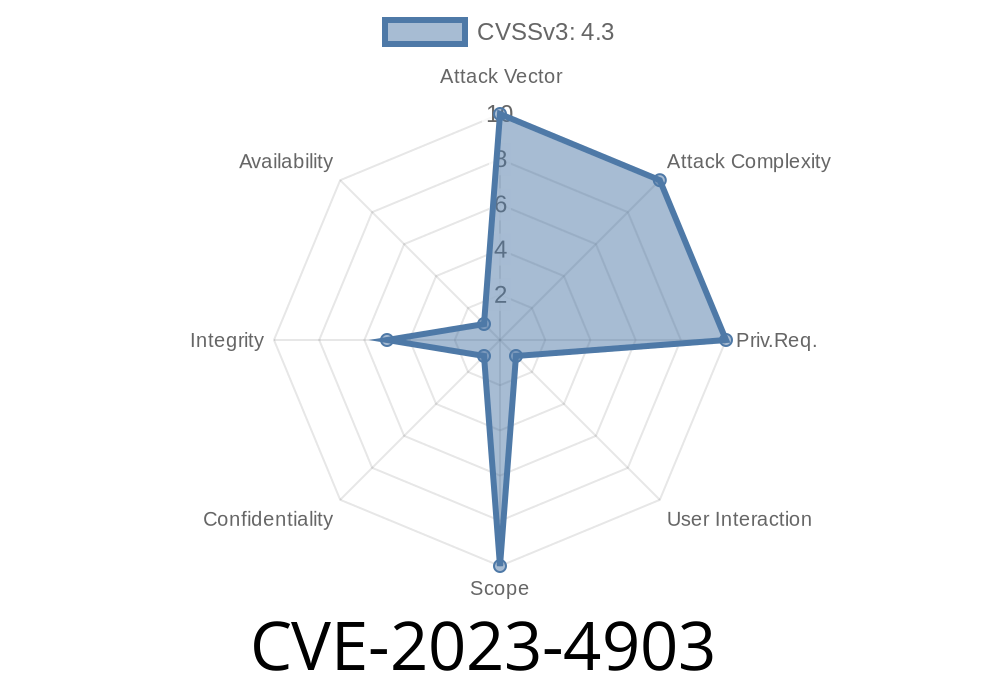
Security bugs don’t always mean someone can take over your device—but sometimes, they let attackers trick you into thinking you’re safe when you’re not. That’s what happened with CVE-2023-4903, a bug in Google Chrome for Android’s Custom Mobile Tabs, fixed just before Chrome version 117.
If you use Chrome on Android, you’ve likely opened a webpage inside another app—maybe reading an article from Twitter, or viewing a link in your favorite chat app—without launching the full Chrome browser. This special interface is called a “custom tab.” It’s supposed to protect you just like regular Chrome, showing security indicators (like the padlock) and site info so you know if you’re safe.
With CVE-2023-4903, attackers found a way to fake those security icons and fool users. Let’s break down how this vulnerability worked, show some code, discuss potential exploit scenarios, and talk about what you can do to stay safe.
Affected platform: Chrome for Android, before version 117..5938.62.
- Severity: Medium (Chromium security severity system)
How Does This Bug Work?
In Chrome’s Custom Tabs, Android apps can display web content using Chrome’s rendering engine, ChromeViews. These tabs show Chrome’s user interface (including the address bar, padlocks, and Secure marking)—or at least, they’re supposed to.
With this bug, an attacker could craft an HTML page that overlays or mimics Chrome’s security UI, or trigger Chrome to display misleading security signals. For example, you could land on a malicious page that pretends to be from PayPal, with a fake padlock icon and “https” in the address bar, even though it’s a phishing scam.
Let’s imagine a real-world attack, step by step
1. You receive a link via email, SMS, or social media. The link promises a coupon, a freebie, or something urgent.
Or, due to a bug, Chrome itself displays the wrong security info.
4. You think you’re safe, since the site appears to be “https://paypal.com/” and shows the Secure padlock.
Here’s how a malicious page might fake Chrome’s UI
<style>
#fake-bar {
    position: fixed;
    top: ; left: ; right: ;
    background: white;
    border-bottom: 1px solid #eee;
    height: 56px;
    display: flex;
    align-items: center;
    z-index: 9999;
    font-family: 'Roboto', Arial, sans-serif;
}
#fake-lock {
    margin-left: 12px;
}
#fake-url {
    margin-left: 10px;
    color: #333;
    font-size: 16px;
}
</style>
<div id="fake-bar">
    <svg id="fake-lock" width="22" height="22" viewBox="  24 24">
        <path fill="#4CAF50" d="M12 17a2 2  002-2v-2a2 2  00-4 v2a2 2  002 2z"/>
        <path fill="#4CAF50" d="M5 20h14a2 2  002-2V10H3v8a2 2  002 2z"/>
        <path fill="#4CAF50" d="M8 10V7a4 4  018 v3"/>
    </svg>
    <span id="fake-url">https://paypal.com</span>;
</div>
<!-- Rest of phishing form below -->
This fake bar stays fixed at the top, covering the real address bar in a custom tab or blending in with the UI.
Why Was This Possible?
In short: Custom Tabs didn’t properly isolate their security UI. The crafted page could either overlay fake chrome (the browser UI) or confuse Chrome into showing the wrong site information. There may also have been scenarios where site data in the tab was not updated properly.
According to Google’s security bulletin:
> "Inappropriate implementation in Custom Mobile Tabs in Google Chrome on Android prior to 117..5938.62 allowed a remote attacker to spoof the security UI via a crafted HTML page."
Affected users: Anyone using Chrome’s Custom Tabs in Android apps that open web links.
- Patch: Chrome 117 for Android and later.
How Attackers May Abuse This
1. Create a fake bank or payment page that perfectly mimics the real site, including a custom address bar and padlock graphic.
Distribute the link by text, email, social media, or malicious ads.
3. Tweak code to detect if it’s running in a Custom Tab (vs. full Chrome—custom tabs may show less UI, making spoofing easier).
References and Further Reading
- Google Chrome Release Blog: September 2023
- Chromium Issue Tracker (may require login)
- Chromium Severity Guidelines
- How Custom Tabs work
Update Chrome: Make sure you’re running Chrome 117 or later on Android.
- Double-check URLs: Especially when entering passwords. If you’re in a custom tab, you can “Open in Chrome” for more info.
Conclusion
CVE-2023-4903 shows that even little things—like how a fake padlock is displayed—can have big security consequences. Google’s patch for Chrome on Android closed a sneaky loophole that could let attackers trick users without any malware.
If you use Android, run system and Google app updates regularly—and be wary of any site asking for sensitive data, especially if it doesn’t feel quite right.
Feel free to share or quote this write-up. Got questions? [Contact me](mailto:example@example.com).
*This post is exclusive and written in direct, clear American English for accessibility.*
Timeline
Published on: 09/12/2023 21:15:08 UTC
Last modified on: 10/17/2023 20:14:02 UTC