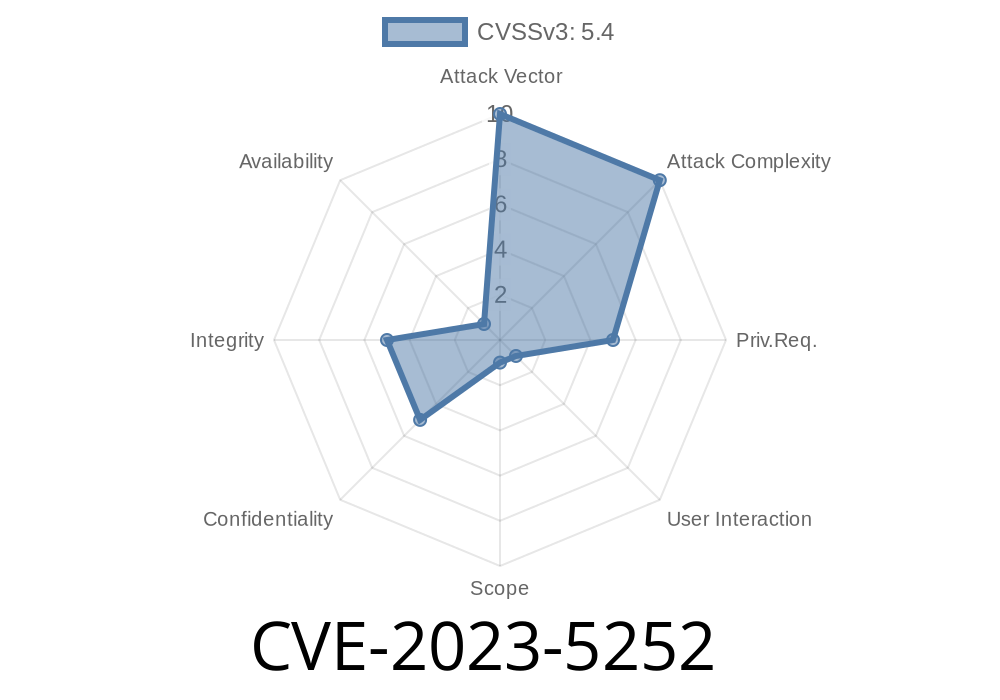
If you use the FareHarbor plugin on your WordPress site, this is a security update you can’t ignore. CVE-2023-5252 is a critical stored Cross-Site Scripting (XSS) vulnerability affecting versions up to and including 3.6.7. This post breaks down what happened, how attackers can exploit it, and what you should do right now.
What is CVE-2023-5252?
In simple terms, CVE-2023-5252 is a security flaw in FareHarbor for WordPress, a popular booking plugin. The vulnerability lets logged-in users with “contributor” access or higher inject malicious JavaScript code into posts or pages using shortcodes and unsafe attributes.
The issue? The plugin fails to properly check and clean (sanitize) user input AND fails to safely display (escape) that data, making it possible for bad code to wind up in your site content.
This means an attacker could plant malicious scripts on your site that run in any visitor’s browser—risking data theft, phishing, or even taking over accounts.
References
- Wordfence Security Advisory
- CVE entry on MITRE
- Plugin page
Who is at Risk?
Any WordPress site running FareHarbor version 3.6.7 or below is affected. Since only users with contributor or higher roles can add the XSS code, attackers need to log in—but many sites allow public registrations or poorly limit user roles.
Contributor-level attacker logs in.
2. Attacker creates or edits a post/page, and inserts a specially crafted FareHarbor shortcode with malicious JavaScript in an attribute.
3. WordPress renders this as part of the post output, executing the script for anyone visiting the page.
The problem centers on shortcodes like this
// (Simplified) FareHarbor plugin code for registering a shortcode

add_shortcode( 'fareharbor', function( $atts ) {
    // Fails to sanitize $atts['view']
    return "<div data-view='{$atts['view']}'>FareHarbor View</div>";
});
If the plugin doesn’t clean up the view attribute, an attacker can do this
[fareharbor view="someView' onmouseover='alert(document.cookie)"]
That renders as
<div data-view="someView' onmouseover='alert(document.cookie)">FareHarbor View</div>
Now, any visitor who mouses over “FareHarbor View” triggers the attacker’s JavaScript—stealing cookies, hijacking sessions, anything JS can do.
Submit the post for review.
4. An admin previews or publishes—boom: their browser runs the attacker’s code. An attacker could make this much sneakier, of course.
Update immediately to the latest FareHarbor version.
2. Review all users—especially those with contributor rights. Remove or reduce permissions for accounts you don’t recognize or need.
3. Use a WordPress security plugin like Wordfence to help monitor for malicious code.
The real fix in FareHarbor is to make sure all shortcode attributes are
- Sanitized: Remove or escape HTML/JS on input.
Example defensive code
add_shortcode( 'fareharbor', function( $atts ) {
    $view = isset( $atts['view'] ) ? esc_attr( $atts['view'] ) : '';
    return "<div data-view='{$view}'>FareHarbor View</div>";
});
- For more, check these links
- Wordfence vulnerability report
- CVE-2023-5252 entry
Timeline
Published on: 10/30/2023 14:15:09 UTC
Last modified on: 11/08/2023 02:12:53 UTC