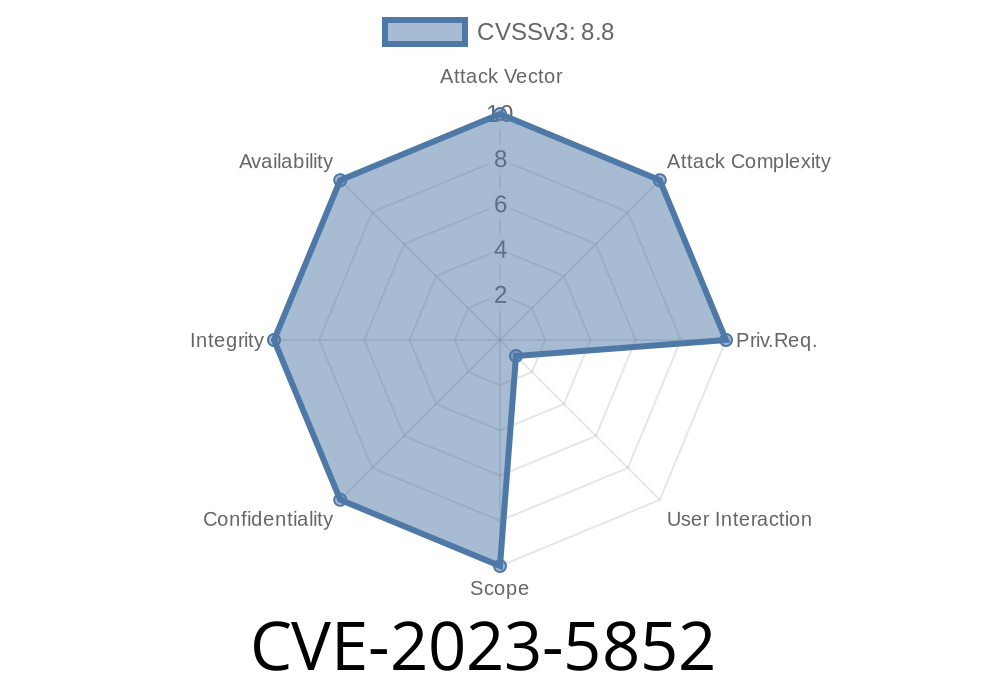
A recent security vulnerability, CVE-2023-5852, was discovered in Google Chrome's printing functionality. Marked as a medium severity issue by the Chromium project, this bug allows a remote attacker to potentially exploit memory corruption. This post explains what CVE-2023-5852 is, how it works, and showcases code snippets for better understanding. If you use Chrome and want to know how attackers abuse such bugs, keep reading.
What is CVE-2023-5852?
CVE-2023-5852 is a "Use-After-Free" (UAF) issue found in the printing component of Google Chrome before version 119..6045.105. UAF bugs happen when a program keeps using a part of memory after it’s been "freed" (released). This can cause unpredictable actions, crashes, or even let attackers run their own malicious code.
Official Description
> Use after free in Printing in Google Chrome prior to 119..6045.105 allowed a remote attacker who convinced a user to engage in specific UI gestures to potentially exploit heap corruption via specific UI gestures. (Chromium security severity: Medium)
Source: Chromium Issue 1497842
Security Advisory
How Does the Vulnerability Work?
The vulnerability is in how Chrome’s printing process handles memory. If you visited a crafted page and were tricked into interacting with the UI (like clicking "Print"), Chrome might keep using memory related to the "print" action after it has already freed it. An attacker could exploit this to force Chrome to crash or, in the worst case, execute malicious code.
Page triggers actions in the printing code, freeing memory.
4. Page continues interacting with freed memory (use-after-free), leading to a possible memory corruption.
Code Snippet Explaining the UAF
Here’s an illustrative snippet based on how this type of bug may appear in C++. (The actual Chrome source is complex and not fully public for security.)
class PrintJob {
public:
    void Start() {
        // ... Start print job ...
    }
    void End() {
        delete this;
    }
};

void HandlePrinting(PrintJob* job) {
    job->Start();
    // Some complex operations here...
    job->End();

    // Bug: Use-after-free
    job->Start(); // This tries to use a deleted object!
}
What happens here:
After job->End(), the PrintJob object is deleted. But the next job->Start() call tries to use memory that no longer belongs to the app.
Proof-of-Concept (PoC)
This is a simplified example (not an actual exploit). In the real world, attackers could use JavaScript and clever tricks to trigger this flaw.
<!-- simplified demonstration -->
<button onclick="window.print()">Click me to print!</button>
<script>
function trigger() {
  window.print();
  // Some time later, perform other dangerous operations
  setTimeout(() => { window.print(); }, 100);
}
document.querySelector('button').onclick = trigger;
</script>
In the actual bug, carefully timed interactions and possibly closing or reopening windows/tabs might destabilize the print job’s memory management.
Exploit Details
- User Interaction Required: Attacker must convince a user to click "Print" or use the keyboard shortcut (Ctrl+P).
- No Direct Remote Code Execution: On its own, the UAF may just crash Chrome. However, clever attackers may combine it with other memory corruption bugs to escalate to actual code execution.
- Heap Corruption Risk: Since Chrome already applies sandboxing and security mitigations, direct impact may be limited. But heap corruption is always dangerous.
How Was CVE-2023-5852 Fixed?
The Chrome team patched the bug in version 119..6045.105 by improving the lifecycle management of memory objects related to printing. Instead of accessing freed memory, the code now tracks object states more reliably, ensuring that once freed, memory is *never* called upon again.
Update your Chrome NOW
Go to chrome://settings/help and make sure you’re using Chrome 119..6045.105 or later.
References
- Chromium Security Advisory
- CVE Record at NVD
- Upstream Issue Tracker (may be restricted)
- Chromium Source Code
Conclusion
CVE-2023-5852 shows why it’s critical to keep your browser updated. Even UI features like printing can hide severe memory issues. While the Chrome sandbox makes full exploits tough, attackers are always searching for new ways in.
Stay alert. Stay patched. And don’t click “print” on sketchy sites!
*Want more deep dives like this? Bookmark and subscribe!*
Timeline
Published on: 11/01/2023 18:15:10 UTC
Last modified on: 11/14/2023 03:15:11 UTC