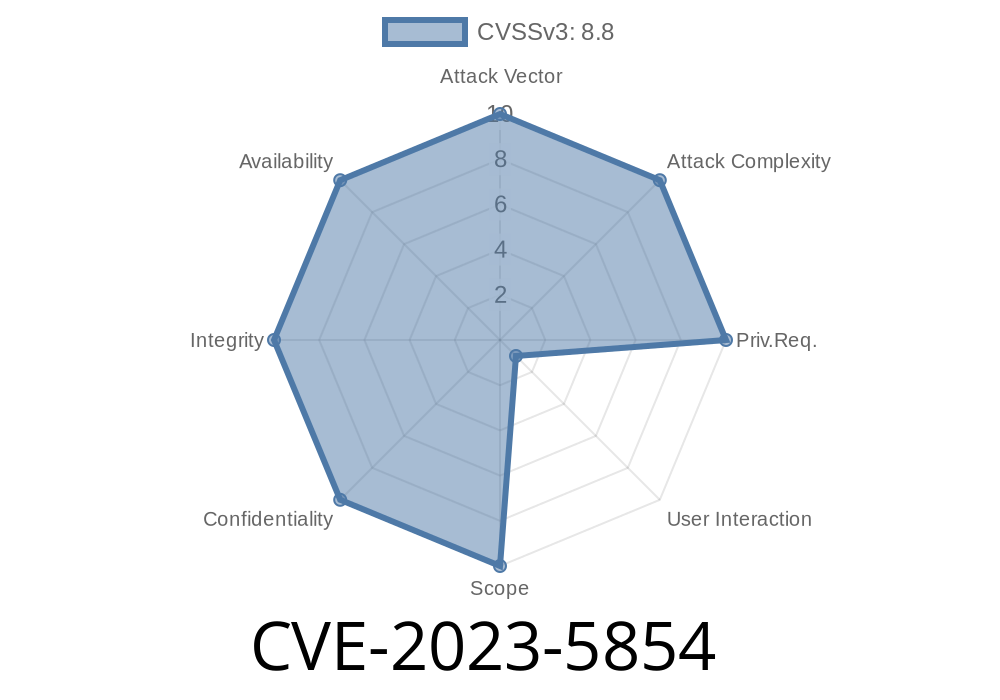
In late 2023, security researchers disclosed a vulnerability named CVE-2023-5854 affecting Google Chrome, specifically before version 119..6045.105. This is a use-after-free (UAF) bug in how Chrome manages user profiles. If exploited, this flaw allows a remote attacker—after convincing the user to interact with the browser in certain ways—to corrupt memory on the heap, possibly leading to browser compromise. While Google rated its security severity as "Medium," the bug is still worth attention.
This newsletter-style post will break down CVE-2023-5854 in simple language, cover technical details, show what an exploit might look like, and point you to the official sources for more info.
What is a Use-After-Free Vulnerability?
In programming, a "use-after-free" happens when software continues to use a part of memory (an object) after it has already been freed (deleted). Imagine you throw away an envelope, but keep looking inside it—sooner or later, garbage will fill that space, and you'll get unpredictable, possibly dangerous, results.
Where Was the Bug? Chrome Profiles
Google Chrome lets you create and manage several user profiles—think different bookmarks, settings, or histories for each user. The bug was in Chrome’s code that manages these Profiles objects. If a user performed certain UI actions (like switching, editing, or deleting profiles), Chrome might mishandle memory and access a "Profile" that had already been deleted.
Affected versions:
How Does the Bug Work?
The attacker cannot just trigger this bug remotely; they need to get the victim to perform specific UI gestures—that is, particular mouse clicks or interactions in the Chrome interface. When these steps happen in order, Chrome might:
Attempt to use that pointer (the stale Profile) after free.
4. Memory corruption on the heap—the attacker may leverage this to run bad code (but that's complicated).
Here’s what a simplified dangerous scenario looks like
// Dangerous pseudo-code that could be vulnerable
Profile* user_profile = GetCurrentProfile();

DeleteProfile(user_profile); // Frees memory

// ... Some UI gesture or action triggers:
user_profile->ShowBookmarks(); // Use after free: user_profile is dangling!
Normally, Chrome should make sure that *after* a profile is deleted, all references to it are *nullified* or *checked*. Failing to do so creates these subtle but nasty bugs.
Severity: Medium (per Chromium)
- What could happen: Heap memory corruption, potential for remote code execution if chained with another flaw
Proof of Concept (PoC): What Might an Attack Look Like?
Due to Chrome’s architecture, exploiting this bug in the real world needs convincing the user to perform certain clicks or profile actions, possibly through deceptive websites or phishing.
The attacker sends a user a phishing link:
"Click here! To win a prize, please add this browser profile and delete your old one, then visit this special page."
The page runs JS to initiate weirdly-timed profile list suggestions.
3. When the user deletes or switches profiles, the exploit triggers the use-after-free by racing Chrome’s UI management code.
In code, such a scenario might abuse code paths that look like this (safe pseudocode)
// This does NOT exploit Chrome by itself – it's only illustrative!
function trickUser() {
    alert('Please follow these steps...');
    // Open Chrome Profiles management
    window.open('chrome://settings/people');
    // Maybe lead the user to delete a profile here, timing is everything!
}
// There's no real way to exploit CVE-2023-5854 via JavaScript alone from a site.
WARNING: Real-world attacks require *much* more than this due to Chrome’s sandboxing and security layers. The purpose here is awareness, not exploitation.
Why Is This Dangerous?
Even though this is rated *Medium*, attackers who can manipulate memory via a use-after-free may obtain more privileges or chain the bug with other browser flaws (such as a sandbox escape) to fully compromise the browser or underlying system.
Original References
- Google Chromium Security Advisory - CVE-2023-5854
- Chromium Bug Tracker - Issue 1494034 *(may be restricted or delayed)*
- MITRE CVE Listing for CVE-2023-5854
Final Thoughts
*Use-after-free* bugs are a classic but dangerous software mistake. Even medium-rated vulnerabilities can be important if attackers chain them with other flaws. Always keep browsers up to date, and watch for suspicious UI tricks. For developers: Strict memory management is key!
Stay safe, and update Chrome!
*Original content created for exclusive, educational purposes. Do not use for malicious hacking. Always respect ethics and laws in security research.*
Timeline
Published on: 11/01/2023 18:15:10 UTC
Last modified on: 11/14/2023 03:15:11 UTC