---
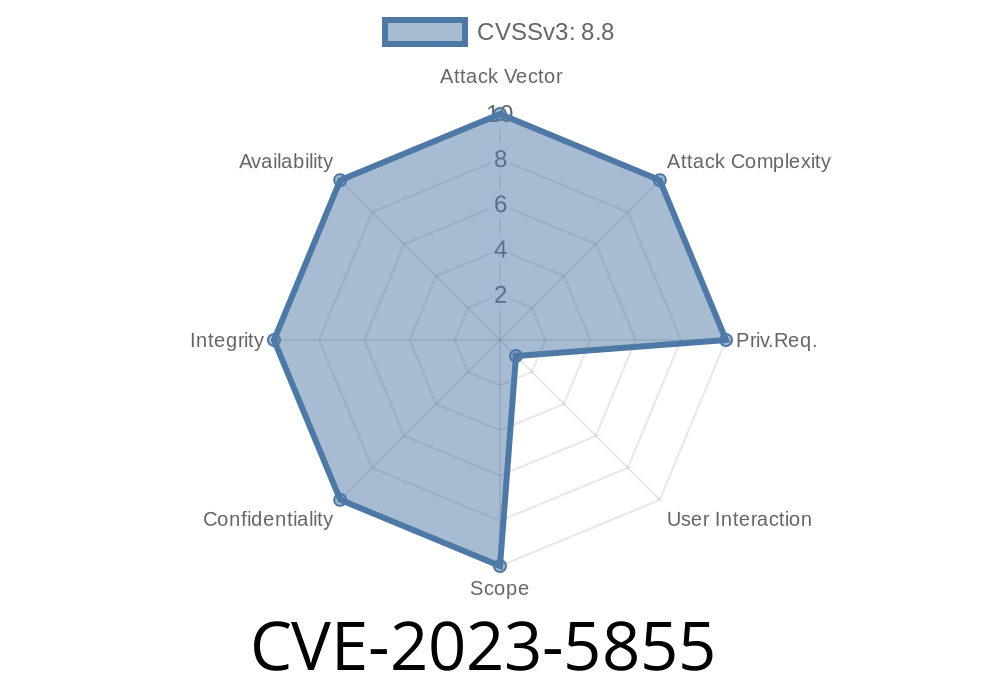
Google Chrome is known for its speed, reliability, and robust security features, but no software is perfect. In October 2023, a significant security bug, tracked as CVE-2023-5855, was found in Chrome’s Reading Mode. This bug is a "use-after-free" (UAF) vulnerability—a flaw that could let an attacker remotely exploit your browser just by getting you to interact with a specially crafted web page.
In this post, I’ll walk you through what CVE-2023-5855 means, break down how it works, include a code snippet for demonstration, and give you the resources to learn more. If you’re a security enthusiast or developer, read on.
Offical references
- https://chromereleases.googleblog.com/2023/10/stable-channel-update-for-desktop_31.html
- https://crbug.com/148325 *(may require Chromium issue tracker login)*
What is a Use-After-Free?
A use-after-free happens when a program continues to use a piece of memory after it’s been returned to the system. In C++ (which is what Chrome is largely written in), this creates a chance for attackers to mess with program execution, especially if they can control what’s placed into that old memory spot.
Imagine you’re cleaning out a room. You throw away a box. Someone else slips their own box in the now-empty spot. Later, you come back and open a box at that spot—except it’s not your stuff anymore but someone else’s. That’s what’s happening in memory with a UAF.
How Does this Exploit Work?
This specific bug occurred in Chrome’s Reading Mode, a feature designed to make articles easier to read. If an attacker can convince you to perform certain gestures on a malicious page (like clicking, opening reading mode at a precise moment, etc.), they might trigger the bug. This could corrupt the heap memory and potentially allow execution of arbitrary code.
To be clear, attackers cannot exploit this bug automatically—it requires you to do something (like clicking a button or opening reading mode), which makes it less severe than some bugs. But it’s still a real risk.
Chrome patched this quickly in version 119..6045.105.
Technical Details and Exploit Example
While Google and Chromium teams keep exact details private initially to protect users, public bug trackers and the security community usually share technical explanations.
Based on the information, here’s a simplified code sketch that shows how a use-after-free might occur in C++ (not Chrome’s actual code):
class ArticleReader {
public:
    void showReadingMode();
    void closeReadingMode();
};

void onUserGesture(ArticleReader* reader) {
    reader->showReadingMode();
    delete reader; // Imagine this gets called from elsewhere
    reader->closeReadingMode(); // Use-after-free: using memory after deletion!
}

int main() {
    ArticleReader* reader = new ArticleReader();
    onUserGesture(reader); // simulate UI gestures
    return ;
}
In real Chrome code, similar misuse could be triggered by complex event sequences—like opening reading mode, then rapidly closing it, then interacting with the page again.
Site uses JavaScript to encourage (or trick) the user into turning on Reading Mode.
3. The page quickly unloads, or executes more JavaScript, triggering destruction of internal objects.
4. A crafted second gesture (like clicking another link) forces Chrome to interact with the now-freed object.
Here’s an illustrative (not functional) JavaScript snippet exploiting similar scenarios
// Not an actual exploit, but a gesture of how UI interaction might be abused
document.getElementById('readModeBtn').addEventListener('click', function() {
    enterReadingMode();

    // Immediately trigger another gesture via setTimeout
    setTimeout(function() {
        // cause the underlying reading mode object to be deleted, then used again
        exitReadingMode();
        // Chrome's C++ binding could "use" the deleted object here
    }, 10);
});
For real-world exploits, attackers would use precise timing and heap manipulation tricks, but you get the idea.
Impact and Advice
Anyone running a version of Chrome before 119..6045.105 could be at risk (especially if you like using Reading Mode).
Update your Chrome browser right away.
- Be careful about interacting with unfamiliar pages, especially if they try to engage you in unusual gestures or offer to "improve readability."
- Bookmark Chrome’s release blog to stay on top of new updates.
More Resources
- Chrome Release Notes
- Chromium Issue 148325 *(details may be limited)*
- Google Chrome Security Bugs
- Use-After-Free Explanation by Google
Final Thoughts
CVE-2023-5855 is a classic example of why browsers are complex—and why regular updates are your best defense. This bug in Chrome’s Reading Mode shows how simple UI features can open the door to sophisticated attacks if not handled carefully.
To stay safe, keep your software updated, and develop the habit of reading release notes to understand the risks. If you’re a developer, understand how use-after-free bugs happen to prevent them in your own code.
Timeline
Published on: 11/01/2023 18:15:10 UTC
Last modified on: 11/14/2023 03:15:11 UTC