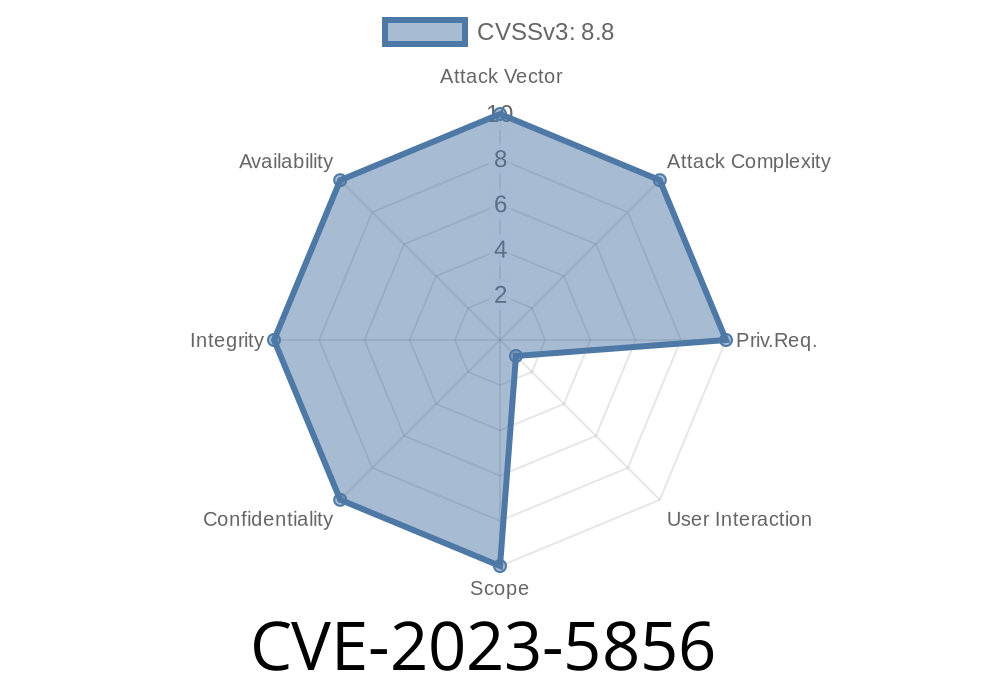
*In October 2023, a security issue tagged CVE-2023-5856 was discovered in the Side Panel feature of Google Chrome. This bug opened the door for remote attackers to potentially execute malicious code if a user interacted with a crafted web page in a very specific way. In this article, we’ll explain in plain English what happened, how the exploit works, show relevant code snippets, and provide references for deeper reading.*
What Is CVE-2023-5856?
CVE-2023-5856 is a "Use-After-Free" vulnerability in the Side Panel component of Chrome, present in versions prior to 119..6045.105. This means that some parts of the browser's memory could be accessed *after* they were freed (deleted), leading to unpredictable behavior—like crashing, leaking information, or even running code chosen by an attacker.
A remote attacker could exploit this by luring a user to click on or interact with a maliciously crafted page. If the browser processed certain UI gestures (i.e., actions by the user), it could end up reusing freed memory, resulting in *heap corruption*.
What Is a Use-After-Free?
Imagine you’ve finished reading a document and shred it. Then, someone asks you to read the file again. If you try, you end up with gibberish—or, if someone put another document in its place, maybe you’d read their information instead. This is what happens in a "use-after-free": something uses memory after it’s already been marked as available for other things.
The Bug in the Chrome Side Panel
The bug involves how Chrome’s *Side Panel* UI component was handling user interactions and dynamically updating its contents. If a user performed a certain sequence of actions, the Side Panel could *free* (delete) an object from memory without ensuring no part of Chrome was still going to use it. If the attacker timed things right, this memory could be replaced with their own data.
Lure the user: The attacker tricks the victim into visiting a compromised or malicious web page.
2. Trigger UI gesture: The attacker induces the user to click or interact with the page in a way that triggers the Side Panel. This might involve opening a link, clicking a button, or completing a specific series of events.
3. Exploit the use-after-free: The page’s JavaScript and HTML interact with Chrome’s Side Panel, causing it to free memory wrongly. If timed right, the attacker’s code can then trick Chrome into running their data as code.
Sample Exploit Scenario
Below is a simplified code snippet (for educational purposes) demonstrating how an attacker might spray the heap and abuse the vulnerability. *Note: This is NOT a real working exploit but a demonstration of the concept.*
<!-- Attacker's Malicious Page -->
<button id="open-side-panel">Open Side Panel</button>
<script>
let arr = [];
document.getElementById("open-side-panel").onclick = () => {
    // Spray memory by creating lots of objects
    for (let i = ; i < 10000; i++) {
        arr.push(new Array(100).fill("evil_payload"));
    }
    // Trigger Chrome side panel opening
    window.open('chrome://side-panel', '_blank'); // Hypothetical trigger
    // Maybe the page now tries to manipulate or close the panel in a special way
    setTimeout(()=>{
        // Attempt memory corruption sequence
        // For a real-world case, this would need precise timing and knowledge of the Chrome internals
    }, 100);
};
</script>
*Note: The exact attack would involve much deeper reverse engineering, but this illustrates the basic idea of interacting with browser UI elements and abusing timing.*
Impact: What Could Attackers Achieve?
- Full Browser Compromise: In a worst-case scenario, an attacker could run code with the privileges of the current user’s browser process.
- Data Theft: The attacker might read or leak sensitive data present in memory (such as passwords or cookies).
Who Is Affected?
Anyone using a version of Chrome before 119..6045.105 (October 2023), as well as browsers built from Chromium (like Microsoft Edge, Opera, Brave), may have been vulnerable.
How Was It Fixed?
Google’s official GitHub commit tightened the memory management in the Side Panel component, ensuring that objects aren’t used after being freed. Users should update their browsers to the latest version.
References and Further Reading
- NIST CVE Database: CVE-2023-5856
- Chromium Security Release Notes for 119..6045.105
- Chromium Issue Tracker (crbug.com/1495744) *(May be restricted)*
- Commit fixing the issue on Chromium Gerrit
Update your browser regularly.
- Avoid clicking on suspicious links or interacting with unknown sites, especially before you patch your software.
In Summary
CVE-2023-5856 is a real-world example of how browser complexity sometimes leads to serious memory bugs. While this vulnerability was only rated "Medium" and required specific user interaction, it’s a reminder to keep browsers updated and be wary of suspicious prompts online.
*Stay safe, stay up to date, and keep learning about browser security!*
Timeline
Published on: 11/01/2023 18:15:10 UTC
Last modified on: 11/14/2023 03:15:11 UTC