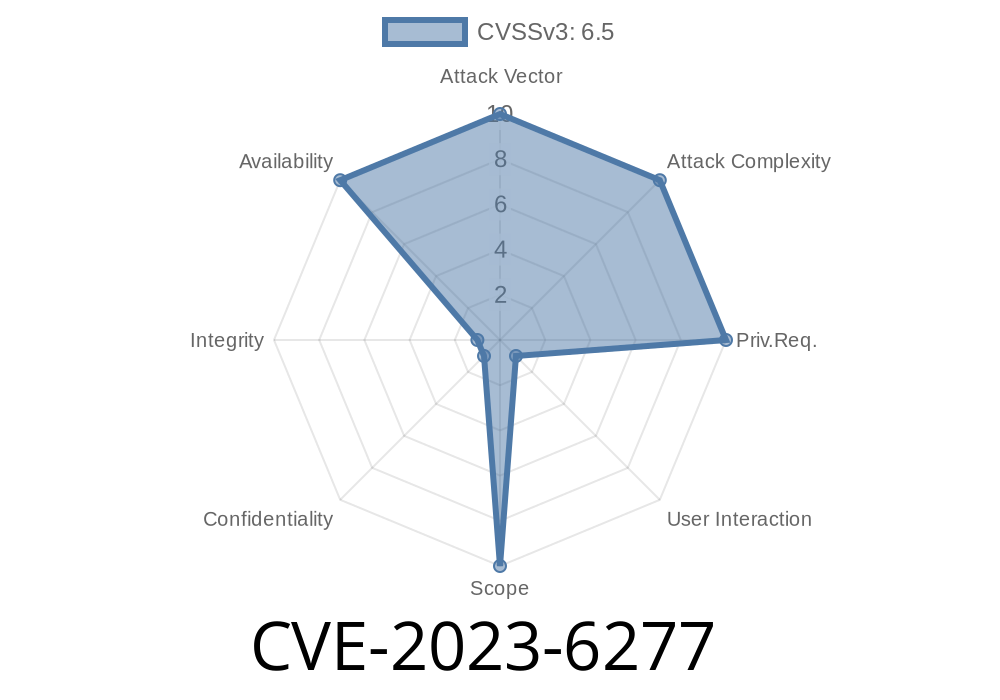
If your project handles image files, you’ve probably heard of libtiff. It’s the go-to library for reading and writing TIFF image files in open-source and commercial apps. But did you know a recent vulnerability could let hackers crash your app with just a small, evil TIFF file? Let’s break down CVE-2023-6277 and see why it matters, how it works, what the code looks like, and how you can protect yourself.
What is CVE-2023-6277?
CVE-2023-6277 is a security bug found in libtiff. An attacker can craft a special TIFF file (smaller than 379 KB) and feed it to a program using TIFFOpen(). If your app tries to open this file, it might run out of memory and crash (Denial of Service). Why is this scary? TIFF files are everywhere: scanners, cameras, graphic software, websites—and users rarely know if a file is safe.
Summary:
Trigger: Malicious, small TIFF file
Original advisory and fix:
- Red Hat Bug Tracker
- GitLab libtiff issue
- Mitre NIST Entry
How Does The Exploit Work?
The attacker creates a special TIFF file where image metadata (width, height, or compression tags) are adjusted to mislead libtiff's allocation logic. Although the total file size appears small, libtiff’s API does not check whether loading all image data will fit in memory. Thus, when reading the TIFF, the library tries to allocate *way* more memory than available—even though the file is under 379 KB (a pretty harmless size, right?).
Once the allocation fails, your software may crash, losing user data or service.
Let’s see a simplified C code snippet for vulnerable TIFF reading
#include <stdio.h>
#include <tiffio.h>

int main(int argc, char* argv[]) {
    TIFF *tif = TIFFOpen(argv[1], "r");
    if (tif) {
        uint32 width, height;
        TIFFGetField(tif, TIFFTAG_IMAGEWIDTH, &width);
        TIFFGetField(tif, TIFFTAG_IMAGELENGTH, &height);

        printf("Image size: %u x %u\n", width, height);

        // Allocate buffer based on tags
        uint32 npixels = width * height;
        uint32* raster = (uint32*) _TIFFmalloc(npixels * sizeof(uint32));
        if (raster) {
            if (!TIFFReadRGBAImage(tif, width, height, raster, )) {
                printf("Could not read image.\n");
            }
            _TIFFfree(raster);
        } else {
            printf("Memory allocation failed!\n");
        }
        TIFFClose(tif);
    } else {
        printf("Cannot open file.\n");
    }
    return ;
}
What’s the issue?
If an attacker submits a file with *very large* width and height tags, but the file is small (not actually containing that much data), npixels * sizeof(uint32) can be huge (causing an allocation of gigabytes). When _TIFFmalloc fails, behavior might be unpredictable or crash your program.
How Can Attackers Abuse This?
Imagine you run a website or service that lets users upload images—maybe a photo gallery, or a scanner app. If you accept TIFFs and feed them directly to libtiff, a hacker could easily upload a malicious file that looks tiny, but that's just a trap.
When your service processes or previews that image, it makes the allocation—crash. (Or worse: If your app is set up to "retry," it might bring the whole server down.)
Start with a normal TIFF file.
- Use a tool (like ExifTool) to modify its metadata: set ImageWidth and ImageLength tags to very high values.
Example (using ExifTool in the terminal)
exiftool -ImageWidth=100000 -ImageLength=100000 input.tiff -o crafted.tiff
If libtiff is unpatched, opening crafted.tiff may trigger the bug.
How Do I Fix or Protect Against This?
- Upgrade libtiff: Always use the latest patched version. Check libtiff releases.
- Add size checks: Before you allocate, check if image dimensions or required buffer sizes are reasonable.
Conclusion
CVE-2023-6277 is an out-of-memory vulnerability that shows how tiny files can lead to big trouble. libtiff is everywhere, which makes this flaw dangerous for web apps, desktop programs, automation pipelines—anything that deals with user TIFFs.
Stay safe!
Keep an eye on image-processing libraries.
For more technical details, see the official Red Hat Advisory and upstream issue tracker.
Further reading & references
- libtiff GitLab Issue 654
- Red Hat CVE page
- NIST National Vulnerability Database
> *This post is exclusive and written in simple language for easy understanding by all developers and system administrators. Stay patched!*
Timeline
Published on: 11/24/2023 19:15:07 UTC
Last modified on: 01/14/2024 02:15:46 UTC