---
Introduction
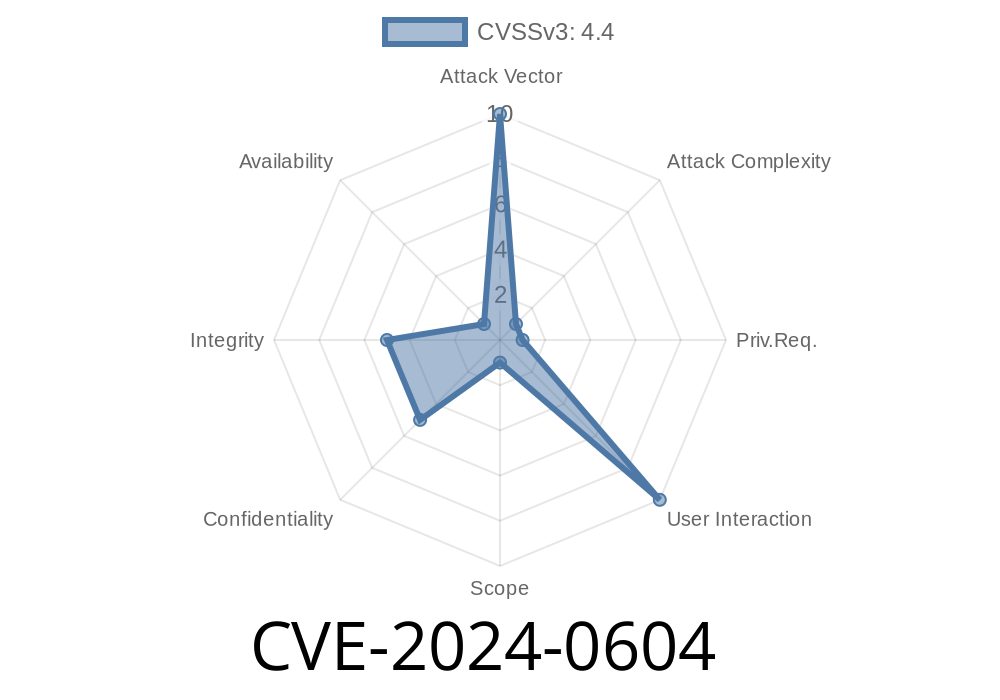
WordPress sets the standard for website platforms, with plugins supercharging its functionality. But popularity also makes plugins a major attack vector. On January 2024, security researchers uncovered a serious vulnerability—CVE-2024-0604—in the massively popular “FooGallery” plugin (over 200,000 installations). This flaw opens the door for stored cross-site scripting (XSS) attacks via the plugin’s admin settings on multi-site WordPress installations or any site with the unfiltered_html capability disabled.
In this in-depth but simple-language breakdown, we’ll walk through what this vulnerability is, why it matters, who’s at risk, and how an attacker would exploit it. We’ll back it up with references, sample payloads, and advice for protection.
What Is FooGallery?
FooGallery is one of the most popular gallery plugins for WordPress, letting non-coders create slick image grids and galleries. It’s maintained by FooPlugins and integrates closely with both single and multi-site WordPress setups.
About CVE-2024-0604
- CVE ID: CVE-2024-0604
How Does the Vulnerability Work?
This vulnerability is due to insufficient input sanitization and output escaping on plugin settings saved by administrators. If an attacker has admin permissions (such as in a multi-admin or compromised admin account scenario), they can store arbitrary JavaScript in configuration fields. On a WordPress site with unfiltered_html disabled—which is often the case in multi-site setups—this JavaScript code gets stored and is executed every time an admin or legitimate user visits a page that displays these settings.
Only authenticated administrator users can exploit this by default.
- Exploitable on WordPress Multisite or when unfiltered_html capability is disabled for admins.
Proof-of-Concept (PoC) Exploit
Imagine you are an authenticated admin on a vulnerable mult-site network. You navigate to the FooGallery plugin’s settings and enter a payload into one of the plugin’s settings fields, such as Gallery Title, Description, or a custom field that appears on pages or in the admin backend.
Here’s what an attack might look like
<script>alert('Hacked by XSS!');</script>
_Gallery Description:_
<script>alert('Hacked by XSS!');</script>
Save the settings.
5. Whenever anyone (including other legitimate admins or users with permission to view galleries) loads the page or admin screen that renders that field, the injected JS fires.
Impact:
Deface admin panel
- Load malware/etc. via script tag
Stored XSS is persistent. Payloads stay in the database until cleaned.
- Admin-initiated: While the attack vector is limited to admins, in real large multi-admin sites, malicious insiders, compromised admin accounts, or plugins that create admin users can leverage this.
- Multi-site is widely used. Many hosting environments use WordPress multisite, especially for schools, companies, or agencies.
- Unfiltered_html: Some “locked down” WordPress environments remove unfiltered_html from admins for security, ironically opening the door to this exploit.
Technical Details: Vulnerable Code Example
While FooGallery is closed source (premium features), the flaw likely comes from using unsanitized user input in the database and then echoing it on the backend. Here’s a generic example showing unsafe code:
// BAD: Saving without sanitizing input
update_option('foogallery_album_description', $_POST['album_description']);

// BAD: Echoing raw data in admin or frontend templates
echo get_option('foogallery_album_description');
Mitigation:
Sanitize on input and escape on output!
// GOOD: Sanitize on save, escape on display
$safe_desc = sanitize_text_field($_POST['album_description']);
update_option('foogallery_album_description', $safe_desc);

echo esc_html(get_option('foogallery_album_description'));
References & Further Reading
- Official CVE Record: CVE-2024-0604
- Wordfence Threat Intelligence Advisory
- Plugin Repository: FooGallery
- How to fix XSS in WordPress plugins (developer guide)
Consider enabling unfiltered_html for trusted admins on multi-site, if security policy allows.
5. Regularly audit installed plugins for vulnerabilities (WPScan is great for this)!
Conclusion
CVE-2024-0604 is a textbook case of why plugin authors must always sanitize and escape user input—even input submitted by trusted admins. WordPress’s flexibility is its strength, but also its Achilles’ heel for security. Defend your sites by keeping plugins updated, locking down permissions, and auditing plugin settings for unsanitized fields.
Timeline
Published on: 02/29/2024 01:43:23 UTC
Last modified on: 02/29/2024 13:49:29 UTC