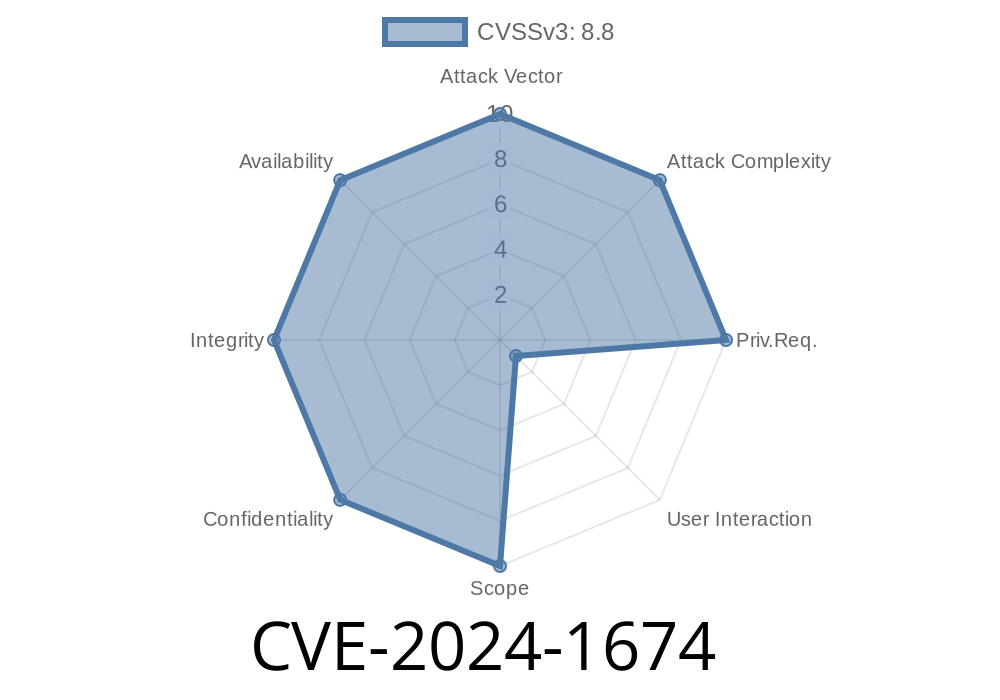
Google Chrome is one of the most widely used browsers in the world, but even the strongest fortresses sometimes develop cracks. In February 2024, a new security bug—CVE-2024-1674—was revealed, affecting Chrome versions before 122..6261.57. This vulnerability allowed remote attackers to bypass navigation restrictions using a specially crafted HTML page. Let’s break down what this means, how it works, and why you should care.
What Is CVE-2024-1674?
This CVE (Common Vulnerabilities and Exposures) details a navigation implementation bug in Chrome. Navigation restrictions are rules browsers set to control which websites or frames you can load, mostly to stop malicious sites from doing things they shouldn't, like stealing your data or tricking you into visiting a fake site.
In short: CVE-2024-1674 made it possible for attackers to sneak past these rules using clever web code.
- Severity: Medium (but still dangerous if you rely on Chrome’s security to keep you safe online)
Attack method: Remote attackers use a crafted HTML page to bypass navigation controls.
> Reference:
> - Chromium Release Notes for Chrome 122
> - NVD CVE Details
The Exploit: How Did Hackers Pull This Off?
Let’s walk through a simple example of how this bug could be abused.
The Problem
Normally, sandboxed iframes or certain navigation blockers in Chrome are supposed to prevent websites from redirecting you somewhere else without your consent.
But, due to improper implementation, attackers could build a web page that tricks the browser into navigating to restricted destinations.
Here’s a basic proof-of-concept showing how an attacker could abuse this flaw
<!-- attacker.html -->
<iframe id="myframe" src="about:blank" sandbox="allow-scripts"></iframe>
<script>
  // Create a navigation to a restricted destination
  let frame = document.getElementById('myframe');
  // Normally, sandboxed frames CAN'T redirect the top page
  frame.contentWindow.location = "https://phishing-site.example/malicious";;
</script>
What’s happening:
In normal circumstances, the sandbox on the iframe should block this navigation. Due to CVE-2024-1674, Chrome failed to properly check these navigation attempts. That means attackers could send users to malicious sites or bypass very important security policies.
They could work around protections meant to stop clickjacking, phishing, and data theft.
- Even sophisticated security setups (like those using Content Security Policy or modern sandboxing) could be bypassed due to this flaw.
Is This a Big Deal?
For most everyday users, Chrome’s auto-update will keep you safe as long as you keep Chrome updated! But, if you’re running an older version, your browser could still be tricked by this exploit.
For web developers and infosec pros, this is a reminder: even basic security features like iframe sandboxing are only as strong as their implementation.
Update Chrome:
Go to chrome://settings/help and make sure you’re using version 122..6261.57 or higher.
Learn More
- Chrome Stable Release Announcements
- NVD Entry for CVE-2024-1674
- Crbug Issue Tracker (Search CVE-2024-1674)
In Summary
CVE-2024-1674 is a navigation bug in Google Chrome that let attackers break some important browser rules. By tricking the browser with malicious HTML, attackers could send users to unwanted websites, opening the door for scams or attacks. The fix is simple—update your browser—but the story is a good reminder to always keep your software (and your security awareness) up to date.
Timeline
Published on: 02/21/2024 04:15:08 UTC
Last modified on: 12/02/2024 19:51:32 UTC