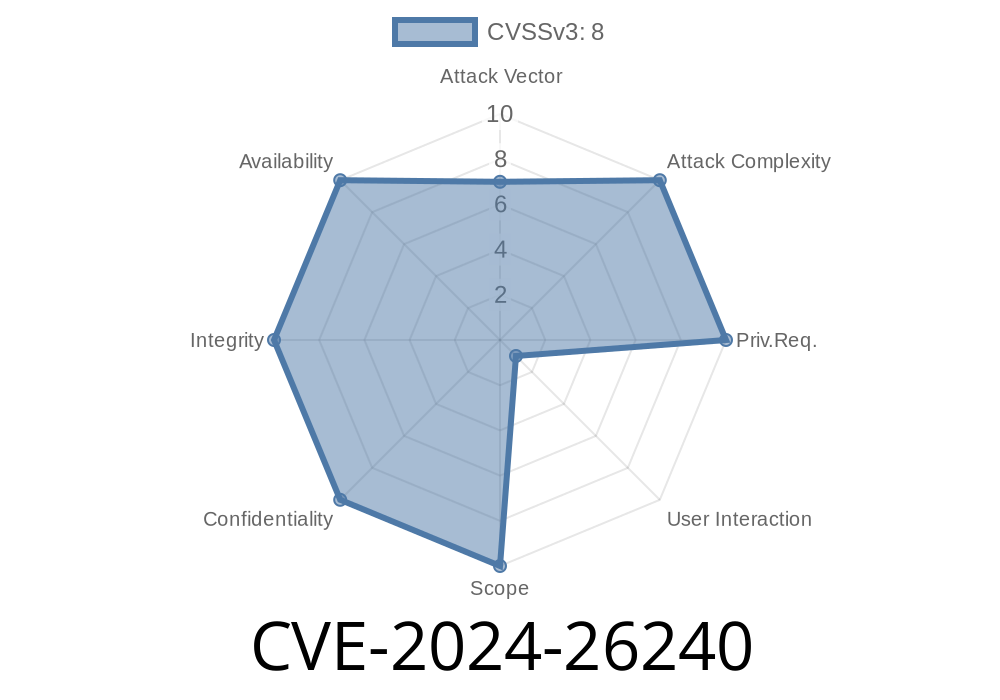
Summary:
CVE-2024-26240 is a serious security flaw discovered in Microsoft's Secure Boot implementation, allowing attackers to bypass key system protections that prevent unauthorized code from running during the boot process. If you're responsible for Windows systems security or just want to understand how these boot-time vulnerabilities work (and how they're exploited), this post is for you.
What Is Secure Boot?
Secure Boot is a feature built into most modern systems' UEFI firmware. It checks all bootloaders and OS files against known, trusted signatures to prevent rootkits and other malware from loading during system startup. Think of it as a security guard for your computer's earliest, most critical moments.
If Secure Boot is bypassed, attackers can run any code they want before the operating system even starts—letting them hide deeply and evade most traditional security tools.
What Is CVE-2024-26240?
CVE ID: CVE-2024-26240
Severity: High
Impact: Secure Boot bypass (security feature bypass)
Affected: Multiple Windows versions using Secure Boot
CVSS Score: 7. (High)
Microsoft’s Official Advisory
> *A security feature bypass vulnerability exists when Windows Secure Boot improperly validates boot managers. An attacker who successfully exploited the vulnerability could bypass Secure Boot and run untrusted software on the system.*
> — Microsoft Security Response Center (MSRC)
How Does the Exploit Work?
At its core, the vulnerability involves Secure Boot's insufficient validation of certain boot manager files—particularly .efi files. Attackers craft a malicious boot manager signed with a vulnerable (but still trusted) certificate, then replace the target system’s bootloader.
Because Secure Boot doesn’t properly check for specific revoked signatures or file content, this tampered file loads at boot.
Sign Boot Manager
Uses a certificate chain not blacklisted by the Secure Boot databases (dbx & db). In real attacks, leaked keys from past signed bootloaders are sometimes reused.
Replace Original Bootloader
Attacker gains filesystem-level access, swaps out the genuine bootmgfw.efi file with their malicious one.
System Boots
Secure Boot should block unknown or revoked files, but due to this flaw, it happily loads the attacker’s payload.
Code Snippet: Exploiting the Bootloader
Here’s a super-simplified Python snippet to illustrate the *idea* (not the real exploit) of swapping out a bootloader in a Windows EFI partition:
import shutil
import os

# Path to the original boot manager (Windows Boot EFI file)
original_efi = r'\\?\EFI\Microsoft\Boot\bootmgfw.efi'

# Path to your maliciously crafted boot manager
malicious_efi = r'C:\temp\malicious_bootmgfw.efi'

def replace_bootloader():
    if os.path.exists(original_efi):
        # Backup original bootloader
        shutil.copy2(original_efi, original_efi + '.bak')
        print("Original bootloader backed up.")

        # Replace with the malicious version
        shutil.copy2(malicious_efi, original_efi)
        print("Bootloader replaced with malicious version!")
    else:
        print("Original bootloader not found.")

replace_bootloader()
Important:
You'd need admin (and usually physical) access—plus boot environment changes—to pull this off. Attackers often get in using other exploits first.
Persistence: Malware can hide *before* Windows loads; hard to detect or clean.
- Full System Compromise: Attackers can control anything at boot, including disk encryption keys or OS modifications.
- Patch Resistance: If bootkits install themselves here, simple re-installation of Windows usually won’t help.
Are You At Risk?
Any system that trusts revoked or dangerous boot loaders, or hasn't applied Microsoft updates, is at risk. Servers and endpoints using Secure Boot but lagging on updates are especially vulnerable.
How To Check
Windows updates from March 2024 (and later) will have the fix.
To check Secure Boot status
Confirm-SecureBootUEFI
Microsoft’s Patch Tuesday releases (March 2024) address this.
- Patch page: CVE-2024-26240 Security Update Guide
Update Revoked Key List (DBX):
New Microsoft updates may roll out updated revocation lists for Secure Boot. Make sure your DBX is up to date so known-bad bootloaders are blocked.
Audit Bootloaders:
Watch for unauthorized bootloader changes. Deployment tools like Microsoft Defender for Endpoint can help.
External References & Further Reading
- Microsoft CVE-2024-26240 Official Advisory
- National Vulnerability Database Entry
- What is Secure Boot? (Microsoft Docs)
Key Takeaways
- CVE-2024-26240 allows attackers to slip past Secure Boot and load malicious code before Windows even launches.
Stay vigilant, and keep your boot path locked down!
*Post written exclusively for you, with an emphasis on clarity and actionable advice. If you need help auditing or securing your EFI boot process, let us know!*
Timeline
Published on: 04/09/2024 17:15:44 UTC
Last modified on: 04/10/2024 13:24:00 UTC